Picture this: You’re an options scalper, watching the market closely on multiple screens, ready to make trades at any opportunity. Suddenly, you spot a trading opportunity, but by the time you place your order, it’s too late. Frustrating, right? We’ve all been there.
At FYERS, we know the pain of missed trades, especially when seconds matter. That’s why we created something to give you an edge in your options trading game—the Scalper Terminal.
Introducing the Scalper Terminal
This is a dedicated tool, built specifically for options traders who need speed, precision, and flexibility. Think of it as your command center for options scalping. And here’s the best part: FYERS is the first broker in India to offer such a terminal, completely free for our users. No extra charges, just pure efficiency at your fingertips.
What Makes our Scalper Terminal Stand Out?
1. Three-Chart Layout: Your Market Command Center
With our three-chart layout, you can keep track of the underlying asset (in the center), the Call Option (on the left), and the Put Option (on the right). It’s the perfect setup for any scalper.
Further, the Strike CE and Strike PE selector dropdown offers you a list of strike prices, which would open the CE and PE chart for selected strike prices on the chart. You can also monitor the Day’s High/Low and Last Traded Price on this layout along with your positions & P&L.
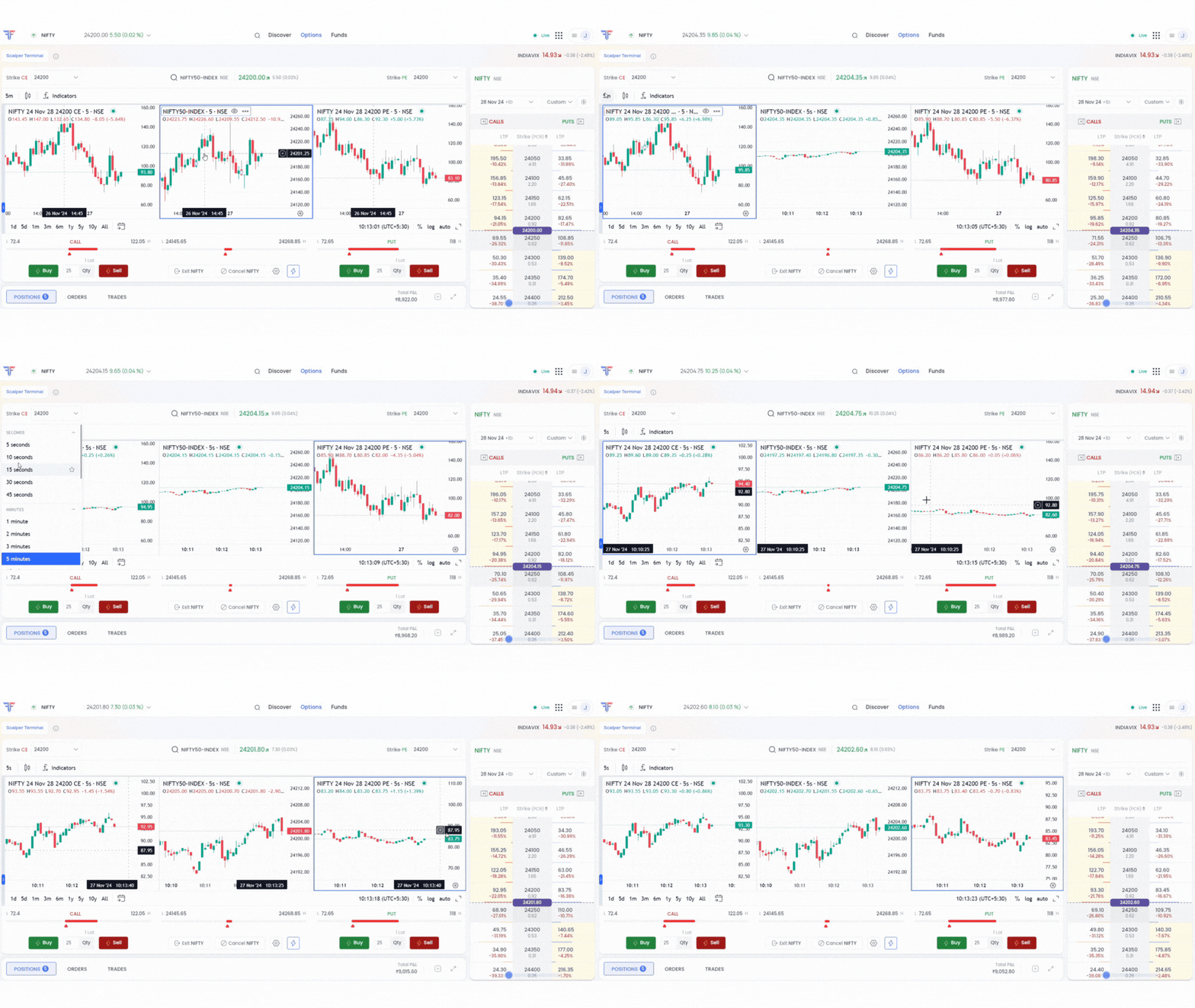
The terminal lets you add indicators, apply drawing tools, and choose preferred timeframes, including seconds charts, for detailed analysis.
Scalping made easy—now trade on a seconds chart.
2. Customization and Advanced Charting: Your Personalized Trading Hub
The Scalper Terminal is designed to adapt to your unique trading style while providing the analytical tools you need for fast-paced scalping. Here’s how:
- Tailored Workspace: Personalize your trading environment by adjusting chart layouts, adding your favorite scalping indicators, and customizing the options chain to display data like prices, option greeks, or straddle views—everything you need at a glance.
- Quick Insights: Use tools like the Price Range Indicator to track price movements across CE, PE, and Spot charts. Visual aids, such as color gradients, make market trends easy to spot.
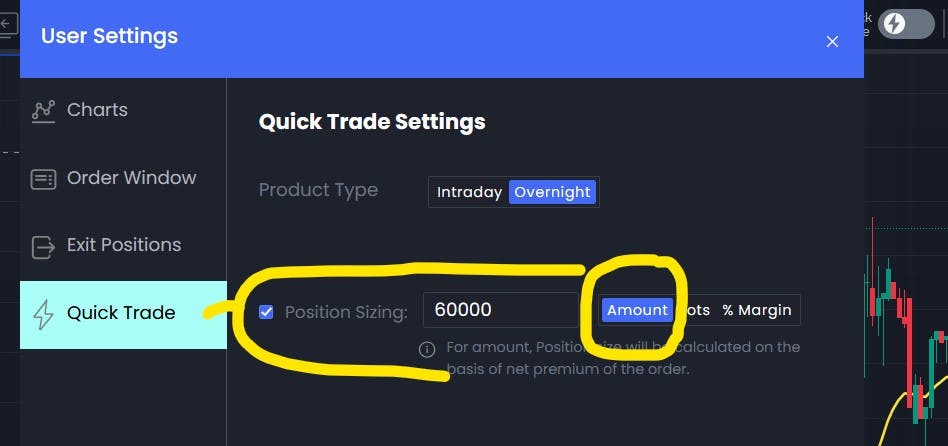
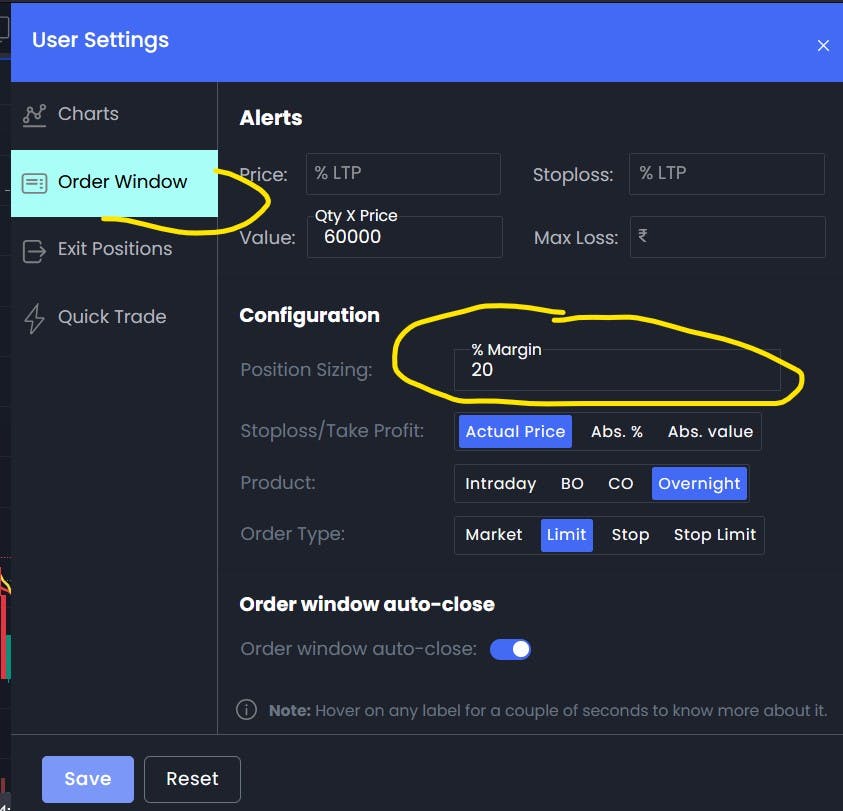
- Seamless Execution: Execute trades directly from the charts with minimal effort. Set default order types and quantities to speed up your scalping strategy, saving precious seconds on every trade.
3. Quick Trade Mode: Trade in Seconds
During scalping even seconds matter. Hence, we’ve incorporated Quick Trade mode.
-
Place orders instantly without opening a separate window.
-
Use keyboard shortcuts for faster executions:
-
Buy CE - Shift + Arrow Up
-
Sell CE - Shift + Left Arrow
-
Buy PE - Shift + Down Arrow
-
Sell PE - Shift + Right Arrow
Note*: When ‘Quick Trade’ mode is enabled, you can only place ‘Market’ orders. However, you can place limit orders and stop-loss orders directly from the charts.*
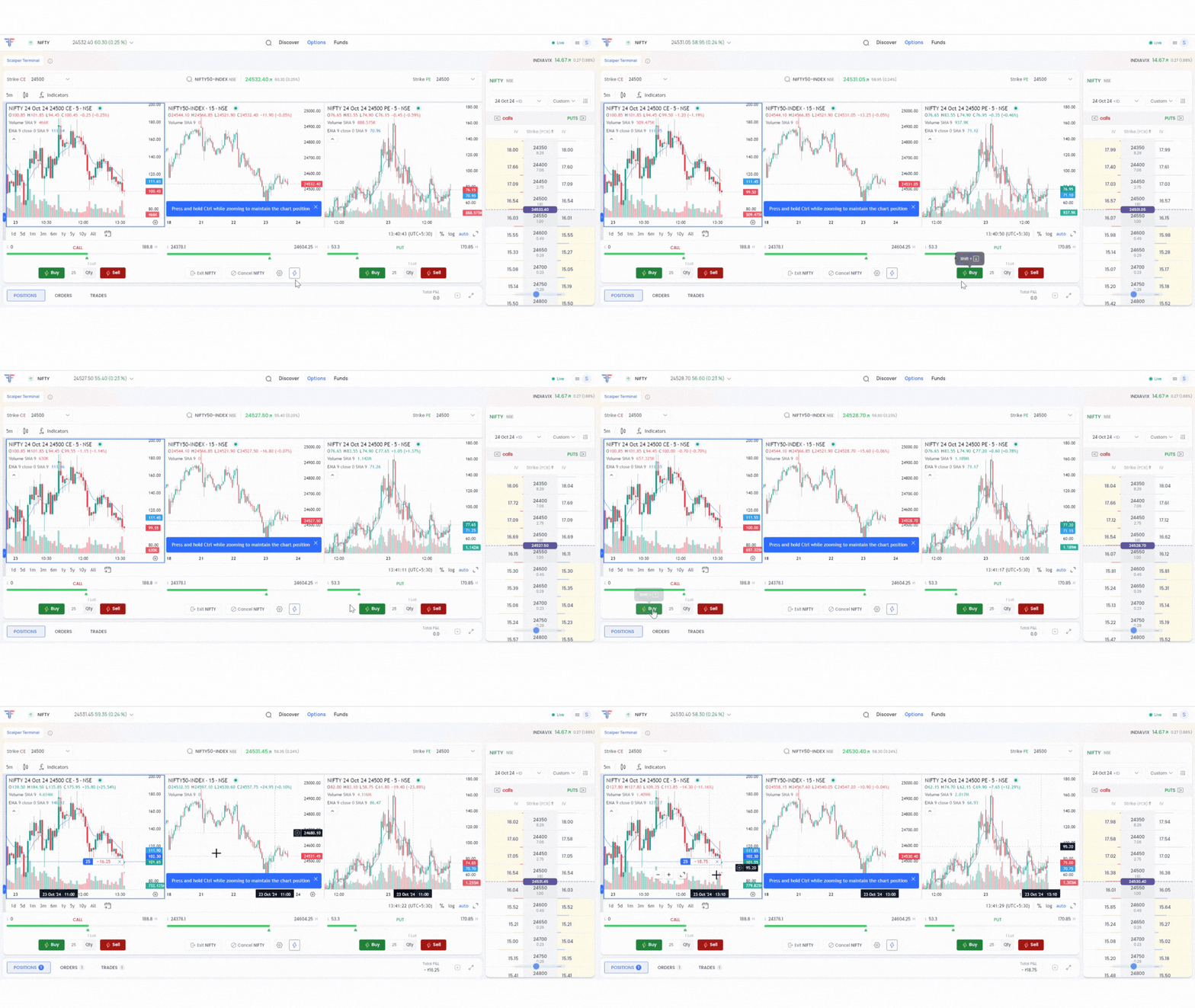
This is how the Quick Trade Mode works:
4. Smart Risk Management Tools
In volatile markets, risk management is crucial for scalpers. We’ve integrated features to help you stay on top. Here’s how -
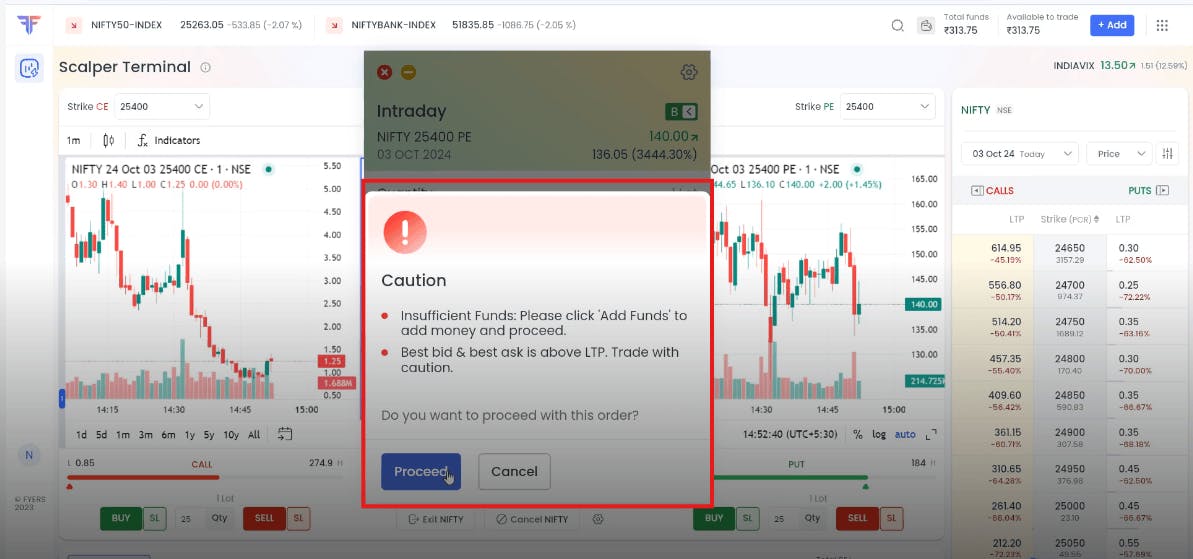
- Heads-up Alerts: Get instant notifications about liquidity issues, high volatility, or potential compliance risks to safeguard your scalping trades.
- Partial Exit: Use a simple slider to book profits on a portion of your position while letting the rest ride.
- One-Click Position Square-Off: Quickly exit all F&O positions for a specific underlying with a single click.
Here’s a screenshot of how the Heads-up alert will look like on your Scalper Terminal
Streamlined Interface and Unified Management
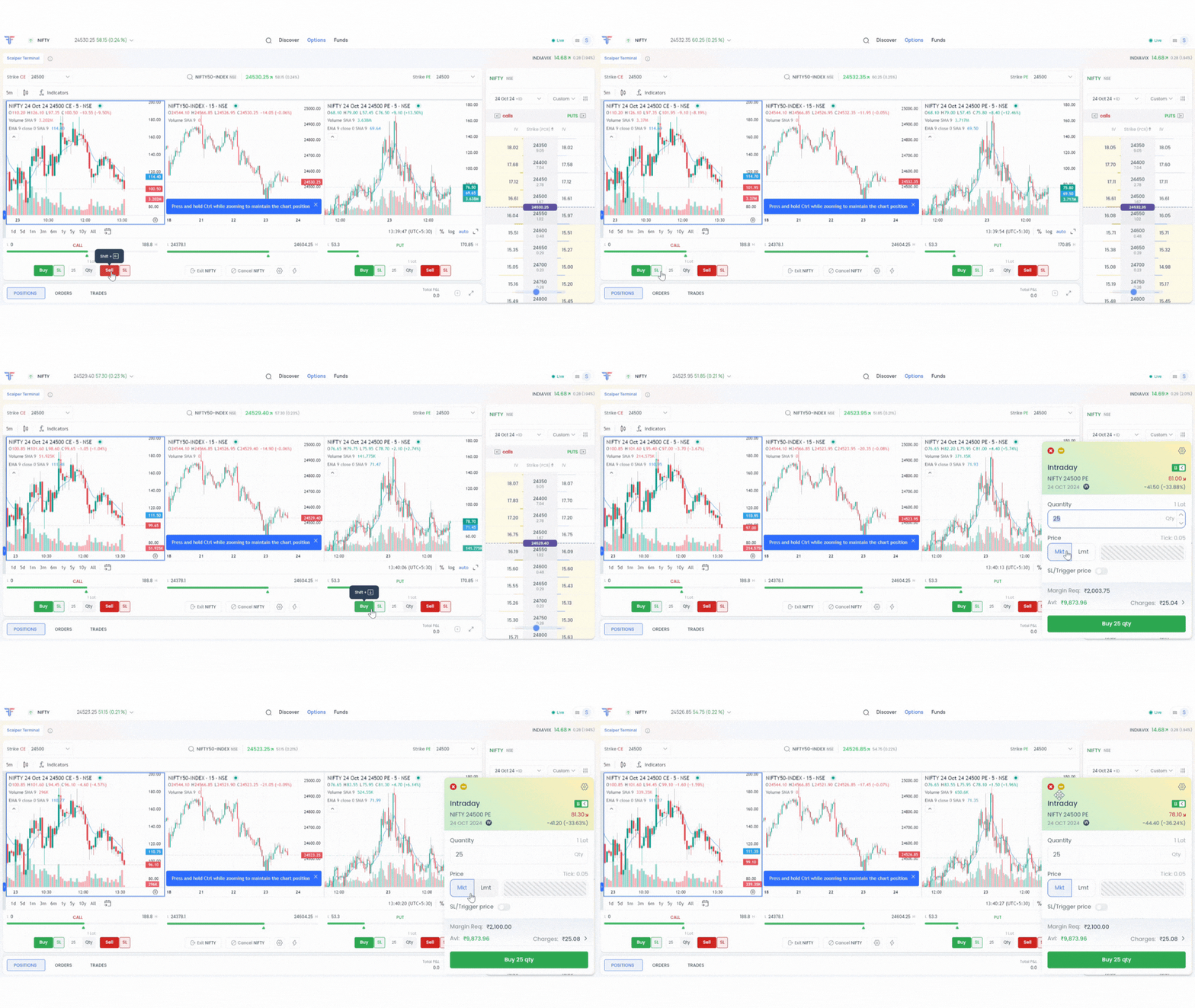
The Scalper Terminal combines a simplified order window with integrated account management, ensuring you focus only on what matters:
- Compact Order Window: A clean interface with quick toggles for order type, product type, and quantity, plus the flexibility to set stop-loss or trigger prices in your preferred format.
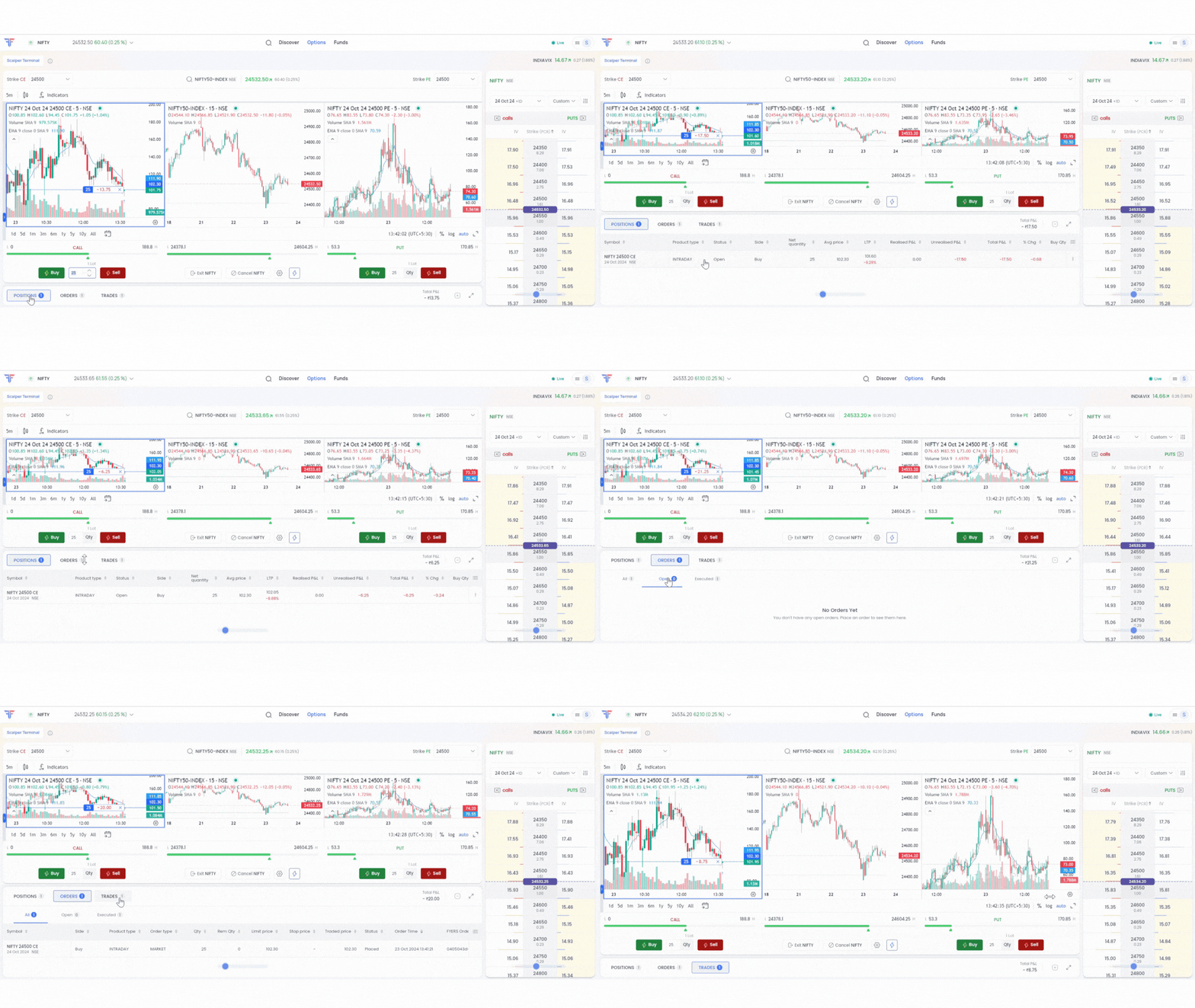
- Integrated Account Management: Track live and closed positions, manage orders across platforms, and monitor account balances and margins—all in real-time.
This seamless design empowers you to trade efficiently and stay in control at every step.
Scalper Terminal in Action: A NIFTY Options Example
Say you’re an options scalper and you’re looking at NIFTY options. Here’s how the Scalper Terminal can help you trade faster and more accurately:
- You’re watching the three-chart layout, with NIFTY in the center, 24500 CE on the left, and 24500 PE on the right.
- Suddenly, the underlying NIFTY spikes. You instantly notice the 24500 CE chart reacting positively.
- A quick glance at the customized options chain confirms increasing volume in the 24500 CE.
- Using Quick Trade mode, you hit Shift + Arrow Up to buy the 24500 CE instantly.
- As the position moves in your favor, you use the partial exit slider to book profits on 50% of your position.
- A heads-up alert warns you of increasing volatility. You decide to square off the remaining position with a single click.
All of this happens within a matter of seconds, showcasing the Scalper Terminal’s power and efficiency for options trading.
Accessing the Scalper Terminal on FYERS
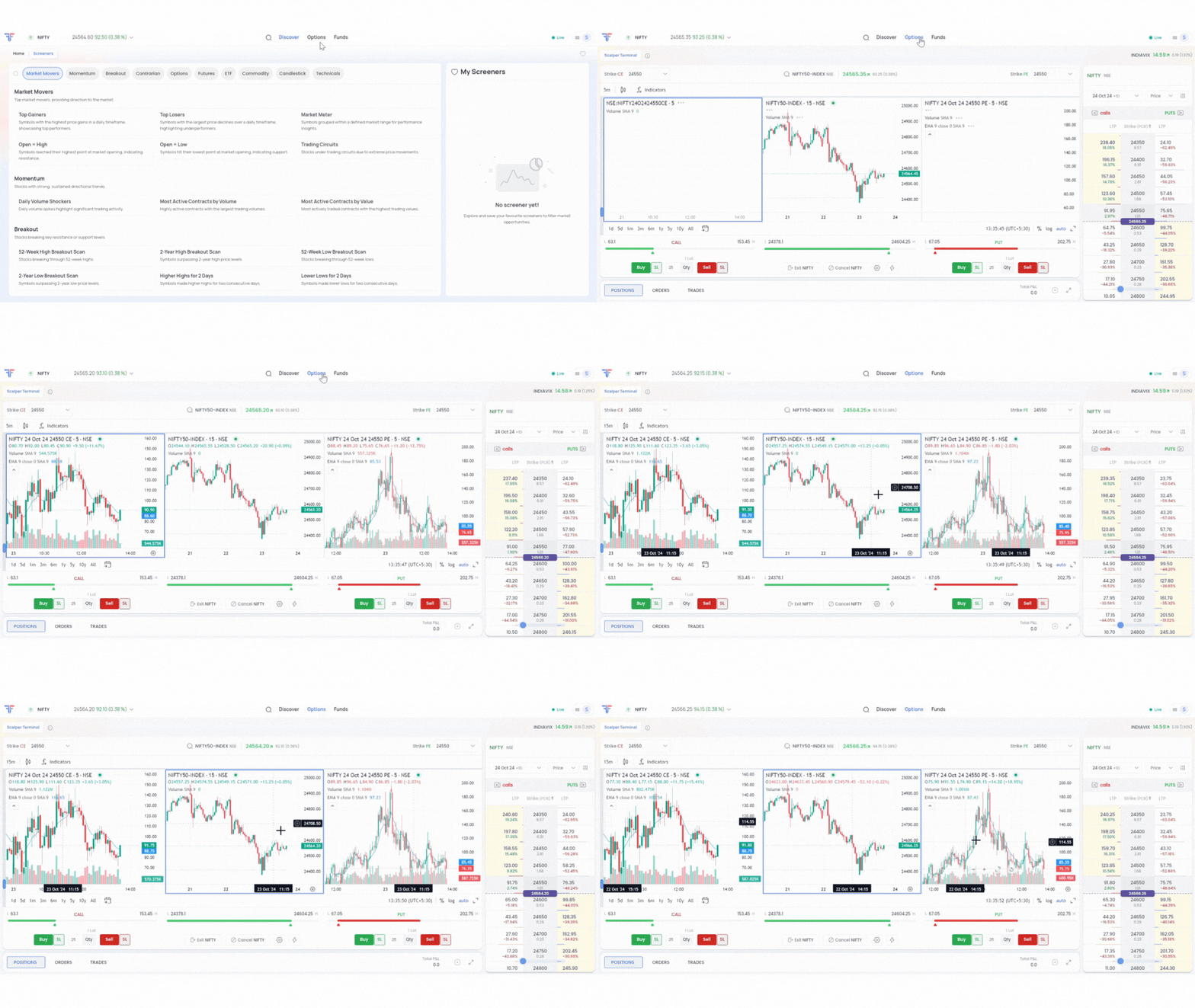
You could access the Scalpers Terminal in these easy steps.
- Login to the Web platform.
- Navigate to the ‘Options’ tab, you will be automatically directed to the Scalper Terminal.
Note: The Scalper Terminal is only available on the web platform, and cannot be accessed via the FYERS App.
For more details on the Scalper Terminal, kindly refer to the FAQ section.
Conclusion
In the world of options scalping, speed is important. Don’t let another opportunity slip away—try the Scalper Terminal today. And if you love it (which we’re sure you will), share it with a friend. You’ll both thank us later!
Ready to experience the future of trading? Login to the FYERS web and take your scalping to the next level.