Scalper Terminal: Your Key to Fast & Efficient Options Trading

Quick feedbacks:

  1. Is it possible to save/preserve indicators that are applied on 3 charts in scalper-terminal so that they remain applied even after re-login ? If not, allow saving such configurations.

  2. The combo-box provided for strike selection is not convenient to scroll especially while using from laptop without mouse.

The UI component like counter would be useful.

Cheers !!! Keep improving and innovating.

1 Like

meanwhile, a short while on how we can do partial exit will be better like how other features are explained in this blog with sort videos/snapshots

Hello Sir, Please Add Dark Theme On Scalper Terminal.

2 Likes

excellent platform,everything is well. But one thing please provide smc

1 Like

please provide SMC also

Hi @113272432108765437641, We’re thrilled to hear you find the terminal setup useful. If you mean smart money concepts, please elaborate.

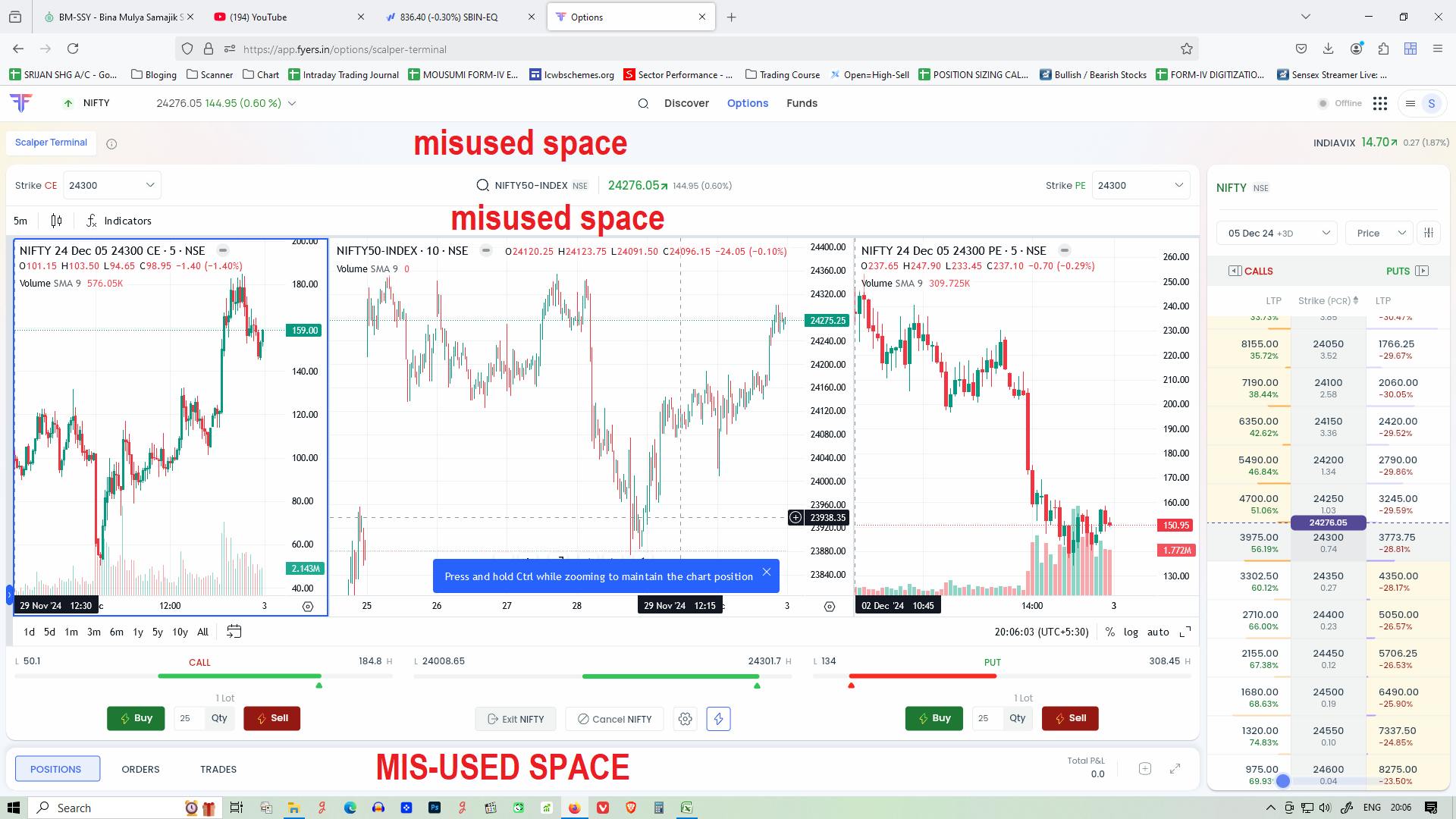
make the Option chain collapsible to right side, like it is for orders/Position dropdown to give way to charts.
so that it can be hidden to give more space to 3 charts full on screen. (option scalpers do not have time to do OI analysis anyways charts are the key)

and give “preset Amount” option also beside preset lots in Quick trade mode in scalper terminal, that’ll make it easy to change between different instruments (bankNifty/Nifty/StockOptions) without any need to change number of lots again and again from settings for different instruments.

2 Likes

This top area where Scalper Terminal button and right side India VIX, is taking more space, and no need for that, just for two words it take whole area,

Better remove it.

1 Like

Hi @110658881148968933276, Thanks for the feedback! We’ll definitely take this into consideration.

Thanks for the feedback, @112053274512930727115! We’ll get this sorted.

1 Like

nice Nice, it’s been a while since anyone came.

1 Like

Please increase size of chart layout. I am using 27 inch screen but I am not able to view chart comfortably.

4 Likes

Thanks for the feedback, @2hRoTVQUj5! This will be available soon.

1 Like

Hi Shubam,

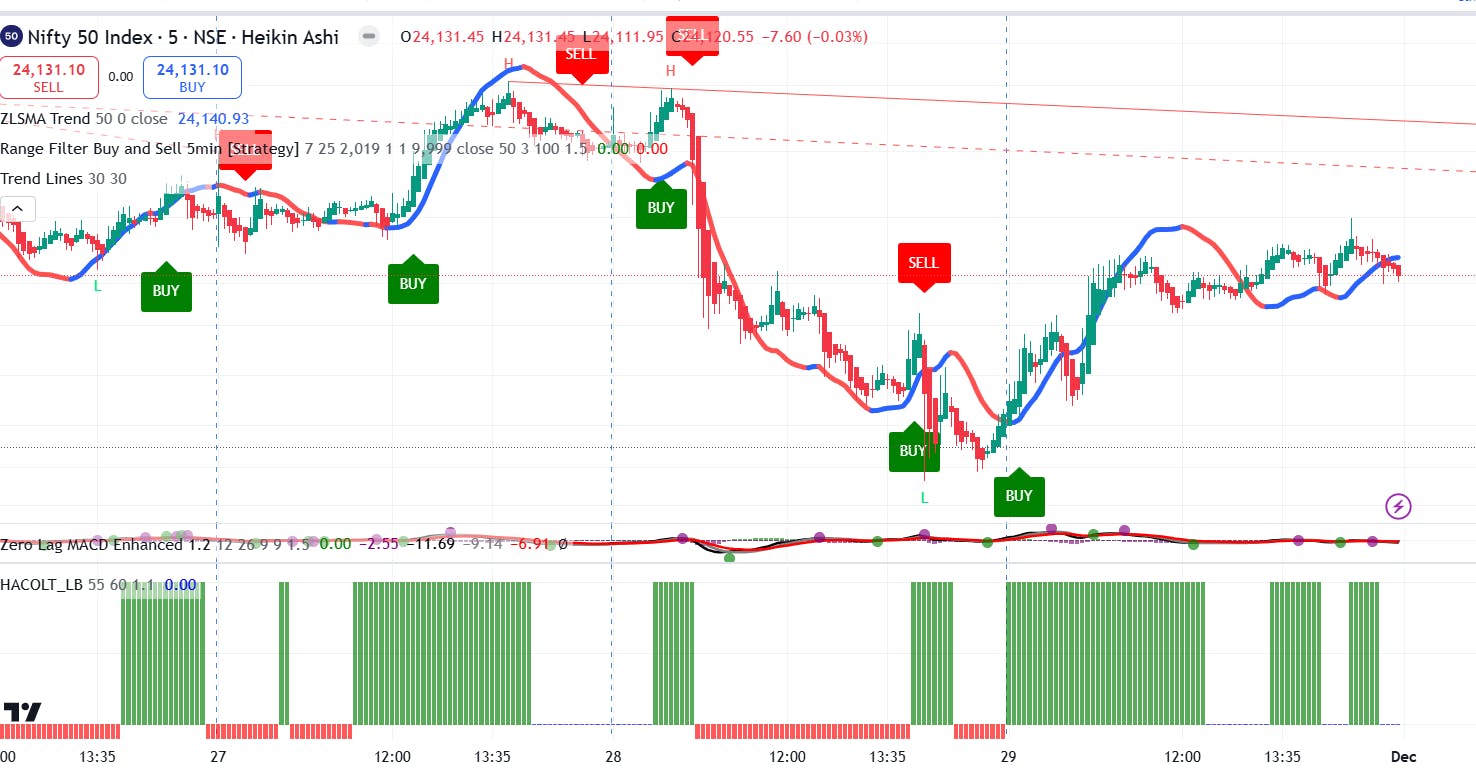
I think Moses is talking about SMC like advance indicators as used in trading view. I guess Fyers have collaborated with trading view but these indicators are not available in fyers. Please check some indicators in the picture below. These help in judging pattern, buy/sell signals, trendline etc. Also leading indicators like ZLSMA will help taking steps early and prevent big losses


We are used to see charts in a bigger window…so i feel pleas increase size of all three windows

2 Likes

Drawing made on trade.fyres are not syncing here, and vice versa? What will be process to sync drawings?

Hi Jigar,

Unfortunately, auto-sync between platforms isn’t available due to several experience trade-offs involved.

Noted @iXsYNBkdDu, we’re on it!

Thanks for the feedback, will take this into consideration!

  • Chart pannel can be big & must be big. Many space left unused/misused.
  • A watchlist like Fyers Web should be added after Option Chain. It will be helpful or stock option trader.
  • Make it compact like Fyers Web.

4 Likes