Hello @anil.desai28-rru, You can set default lot sizes as per your preference using the Scalper Terminal.
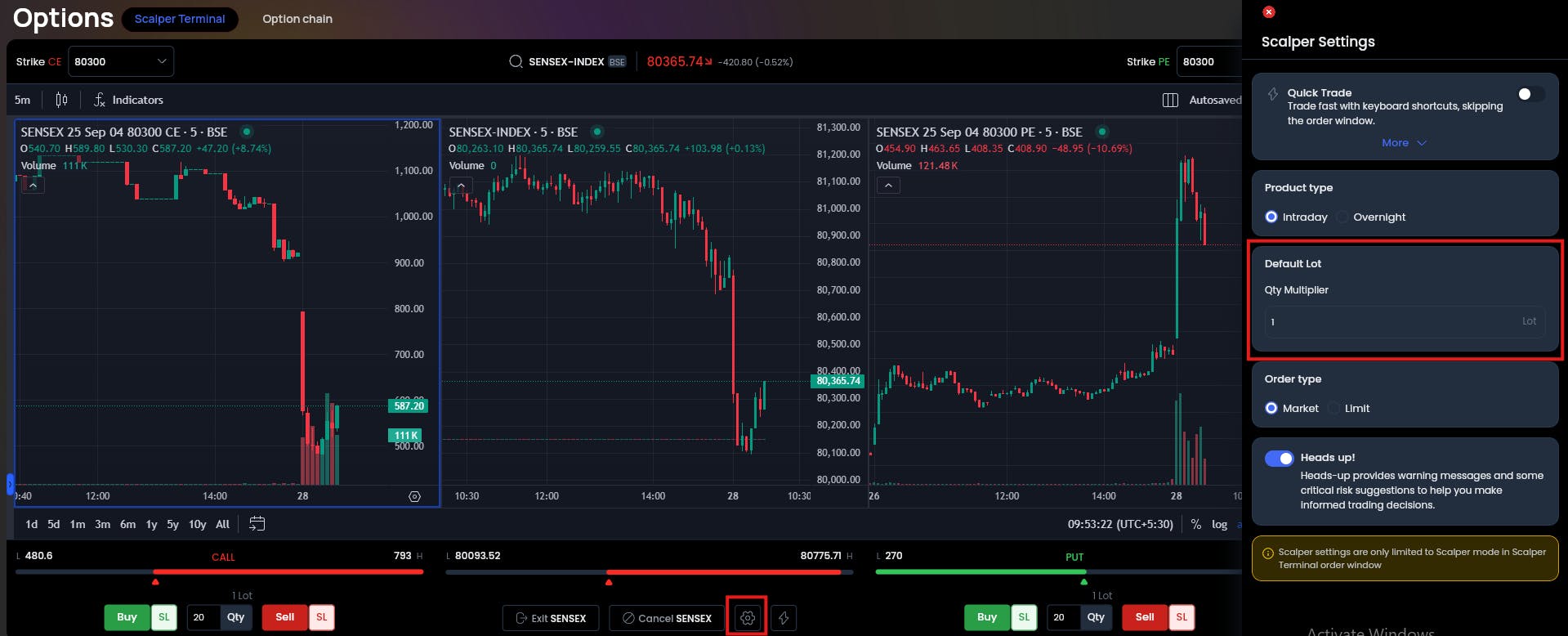
- Go to Scalper Terminal
- Click on the Settings icon at the bottom (middle of the screen).
- A settings window will open on the right-hand side.
- Enter your preferred lot size in the Default Lot field.
For more details you can visit the Scalper Terminal article.