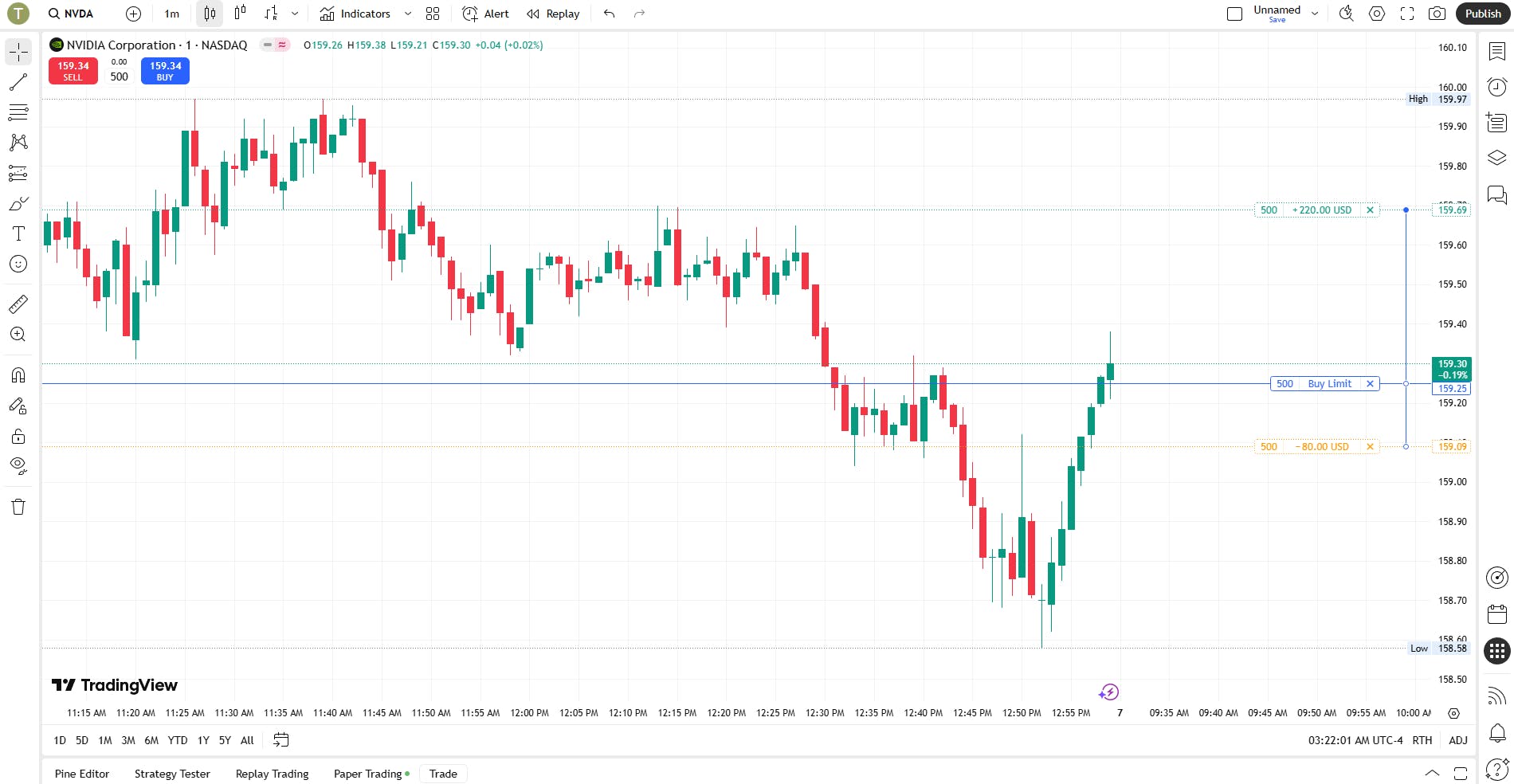
I would like to request an enhancement to the Fyers Web trading platform to improve the process of setting target and stop-loss levels. Currently, the only way to define these levels is by manually opening the order window and inputting the values. While functional, this method can be time-consuming and less intuitive, especially during fast-moving markets.
I suggest implementing a feature similar to TradingView, where users can visually drag and drop sliders or lines on the chart to set their target and stop-loss levels immediately after placing an order. This would provide the following benefits:
Speed: Quicker adjustment of levels without needing to open an order modification window.
Visual Clarity: Immediate feedback on the risk/reward ratio.
User Experience: A more seamless and modern trading experience, particularly for intraday traders.
Such a feature would significantly improve usability and make Fyers Web even more competitive and trader-friendly.
Thank you for considering this request. I look forward to seeing continued improvements on your platform.
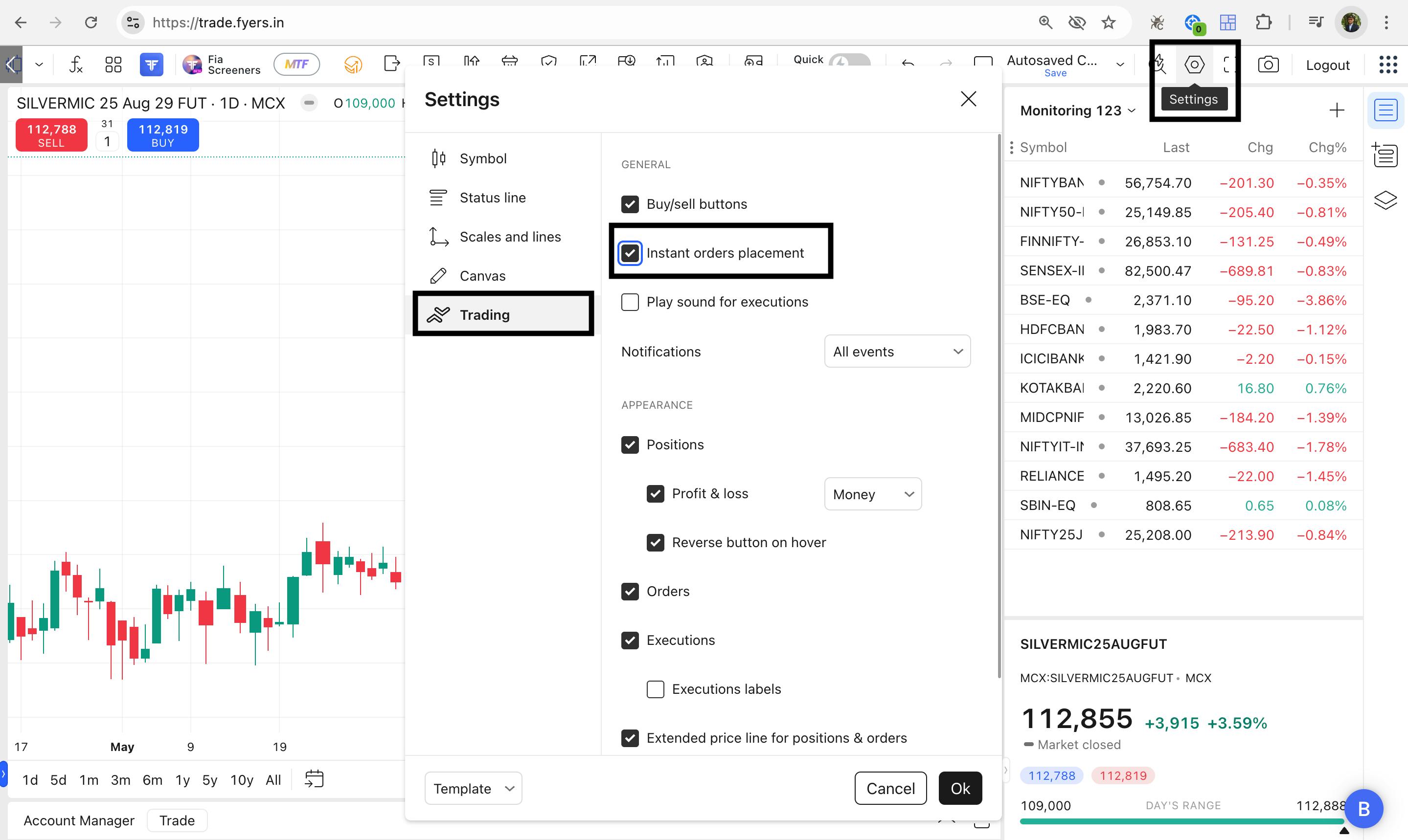
Dear Sachin, this feature is available when using Instant Order Placement. Once this option is enabled from the Trading Settings (available under the Settings menu as highlighted in the attached screenshot), you can quickly place orders and then drag their Target and Stop-Loss levels directly on the chart—similar to the experience on TradingView.
This allows for faster adjustments, better visual clarity of your risk/reward setup, and an overall smoother trading experience, especially in fast-moving market conditions.
You may refer to the attached screenshot for a better understanding of how this works.
Thank you for your prompt response to my feature request.
However, I would like to clarify that the feature you referred to in your reply—enabled via Instant Order Placement—is not the functionality I was requesting.
My original request specifically pertains to a drag-and-drop mechanism for adding target and stop-loss levels directly on the chart immediately after placing an order, similar to how it’s implemented on TradingView. In that system, once an order is placed, users can visually add and manipulate the stop-loss and target levels using movable lines or sliders, without opening a separate order modification window.
The Instant Order Placement feature in Fyers is helpful, but it still doesn’t provide the fully interactive, post-order drag-and-drop adjustment that significantly enhances speed and user experience during intraday trading.
To help clarify further, I am attaching a reference video illustrating the functionality I’m referring to.
I hope this clears up the confusion, and I would be glad to elaborate further if needed. Thank you again for considering this feedback.
Hi Sachin, Your feature for drag and drop SL and Target is noted. We are glad to inform you that our team is already working on this feature. Please stay tuned.
By the time, I suggest you to try out quick trade feature. Where you can pre configure your SL and Target prior to execution. Read more details here: https://fyers.in/community/t/quick-trade-one-click-order-placement-for-swift-execution/12222