Maybe I don’t know the easy way. If there is, please let me know. To exit a holding, I need to-
- Go to stock chart.
- Create order.
- Fill in quantity and price manually.
- Execute the order.
There should be a much easier way to exit the holdings.
Hi @115028699882527591106, you can place trades directly from charts using our mobile app. Please refer to the article link for the procedure.
@shruthi_shetty How can I do that from the web itself? Am I supposed to do half work on web and half work on mobile?
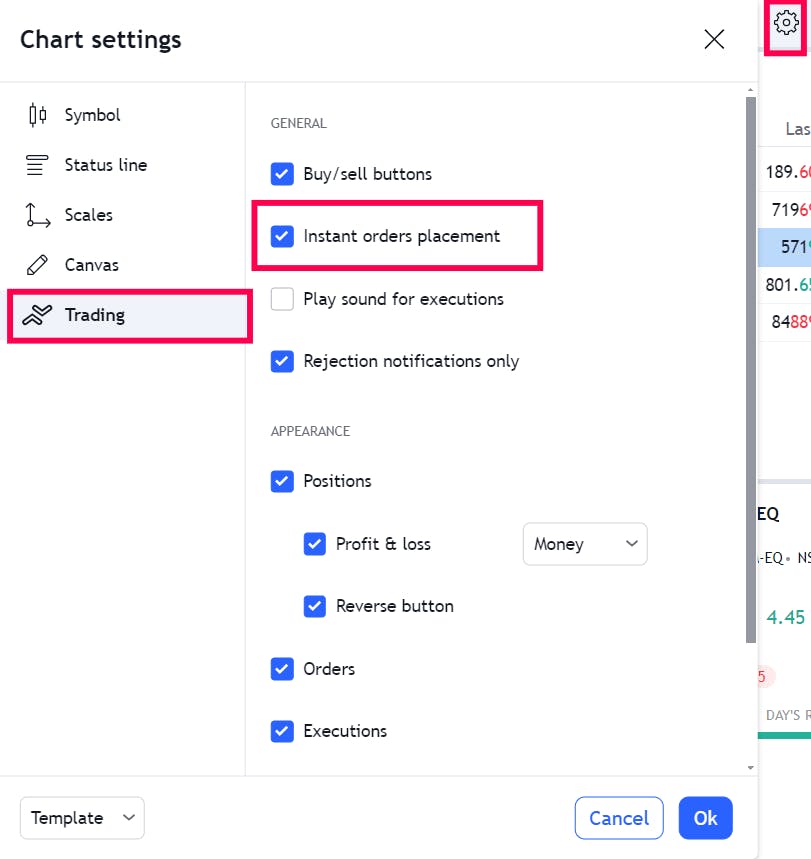
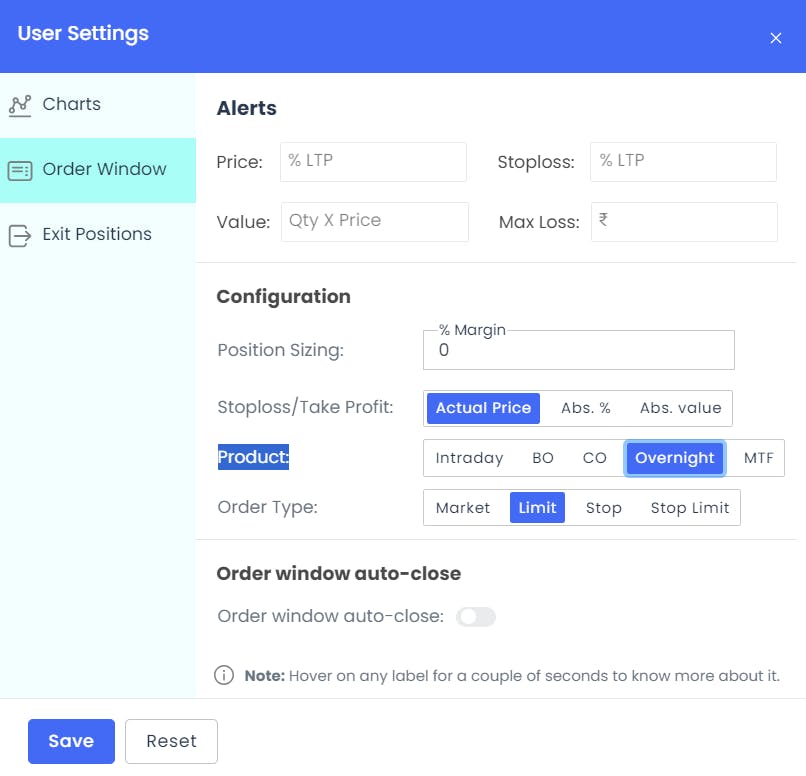
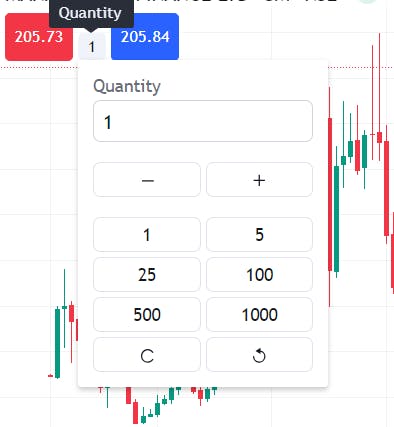
Hi @115028699882527591106, in the web interface, you can easily enable instant order placement and then change the Product type to “Overnight” in the User settings. Once this is done, you simply need to click “sell” and your orders will be executed. If you wish to change the quantity, you can adjust it between buy and sell using the option provided. I have attached screenshots for your reference.
Enable instant order placement:
Change of product type:
Quantity Change option once enabled “Instant order placement”.
What I want is - from the bottom panel where I see the list of my holdings, I should be able to click on a button “Sell Holding” or “Exit” which automatically brings up sell pop-up window with pre-filled quantity equal to my holdings. I already follow the way you mentioned in your reply which is a bit of hassle compared to other broker platforms.
Oh okay, @115028699882527591106. I will communicate this feedback with our concerned team to explore the possibilities in the upcoming updates. Thanks!
Thanks @shruthi_shetty. Please keep providing updates here.