Hi @shruthi_shetty @NareshJanagam
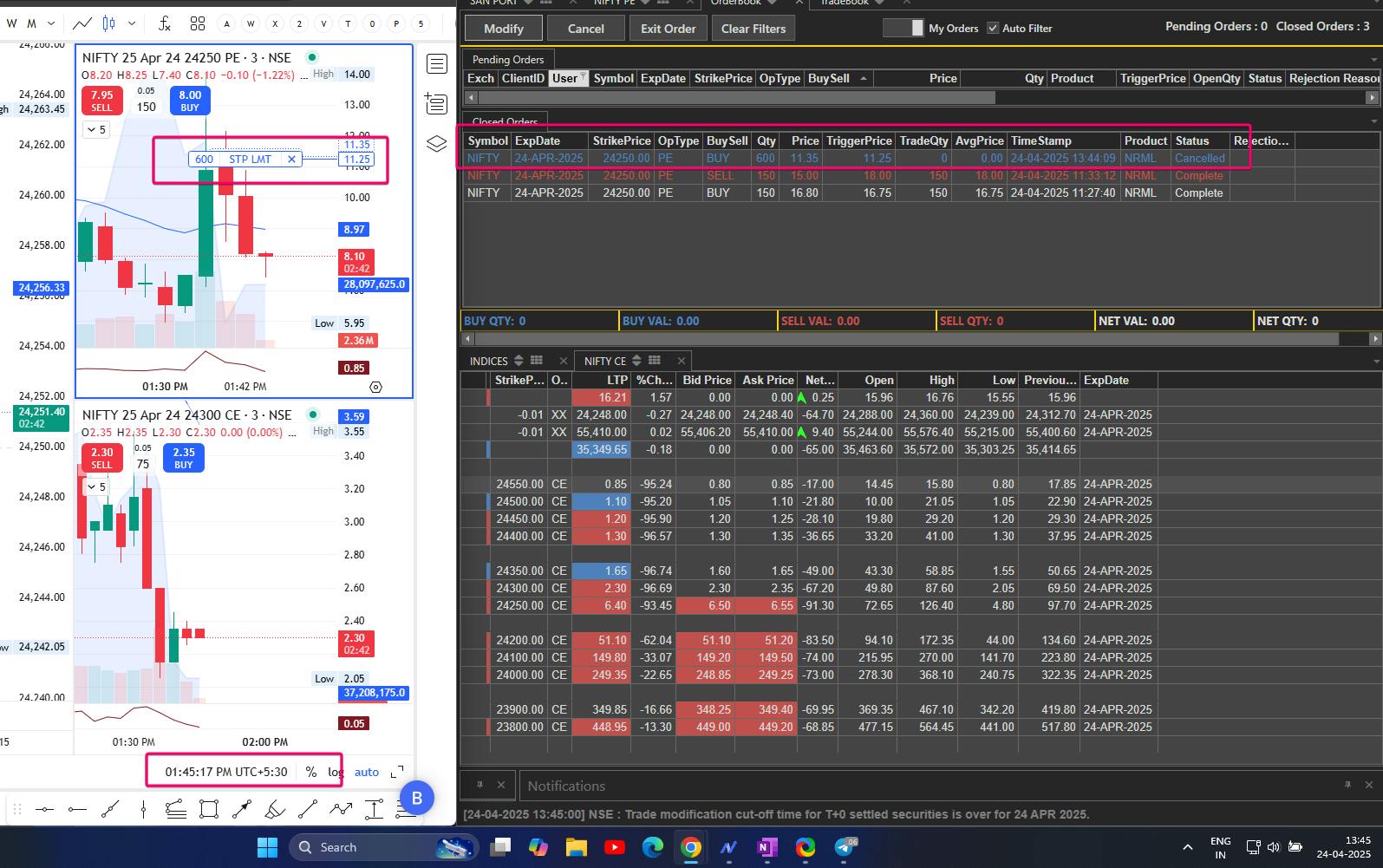
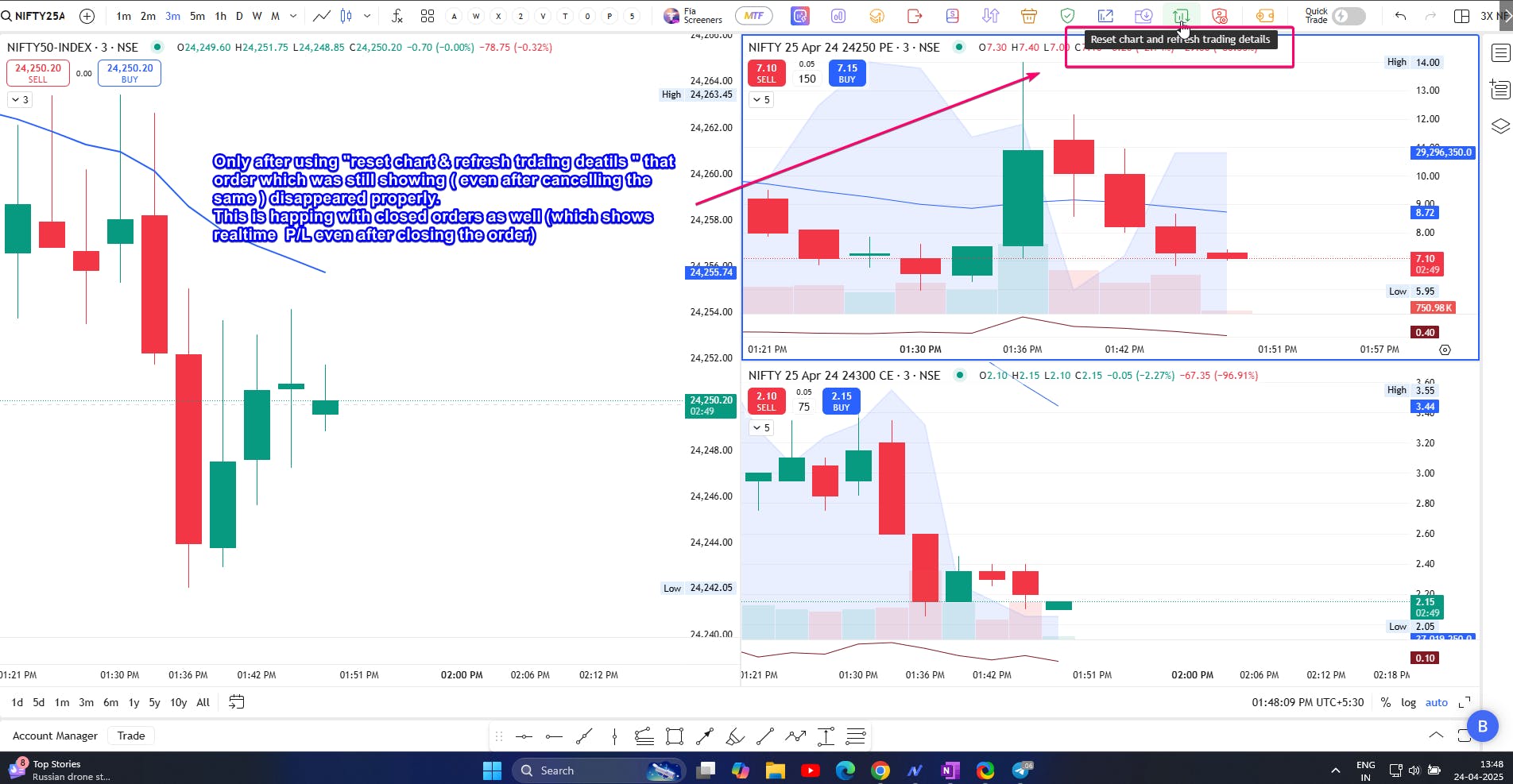
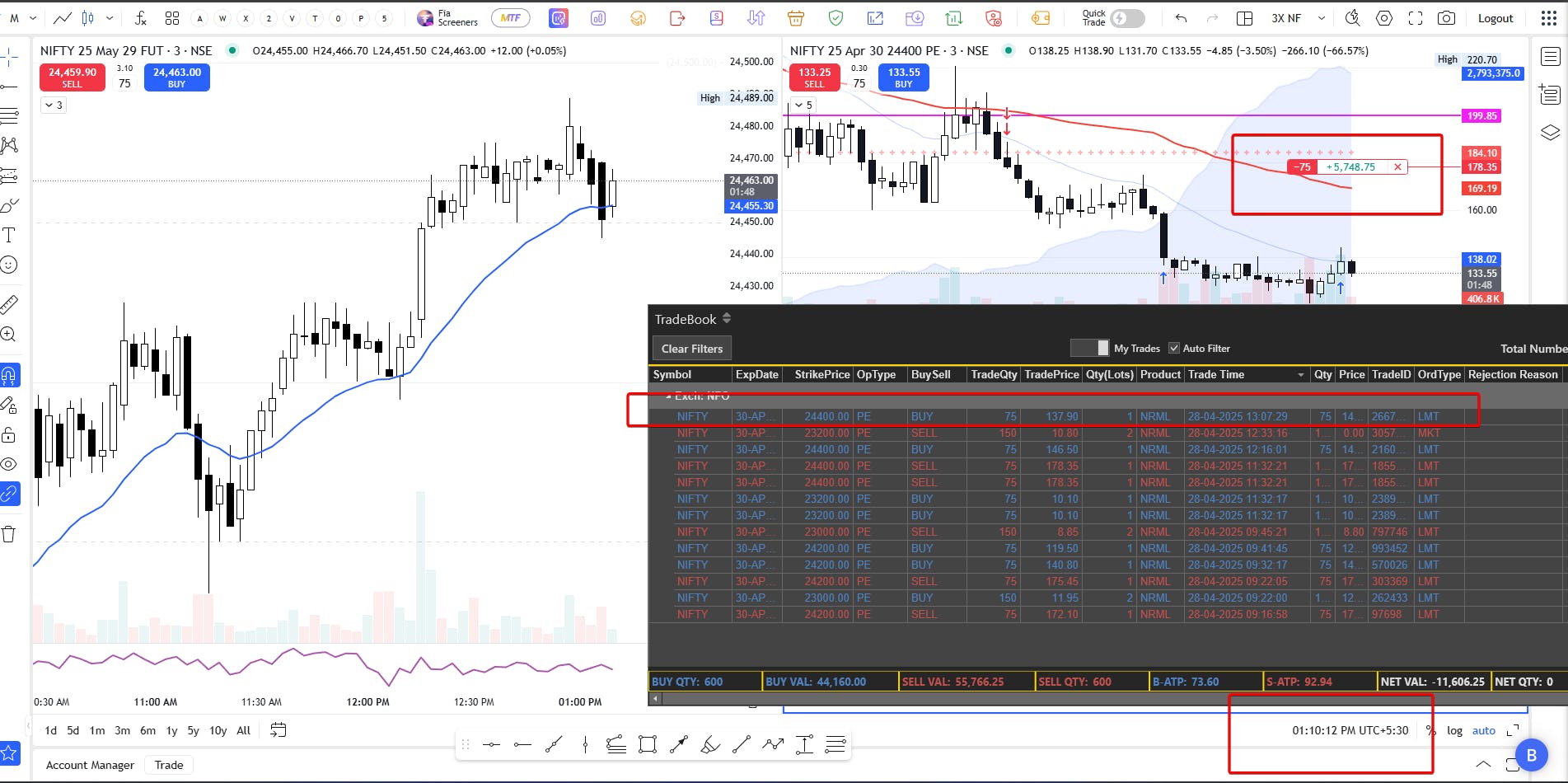
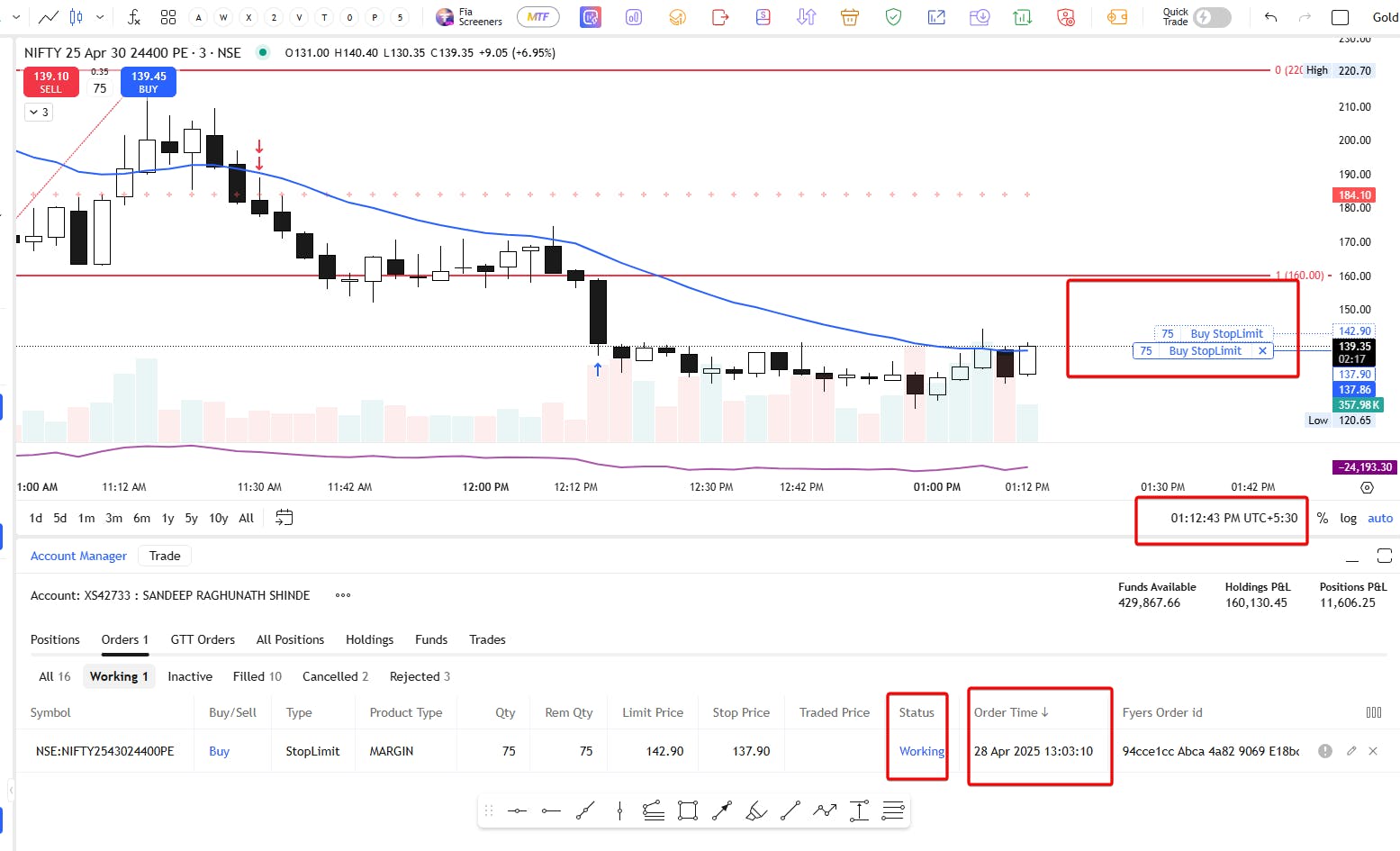
Off late the order & trade is not getting displayed properly .
If i place a order sometimes it is not showing in the orderbook / chart.
same with executed orders , say if I close particular position your orderbook/chart still shows that as a active/open.
Only after using "reset charts & refresh trading details " it shows properly.
This is happing quite often
Please sort this urgently.
Hi @sandeep.shinde.mhndn7ke, could you please share relevant screenshots or a screen recording of the issue? That’ll help me review it in detail and get back to you with the next steps.
In the meantime, you can try the following troubleshooting steps if you haven’t already:
- Clear your particular browser/app cache
- Log out and log in again
Once I have the visuals, I’ll escalate it to the team if needed.
Already tried clearing browser cache & temp files , that did not help . will share the screenshot of the same , don’t know how that will help you
Please share the screenshots or a screen recording so that I can help you with it, @sandeep.shinde.mhndn7ke.
Yes this is happening from past 3-4 days have to refresh window to see executed order.
@113069658958905361467, as mentioned, could you please share screenshots or a screen recording so I can assist you further?
Certainly, if in upcoming session i see anything i will share it with you.
HI @shruthi_shetty . I hope the screenshots provided , have given you a clear understanding of the issue. Do you need any additional information? Also, when can we expect a resolution for this matter?
Hey @sandeep.shinde.mhndn7ke, Hope your concern was addressed during the call. However, as discussed with our executive, here are the steps to troubleshoot the issue:
Troubleshooting Steps: Symbol Master Time-Stamp Issue
(e.g., Unable to Add Symbol to Watchlist)
-
Open Developer Tools by pressing Ctrl + Shift + I on your keyboard.
-
Go to the Application tab in Developer Tools.
-
In the left-hand panel, click on IndexDB.
-
Look for a database named SYMBOL_MASTER and select it.
-
Once selected, you’ll see two options:
-
Delete Database - Refresh Database
-
Click on Delete Database (this action will remove the current data).
-
After deleting, press Ctrl + Shift + R to hard refresh the page.
-
Ensure that the browser version you’re using is the latest one. If not, update it and try again.
Hi @shruthi_shetty , yes your team resolved my concern . But my issue is not “*Unable to Add Symbol to Watchlist” but "sticky order on UI which does not go even after cancelling / squaring off the same " . *DO I need to follow the same troubleshooting steps or it will be different in my case ?
Hi @shruthi_shetty I have tried these steps multiple times . Frequency of the issue got reduced but still happening . Even I tried installing fresh , different browser - Firefox . still it is not helping. Please resolve this completely .