Building a workflow around a fixed set of symbols works until the market changes. The stocks matching a screener today may be different tomorrow, and the symbols you’re tracking in a watchlist can change just as often.
That’s why we’ve introduced two new triggers in FYERS Automate: Screener Symbols and Watchlist Symbols.
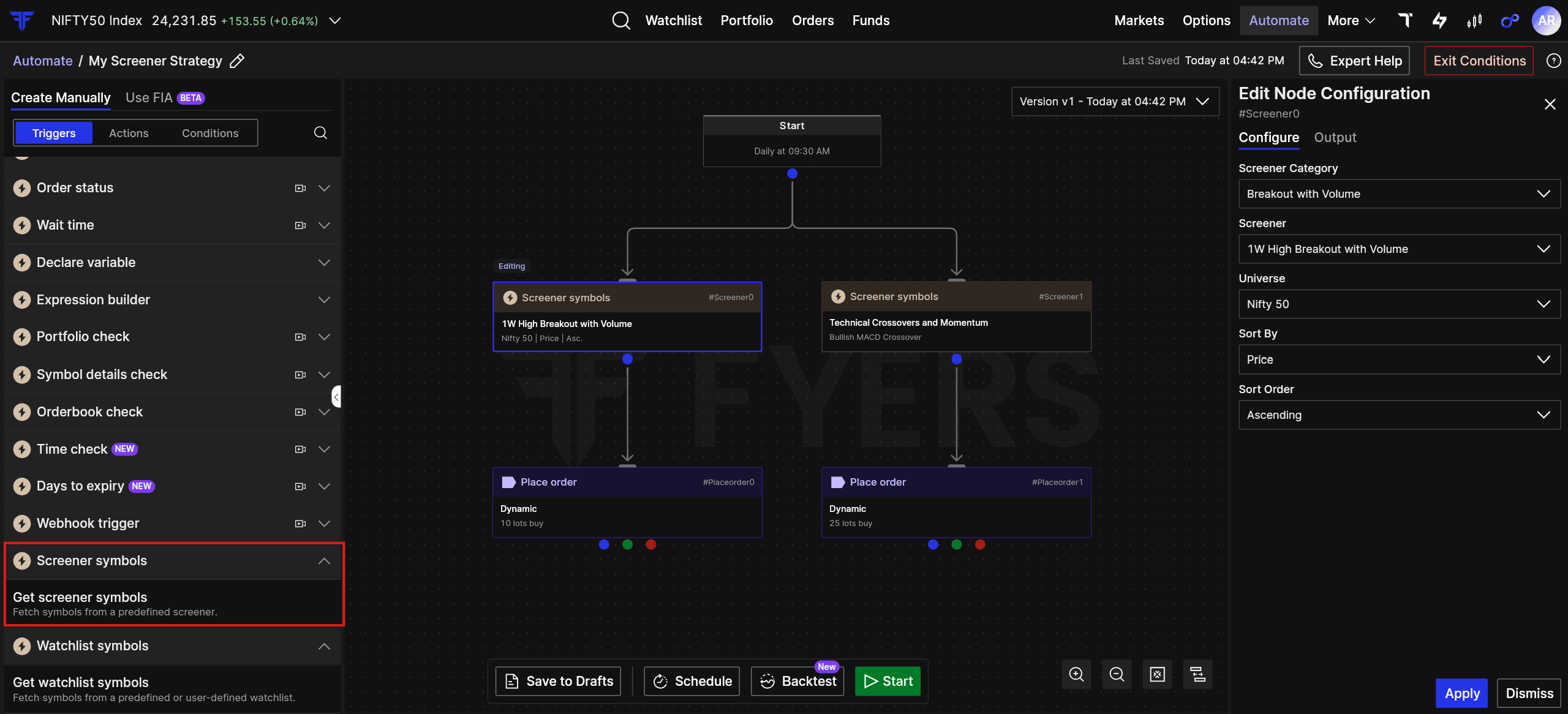
With Screener Symbols, a workflow can start with symbols that match a predefined FYERS screener of your choosing. So, if you’re tracking stocks showing a specific price, volume, technical, or candlestick setup, the relevant symbols can flow directly into your workflow.
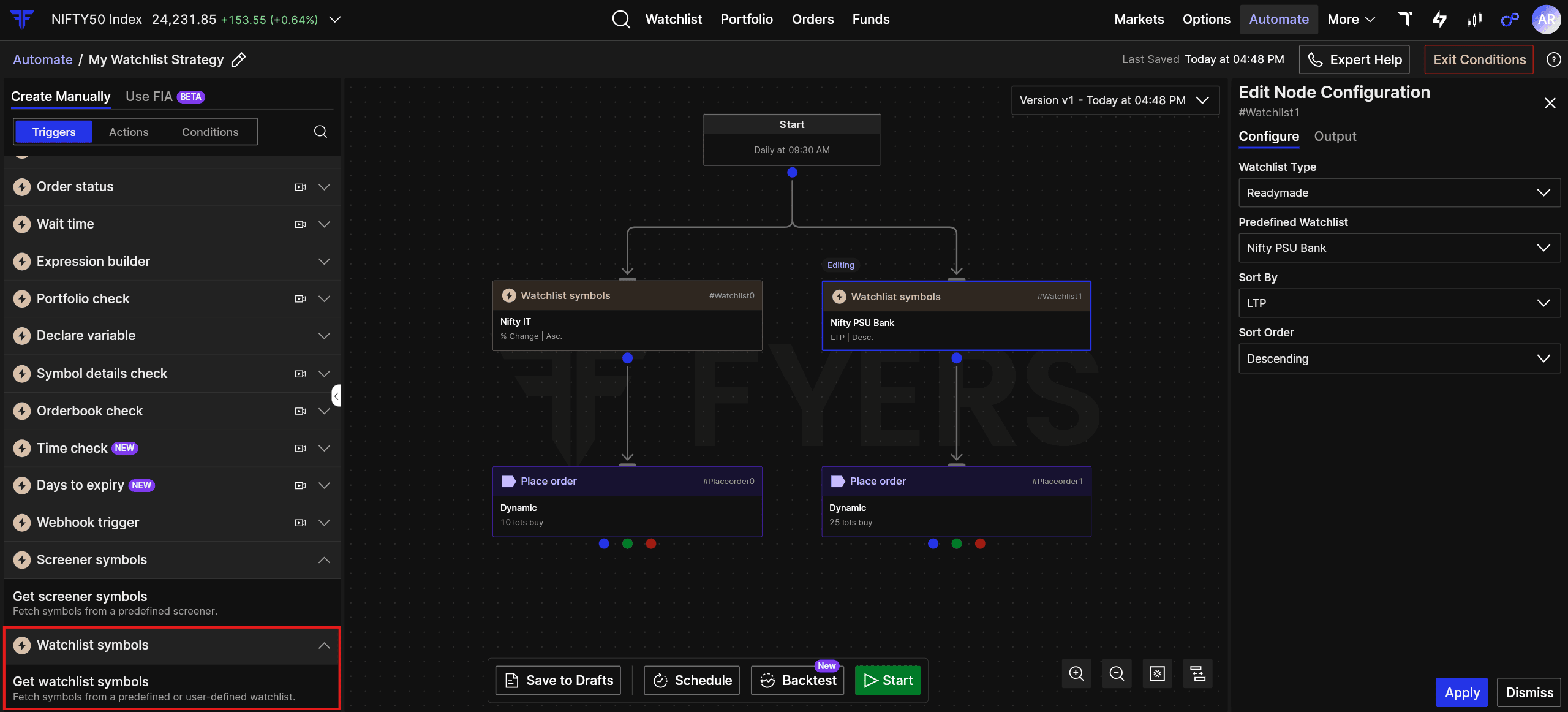
With Watchlist Symbols, you can start a workflow using the symbols from a predefined or your own custom watchlist. You can update the watchlist as your focus changes, without having to build the workflow around individual symbols each time.
The idea is simple: build the logic once and let the symbols come from the screener or watchlist you already use.
Two new triggers, and a more flexible way to build workflows on Automate.
Ready to build your next workflow? Try the new triggers on FYERS Automate.
Read more about Screener Symbols and Watchlist Symbols and learn how to use them in your workflows.