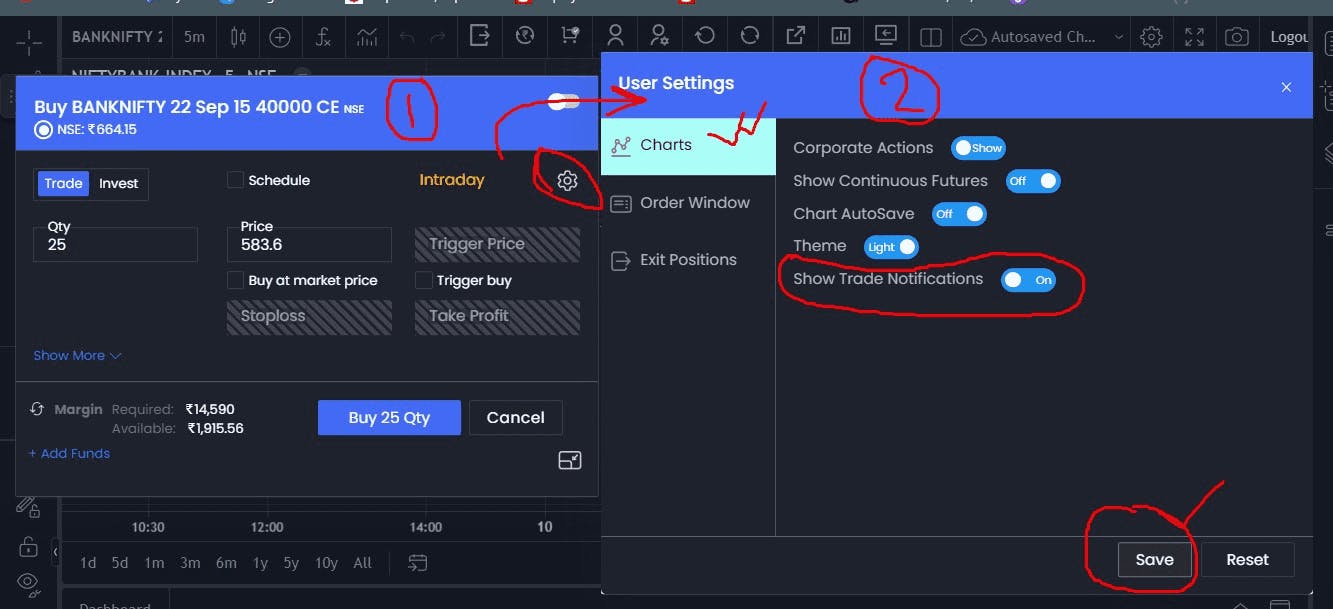
Every time we open Fyers Web in new tab, it shows popups of all the trades taken during the day. so after taking 20-30 trades, opening in new tab, it shows 30 quick popups which are annoying. Is there a way to disable them ? I couldn’t find the option.
Hey @3oZkg26oBU,
Yes, you can disable the pop-up notification for the trades taken. In the dashboard panel, Click on Settings > Trading Properties. A pop-up will appear. You can disable it by clicking on ***Show Orders. ***

Hope this addresses your query!
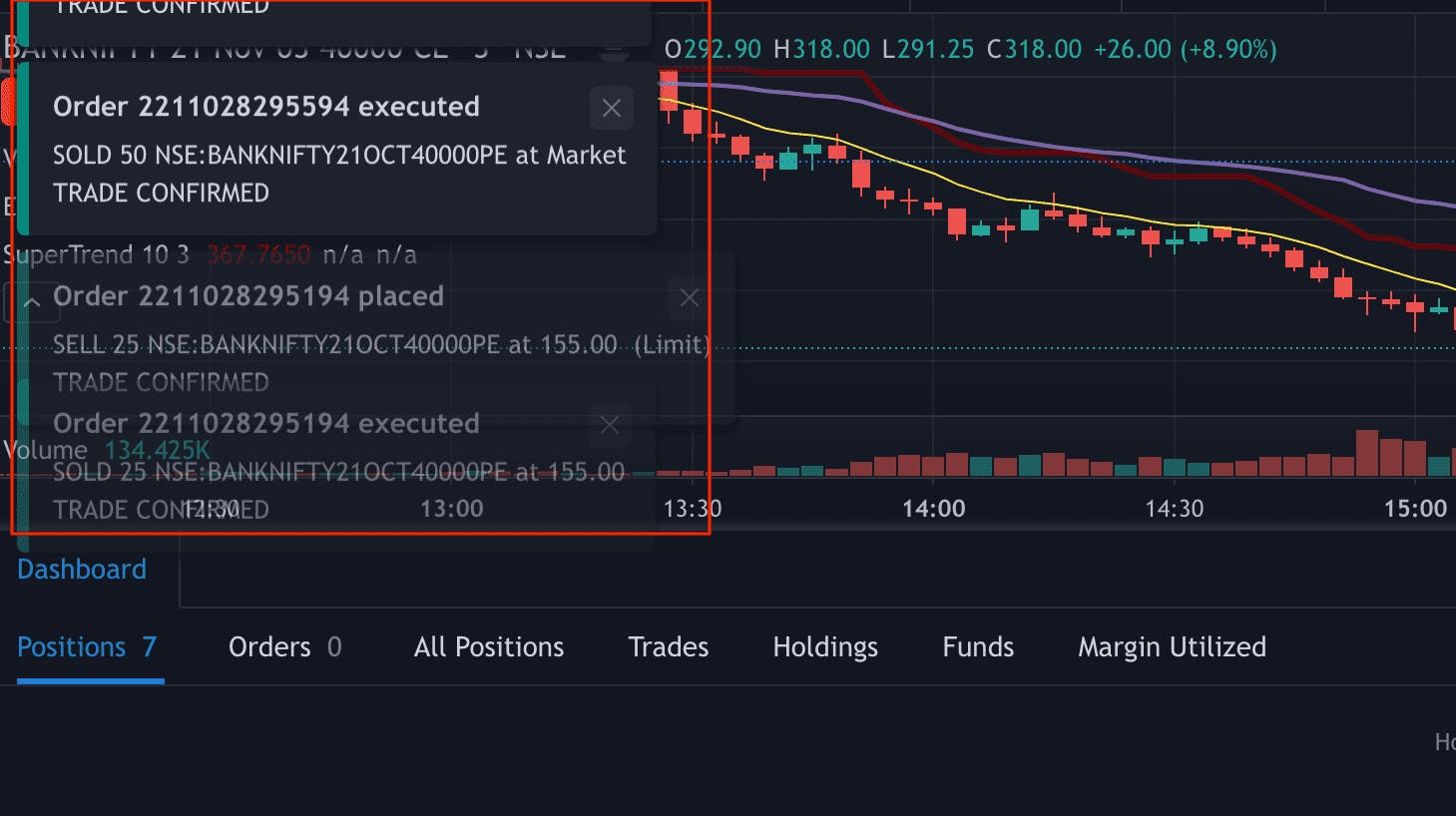
There is no way to turn it off it’s annoying so much
Solution is to select “show rejection notifications only” option. So all successfully executed orders won’t popup, only rejected orders. This is much better.
It should have facility to turn it off that function, its annoying lot
@tejas_khoday should look into this implement solution in upcoming version
ITS WORKING >> show only rejection notification