1 April 2024 to 31 March 2025
Hello @115186041258791912611, to access your account statement, please follow these steps:
- Log in to your FYERS account.
- Go to the Menu and click on ‘My Account’.
- Navigate to ‘Reports’ > ‘Global P&L Statement’.
- On the top-right corner, select the financial year from the dropdown. Choose 2024.
This will display your P&L statement for the full financial year April 2024 to March 2025.
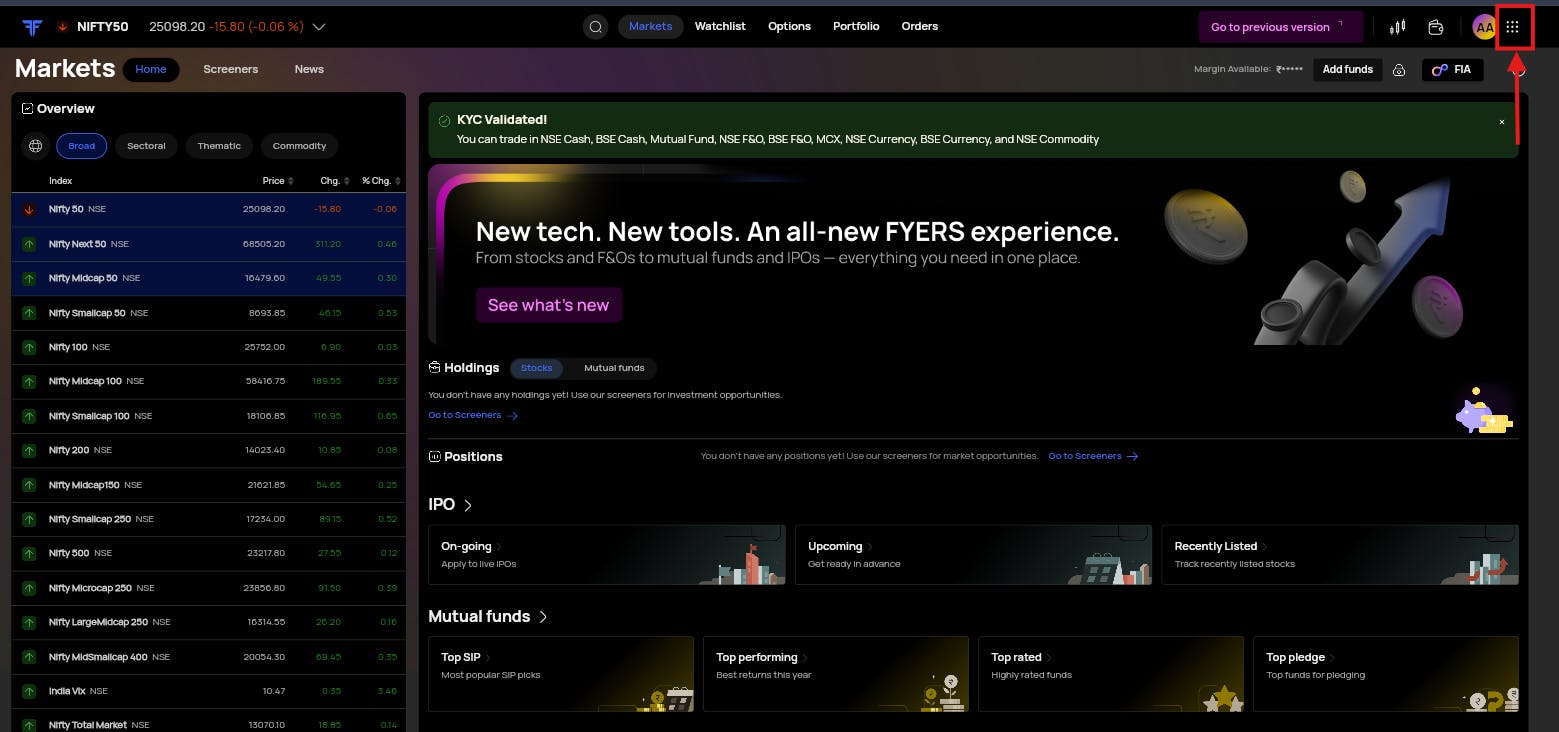
where do i find menu
Hello @116508778848047808984, you can find the menu on the top right corner. Please have a look at the screenshot attached: