Budget day is one of those sessions where the market can move on a single sentence.
And the real problem is not speed. It’s fragmented data. You are usually doing several things at once: tracking the Finance Minister’s speech, scanning headlines, watching sector reactions, monitoring stocks, and keeping an eye on volatility. Everything sits across tabs, windows, and tools. By the time you connect the dots, the market has already reacted.
So we built a dedicated FYERS Budget 2026 Dashboard. One unified view designed specifically for Budget day.
The idea is simple. Keep the entire Budget narrative intact, on one screen.`
https://www.youtube.com/watch?v=bwe6kX_ENKE

Speech: Where Every Budget Reaction Begins
Everything on Budget day starts with the speech.
On the FYERS Budget Dashboard, the Finance Minister’s speech streams live inside the platform itself. There is no switching tabs, no external links, and no delay between what is said and what you see on the market.
This matters because markets react to words before they react to numbers.
A line in the speech hints at a policy push for consumption. You hear it as it is spoken, not as a delayed headline. When a policy hint is mentioned in the speech, you hear it live and can see sectors responding on the screen at the same time. On Budget day, that timing matters.
The speech becomes the anchor. Everything else on the dashboard reacts around it.
Key Highlights: The Lines That Actually Move Markets
Not every line in the Budget speech moves the market. The challenge is identifying which ones do.
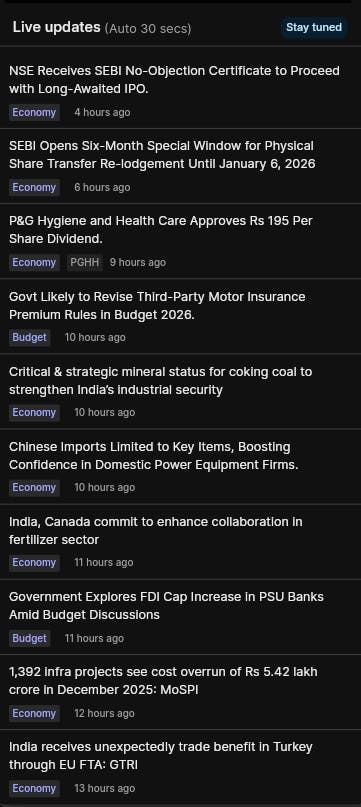
The Key Highlights section captures the most relevant Budget announcements in real time, with timestamps. Instead of reading long summaries after the speech, you can see the specific updates the market is reacting to right now.
And if you miss an important line during the live speech, it’ll still show up here as it happens, so you can catch up without falling behind.
For example, if an update like “₹X allocated to the a particular sector” drops and the stocks in that sector start reacting, you’ll be able to see that line in Key Highlights and connect it to the move immediately.
Think of this as a live blog. You are not consuming everything. You are consuming what matters.
This helps you quickly connect a price move or sector reaction to the announcement that triggered it, without hunting across multiple news sources.
Sector Indices: How the Market Is Interpreting the Budget
Once the speech and highlights are out, the real story unfolds at the sector level.
The Sector indices heatmap shows how different parts of the market are reacting in real time. Green, red, or flat. No interpretation required.
This is where you see how the market is reacting to policy commentary in real time, across intraday timeframes as low as 1 minute.
Budget Themes: From Narratives to Stocks and Volatility
Budget day rarely stays at the index level for long. It quickly becomes theme-driven and stock-specific.
The Budget themes section groups stocks across key Budget-linked themes such as FMCG, Agriculture, IT, Commodities, PSU, Healthcare, NBFC, Railways, Banking and Infra.
Within each theme, you can track:
- Market movers across sectors - most volatile, top gainers, & top losers
- Volatility across multiple timeframes
- Where activity is building, not just where prices moved
This is where broad narratives narrow down into individual names.
Commodities: Where Policy Impact Shows Up Fast
On Budget day, commodities often react before equities fully digest the message.
That is because commentary around import duties, export policies, subsidies, or inflation has a direct and immediate impact on commodity prices. The linkage is mechanical.
The Commodities theme lets you track commodity-linked stocks turning volatile in real time, alongside the speech, highlights, and sector reaction.
On Budget day, the market does not wait.
With the FYERS Budget 2026 Dashboard, you get:
- The speech that drives sentiment
- The highlights that move markets
- The sector indices that show interpretation
- The themes that reveal where volatility is building
All on a single screen.
The Budget Dashboard is live on FYERS Web** (Only)**.
So this year, use the FYERS Budget dashboard to make this trading session less chaotic while still capturing the opportunities of this important trading day. Let us know in the comments, if this feature is helpful.

 We will continue building for traders every single day..