I created multiple SIP on 1st Jan to be executed on the 3rd of every month. Now, I realised that one of the SIP is wrongly created. I want to cancel that particular SIP but there is not option to do that.
Nothing is shown in Dashboard → SIP section.
I do not see anything in the Orders page also. Can some one please help quickly?
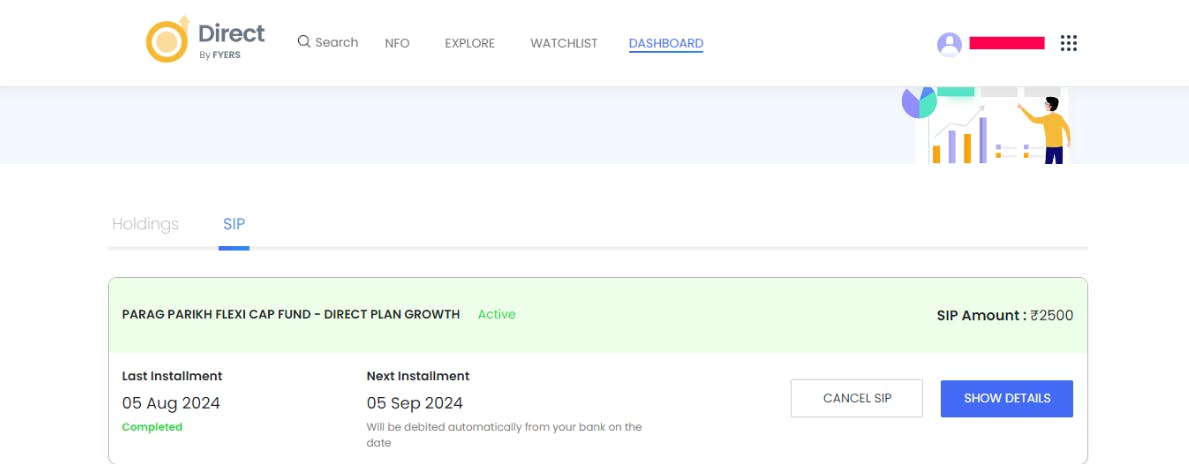
Hi @104189897972745575694 To cancel an SIP kindly follow steps below:
- Log in to Fyers Direct using your credentials.
- Navigate to the Dashboard section from the main menu.
- Click on the SIP tab to view your active SIPs.
- Locate the SIP you want to cancel.
- Click on the “Cancel SIP” button below the SIP details.
- Confirm your action in the prompt that appears to complete the cancellation process.
For reference I have attached the screenshot below.