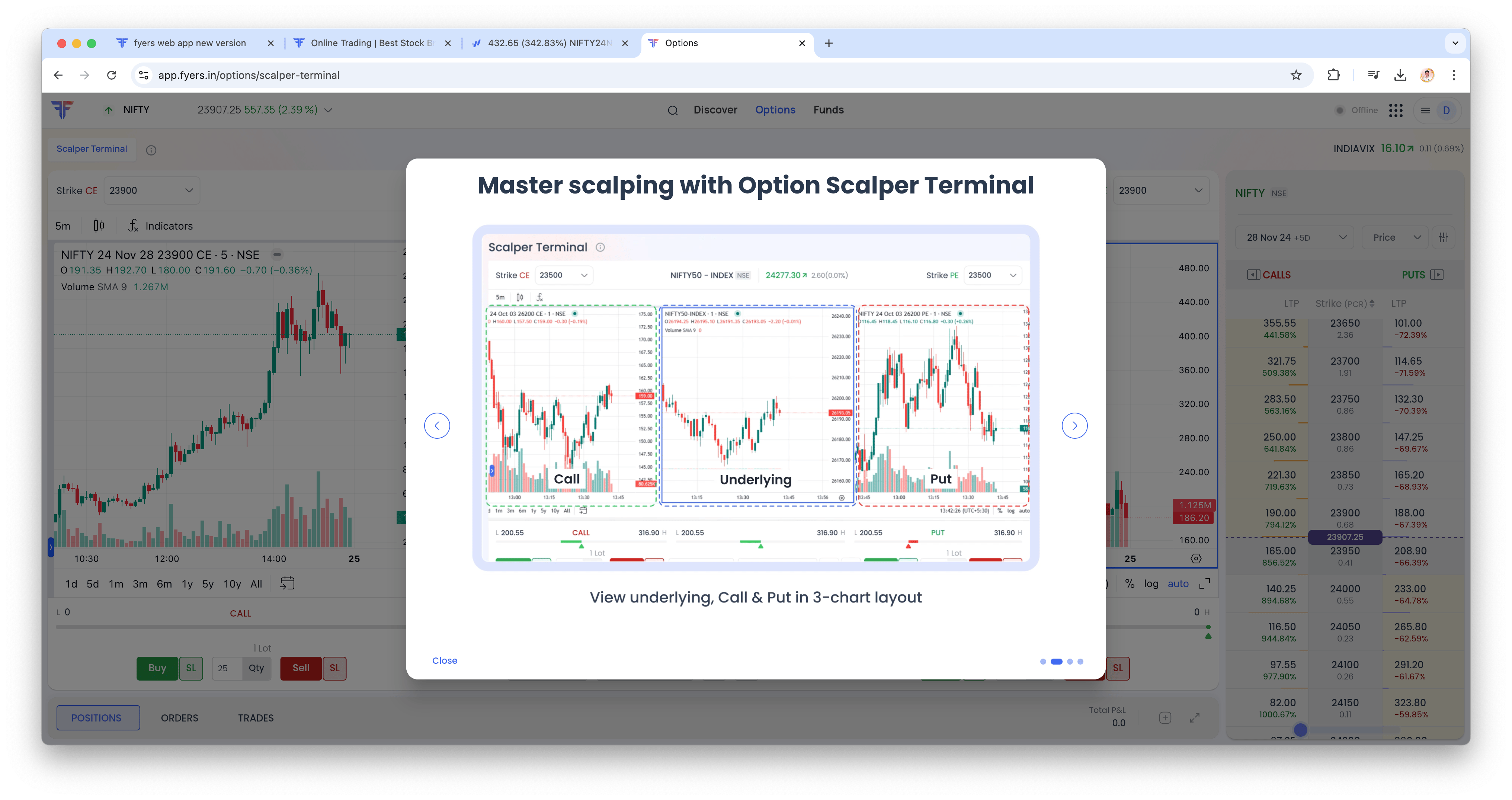
First of all Congrats to Team @communications_team to giving timely deliver of Scalping Terminal and you are guy’s putting great efforts in Stock broking Industry
I could see new Scalping terminal Is this Ready to use ?
This is the new scalper terminal; ready to use. Our team will start promoting the same in upcoming days; however we made it open for our existing customers.
Please give it a try and let us know your thoughts.
hey @pranav.khambayatkar.85e0gt93 as per my understanding, most options scalpers trade either at ATM (At The Money) or within one strike price above or below ATM. It would be helpful to have dedicated buttons for ITM (In The Money), ATM, and OTM (Out of The Money) options. This way, when we input an index chart, we can click on these buttons for faster execution in loading the premium chart. Additionally, this feature would help traders avoid mistakenly selecting the wrong strike price.
Thanks for clearing my doubts. also I noticed that premium charts always load in left and right layout and scrip chart always load in middle layout this is good for scalpers very well thought.
Truly a very good platform for option scalpers. the only thing missing which I am noticing is there is no dark mode in fyers app and also in FYERS Jornal I would like to request you to launch new things with dark mode.
Noted Jay and that’s something in our roadmap to achieve with upcoming features and theming the existing ones to have light and dark themes. Thanks for the feedback.
Thank you fyers team, you have made my software useless. Scalping terminal has almost all the features that I have. PLease give dark mode and a way to minimized this space so that my charts can takes more space even when order/position tab in scalping terminal page is open.
To use this scalping terminal, two very important indicators are volume and vwap, which is not possible on the index which is in the center chart of this tool. Requesting you to please change index to futures otherwise many can’t use this tool.
Hey @shyam.cqj9mxeg, We’re thrilled to hear that you find the terminal setup useful. A dark theme is definitely on our radar. Stay tuned—exciting updates are on the way!
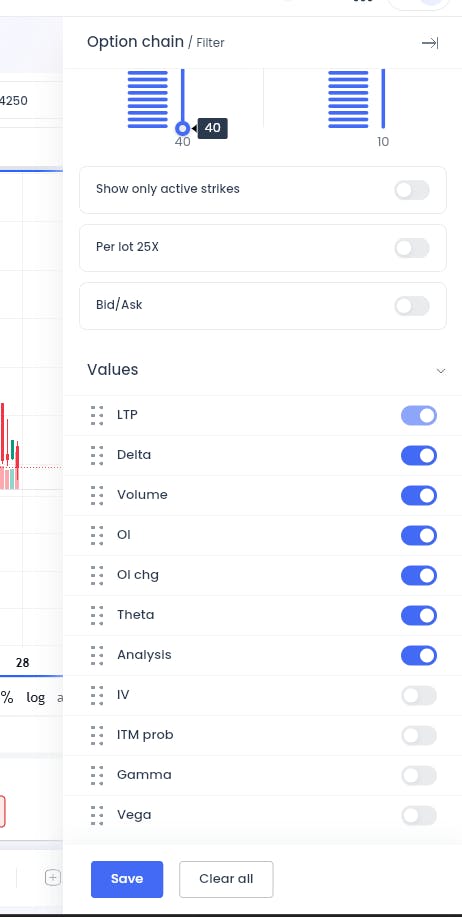
Can you also give customization of columns in option chain at right side. Remove columns which I don’t want.
Also the space between the columns is too much, less space will allow us to see more at least 2 columns on each side of strike keeping the chart space same.
That’s already available! Simply switch the options chain view to “Custom” (located right next to the expiry selector), and you can add/remove all the columns you prefer from the filter. You can also reorder the columns by long-press and then dragging and dropping them.