


CMO (Chande Momentum Oscillator) indicator currently does not have the option to add custom horizontal line ranges like we can in the RSI indicator.
For better visual analysis, I’d like to request the ability to add two horizontal lines — for example, at +25 and -25 — within the CMO indicator settings. This would help identify overbought and oversold zones more effectively, just like we do with RSI levels at 70/30 or 80/20.
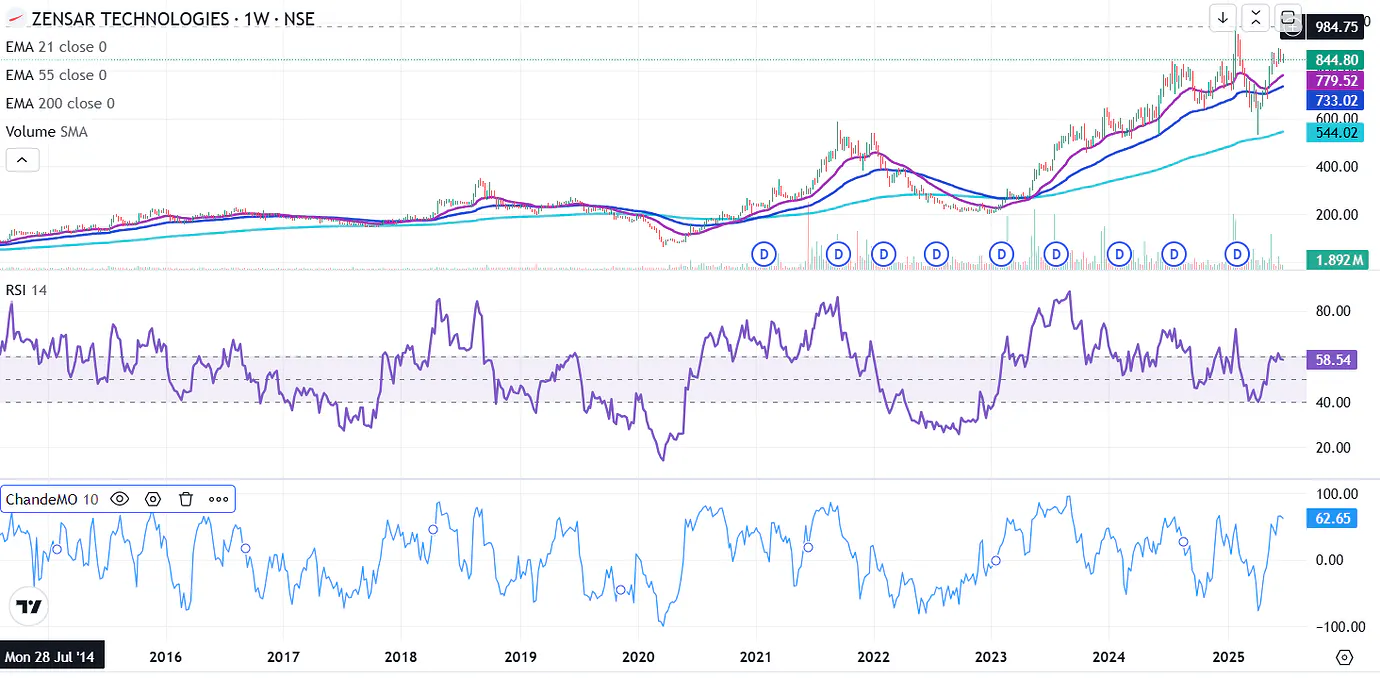
Please consider adding this feature.
Thanks!
If you need script code for fix this - this one ---- https://www.tradingview.com/script/bnWVbLI1-CMO-Chande-Momentum-Oscillator-Strategy/
```
////////////////////////////////////////////////////////////
study(title="CMO (Chande Momentum Oscillator)", shorttitle="CMO")
Length = input(9, minval=1)
TopBand = input(70, minval=1)
LowBand = input(-70, maxval=-1)
hline(0, color=gray, linestyle=dashed)
hline(TopBand, color=red, linestyle=line)
hline(LowBand, color=green, linestyle=line)
xMom = abs(close - close[1])
xSMA_mom = sma(xMom, Length)
xMomLength = close - close[Length]
nRes = 100 (xMomLength / (xSMA_mom Length))
pos = iff(nRes > TopBand, 1,
iff(nRes <= LowBand, -1, nz(pos[1], 0)))
barcolor(pos == -1 ? red: pos == 1 ? green : blue )
plot(nRes, color=blue, title="CMO")
```
Hey adminacc,
We truly appreciate you taking the time to share detailed suggestions for new features. We're already working on adding more indicators to the platform, many of which were user requested so please stay tuned!
We've also noted your feedback regarding custom settings for the CMO indicator.

