


The Issue:
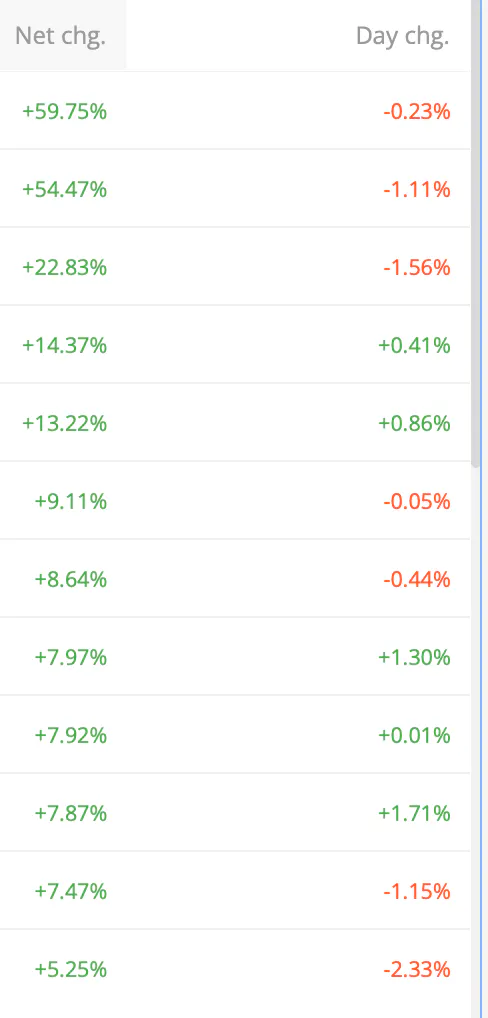
The Day P&L and Total P&L columns in the Holdings/Positions dashboard currently display values in Absolute and percentage (%) terms. However, the data rendering creates a massive friction point for sorting:
Incorrect Column Headers: The headers label these columns as Absolute values rather than clarifying that they include percentage terms.
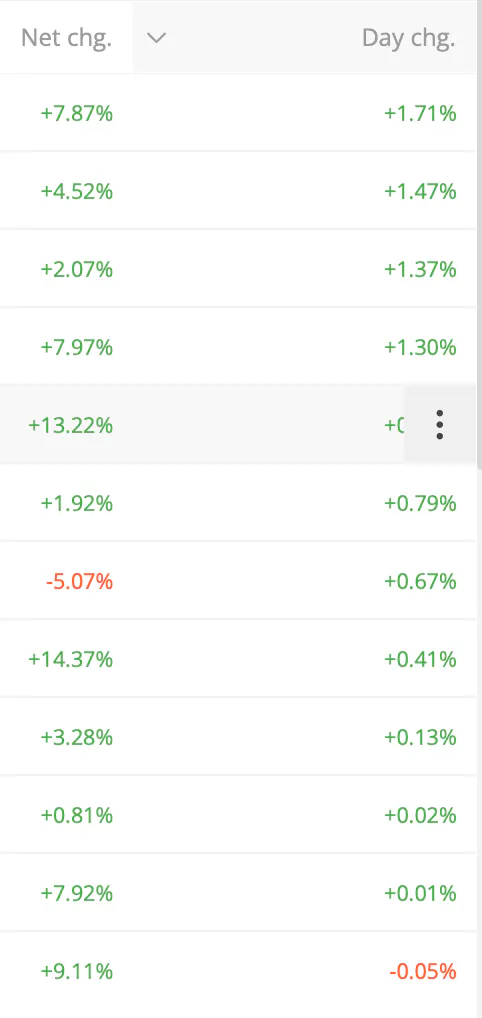
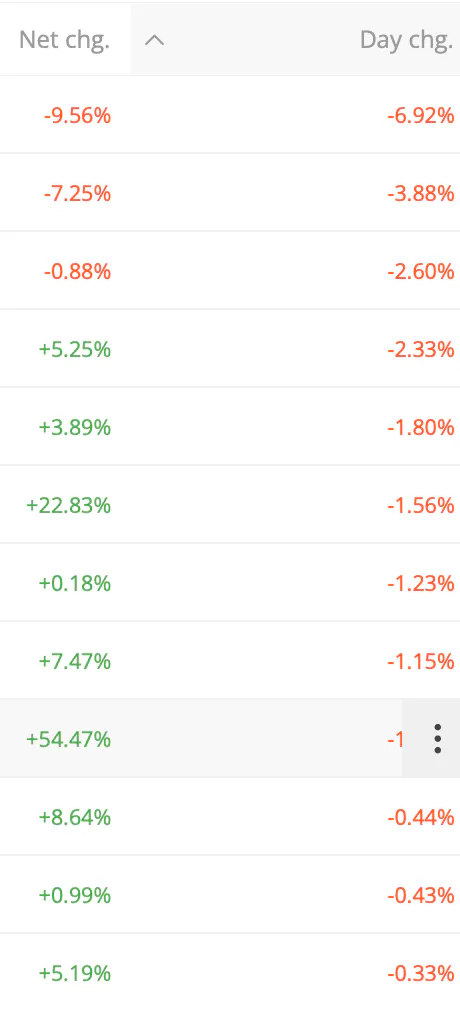
Broken Sorting Logic: Clicking the column headers doesn't sorts the data by percentage change.
Why This Matters:
When an investor wants to sort their portfolio to see their top-performing or worst-performing stocks by percentage (ROI/Daily momentum), the sorting is broken because it prioritize absolute numbers. A 1% move on a large position completely skews the list over a 10% move on a smaller position.
Suggested Fixes:
Update Headers: Rename the headers or add a toggle or new columns to clearly separate Absolute (₹) and Percentage (%)metrics.
Fix Sorting Logic: Ensure that when a user clicks the header while percentage views are active, the dashboard sorts the list in ascending or descending order by percentage terms.
Please refer an example of % change Ascending Descending. This is not some fancy good to have features rather these are essential features for a Trading platform.
Hope Fyers Team take necessary action on these.
