


In mobile trading, navigation is critical. What if you could access any tool or feature from anywhere in the app? That's why we built Quick View - your easy access overlay that appears with a simple two-finger tap.
Quick View brings your key account information and commonly used tools together in one place. It's a full-screen view that opens on top of your current screen, so you don't have to navigate away.
Long-press anywhere on the screen with two fingers inside the FYERS App. Quick View opens instantly as an overlay on your current screen.
Account Overview
Total P&L displayed as a combined profit or loss value
Smart Exit - enable or disable it right from there
Available funds with an option to add more
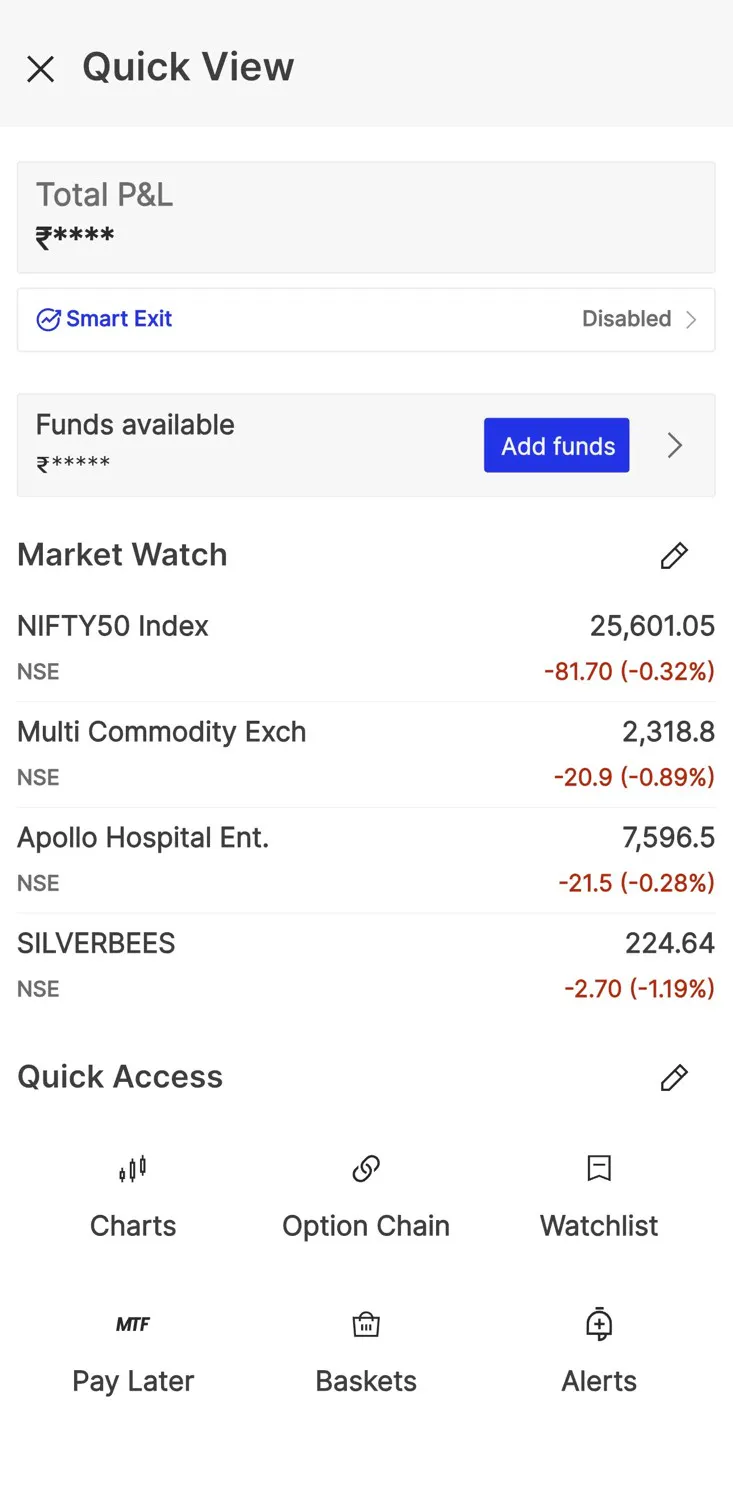
Market Watch Display up to 4 symbols with live price movement. By default, it shows NIFTY50 and SENSEX, but you can add, remove, or edit symbols as needed. The symbols you choose here are managed separately from your main watchlists.
Quick Access Tools Pin up to 6 of your most-used tools for quick access. Choose from over 20 tools including:
Charts, Reports, Alerts
Positions, Orders, Baskets
Option Chain, Screeners, Heatmap
Mutual Funds, IPO, News
And more
You can reorder your pinned tools to match how you work.
Quick Portfolio Check: Open Quick View to see your P&L and Smart Exit status without leaving your current screen.
Monitor Key Stocks: Keep up to 4 important symbols in Market Watch for quick price checks throughout the day.
Fast Tool Access: Jump directly to tools like Positions, Charts, or Option Chain without navigating through menus.
Also, note that Quick View not available on the Charts and the Menu section.
For more details, please refer to the FAQ section on Quick View here.
Tap the edit icon next to Market Watch or Quick Access to customise:
Add or remove symbols in Market Watch (maximum 4)
Pin or unpin tools in Quick Access (maximum 6)
Reorder tools by dragging them
Changes you make only apply to Quick View and don't affect other parts of the app.
Quick View is available on the FYERS App. Open it with a two-finger long press anywhere on the screen.
