


Traders have always used CPR on FYERS for support and resistance levels. We’ve now taken it a step further.
You now get:
Daily CPR with Next Day CPR
Weekly CPR
Monthly CPR
This means you can prepare for tomorrow, next week, and even next month — directly on the chart — without external plugins or manual calculation.
All three are available on FYERS App, Web, and Trader.
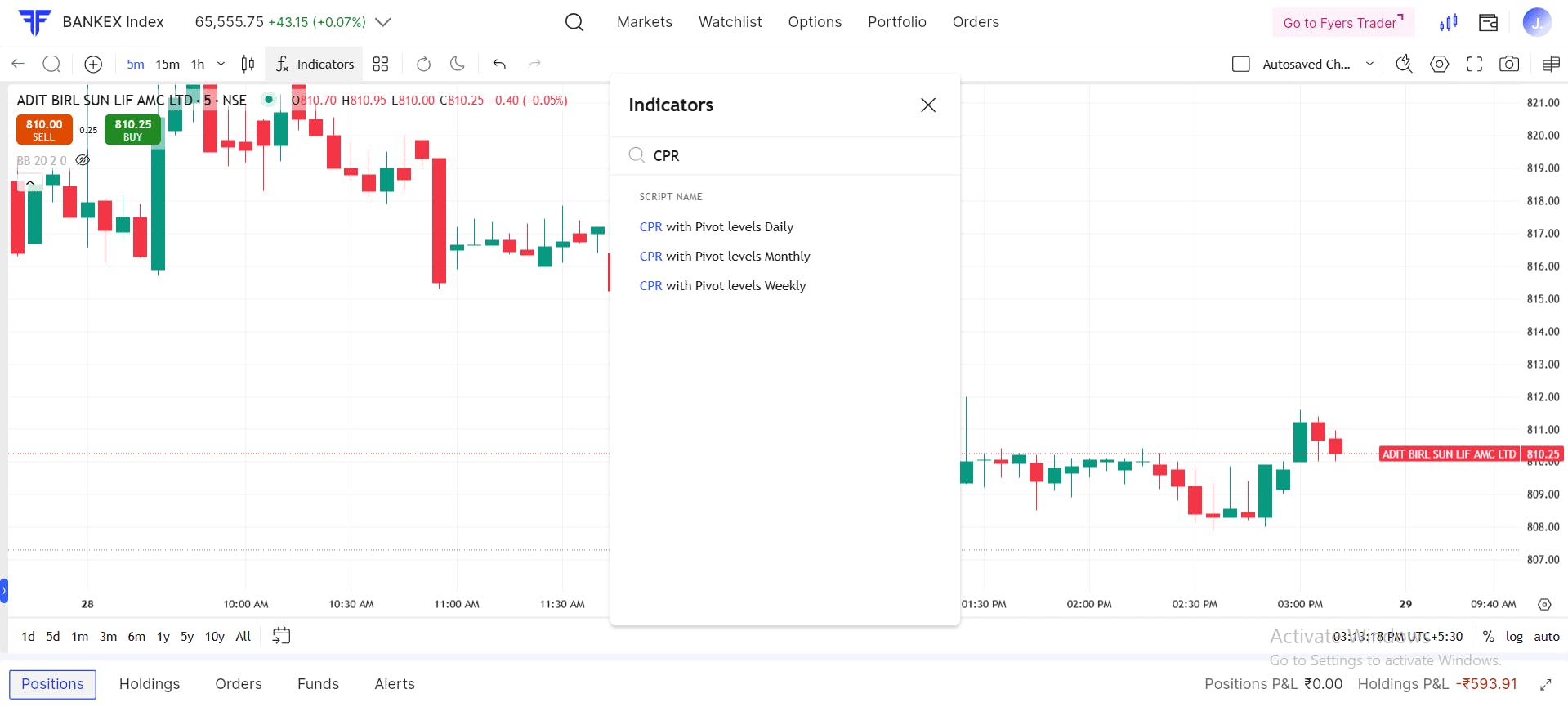
Under Indicators, you’ll now see three distinct CPR tools:
CPR with Pivot Levels (Daily) – updated with Next Day CPR
CPR with Pivot Levels (Weekly) – new
CPR with Pivot Levels (Monthly) – new
How they’re calculated:
Daily CPR → uses previous day's price data
Weekly CPR → uses previous week’s price data
Monthly CPR → uses previous month’s price data
Important: You can apply any of them on any chart timeframe (1-min, 5-min, 15-min, hourly, daily).
“Weekly” and “Monthly” describe the source data, not the chart timeframe.
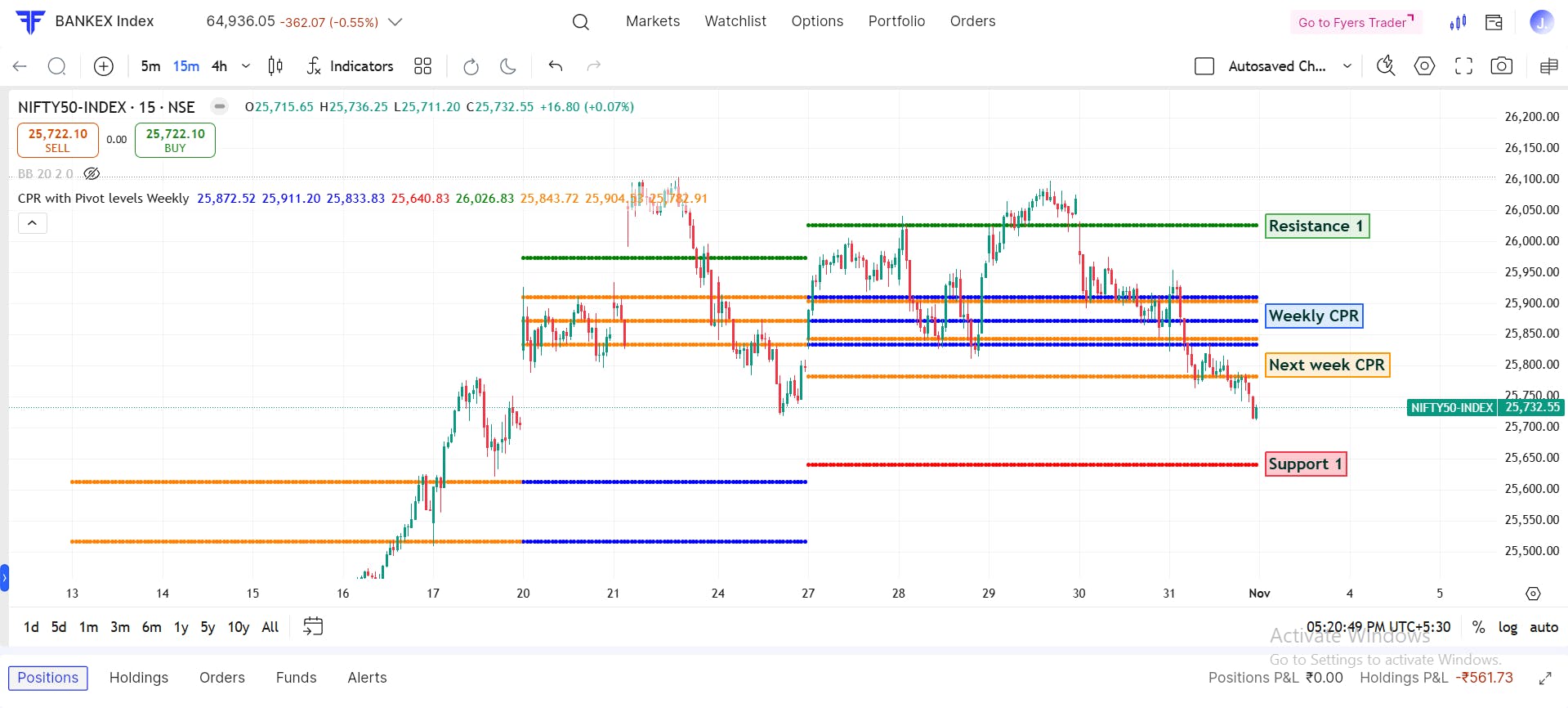
Example: You can load Weekly CPR on a 15-minute chart to see how the current intraday price is behaving around last week’s levels.
CPR (Central Pivot Range) is a price-based reference framework for bias, support, and resistance.
Key points:
CPR levels stay fixed for that period. They don’t keep moving with every tick.
This makes CPR suitable for planning levels before the session and tracking how price reacts to those zones during the session.
CPR doesn’t “predict.” It gives you clear reference areas so you can plan entries, exits, and risk.
Think of CPR as the map on your chart.
What it shows:
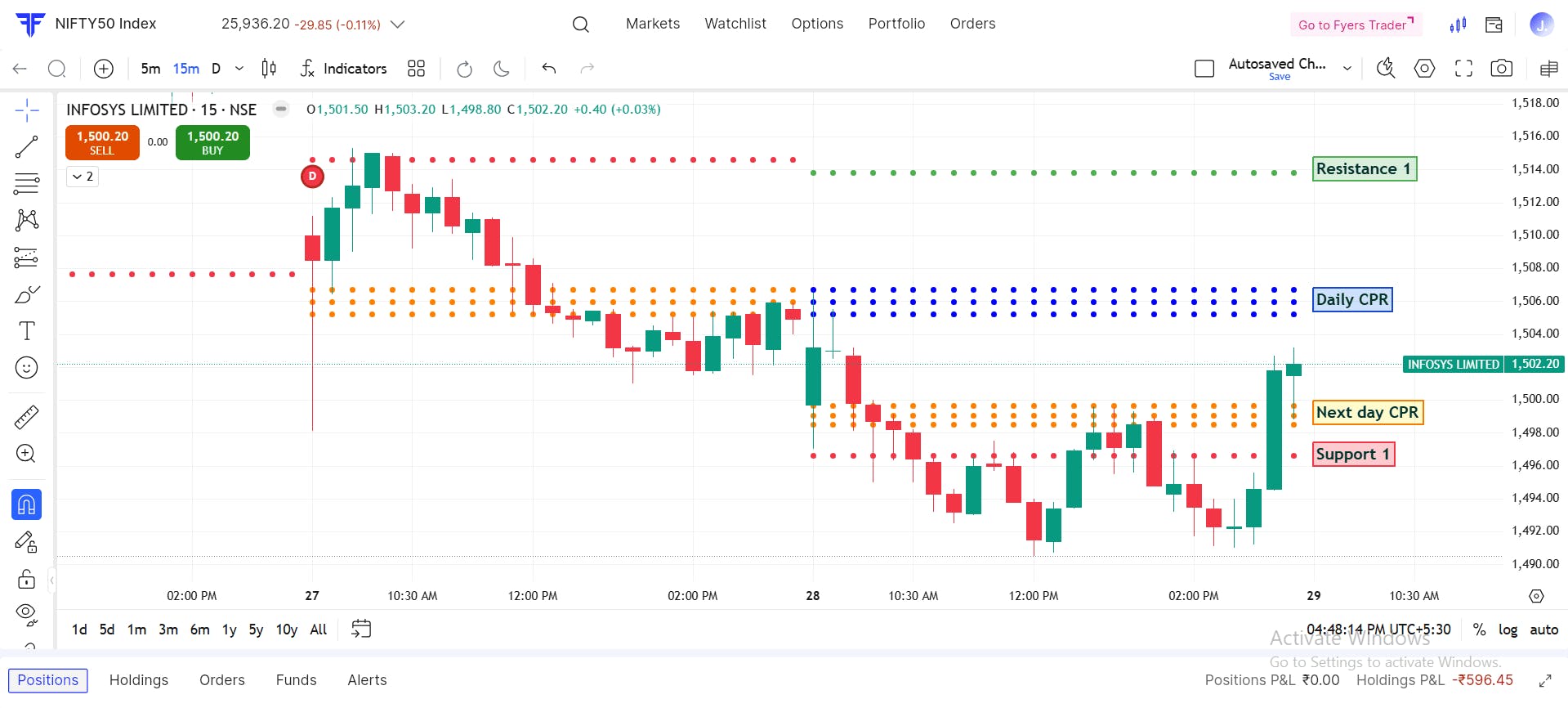
Today’s CPR and pivot levels (S1–S4, R1–R4)
Next Day CPR (projected)
Why it matters:
You can see tomorrow’s bands in advance and prepare your plan before the next open.
What it shows:
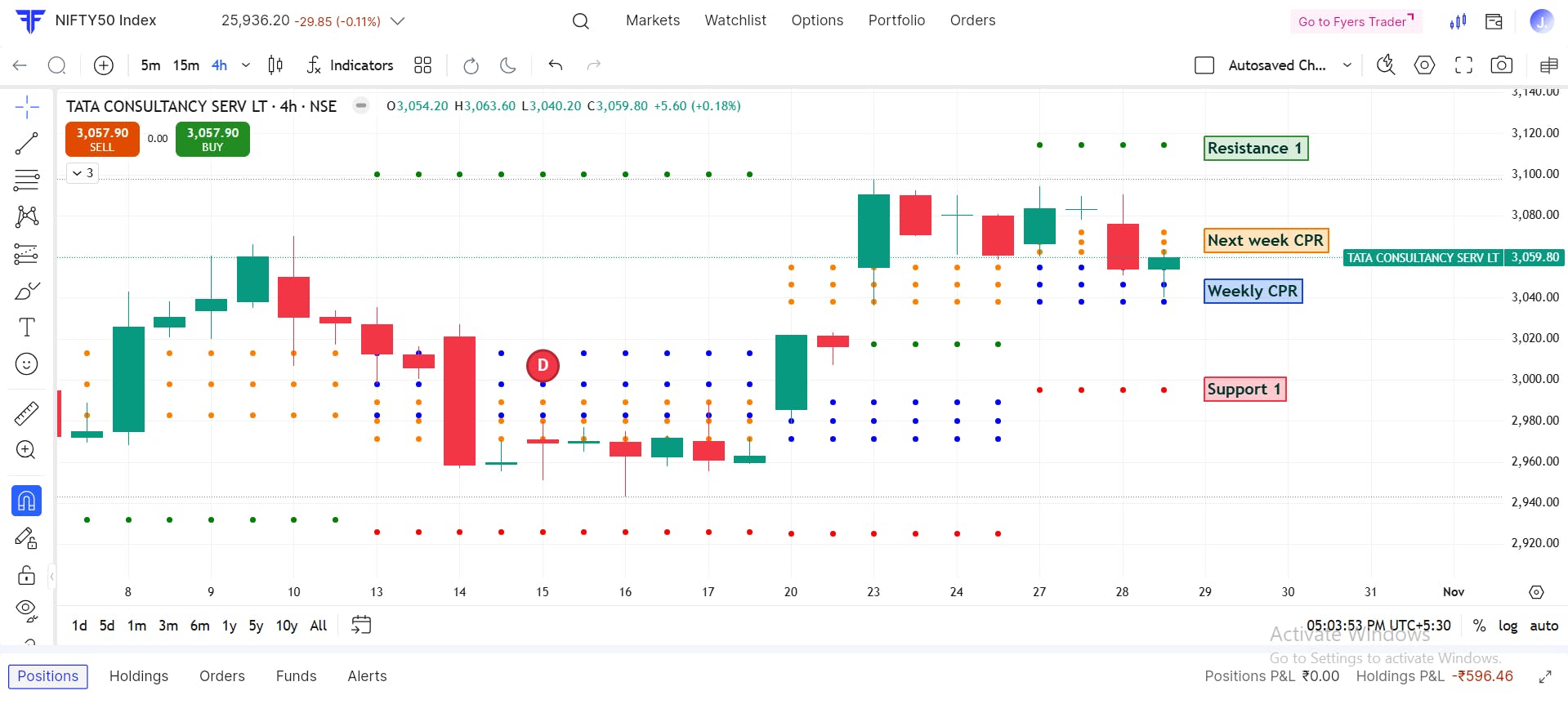
CPR built from last week’s OHLC
Next Week CPR
Previous Week High / Previous Week Low
Why traders use it:
Helps identify zones from the previous week that may still matter.
Useful for both intraday and short-term swing views.
In simple terms: “Where are last week’s important areas, and are we trading near them now?”
What it shows:
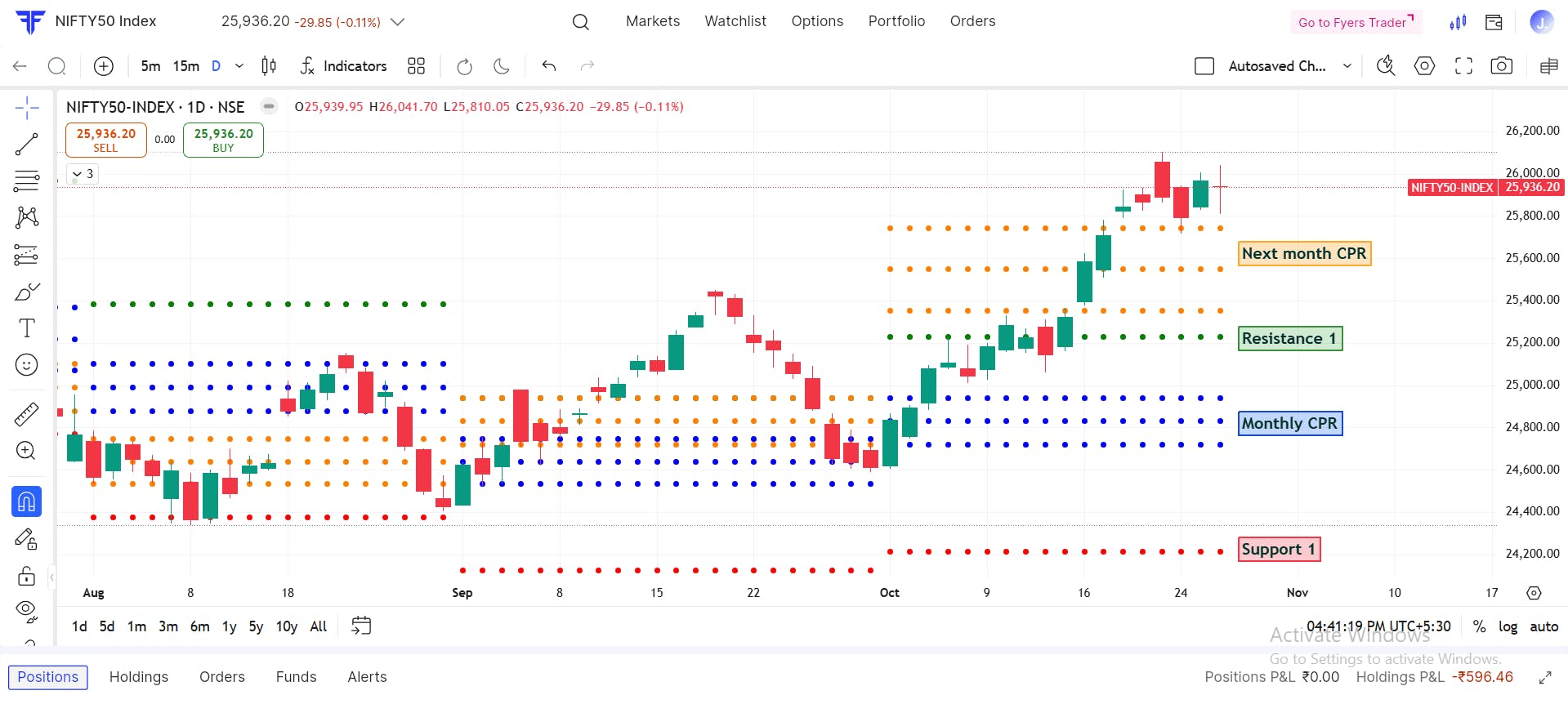
CPR built from last month’s OHLC
Next Month CPR
Full pivot stack (S1–S4, R1–R4)
Why traders use it:
Helps positional traders track larger support / resistance zones.
Shows where the market is sitting relative to key monthly structure.
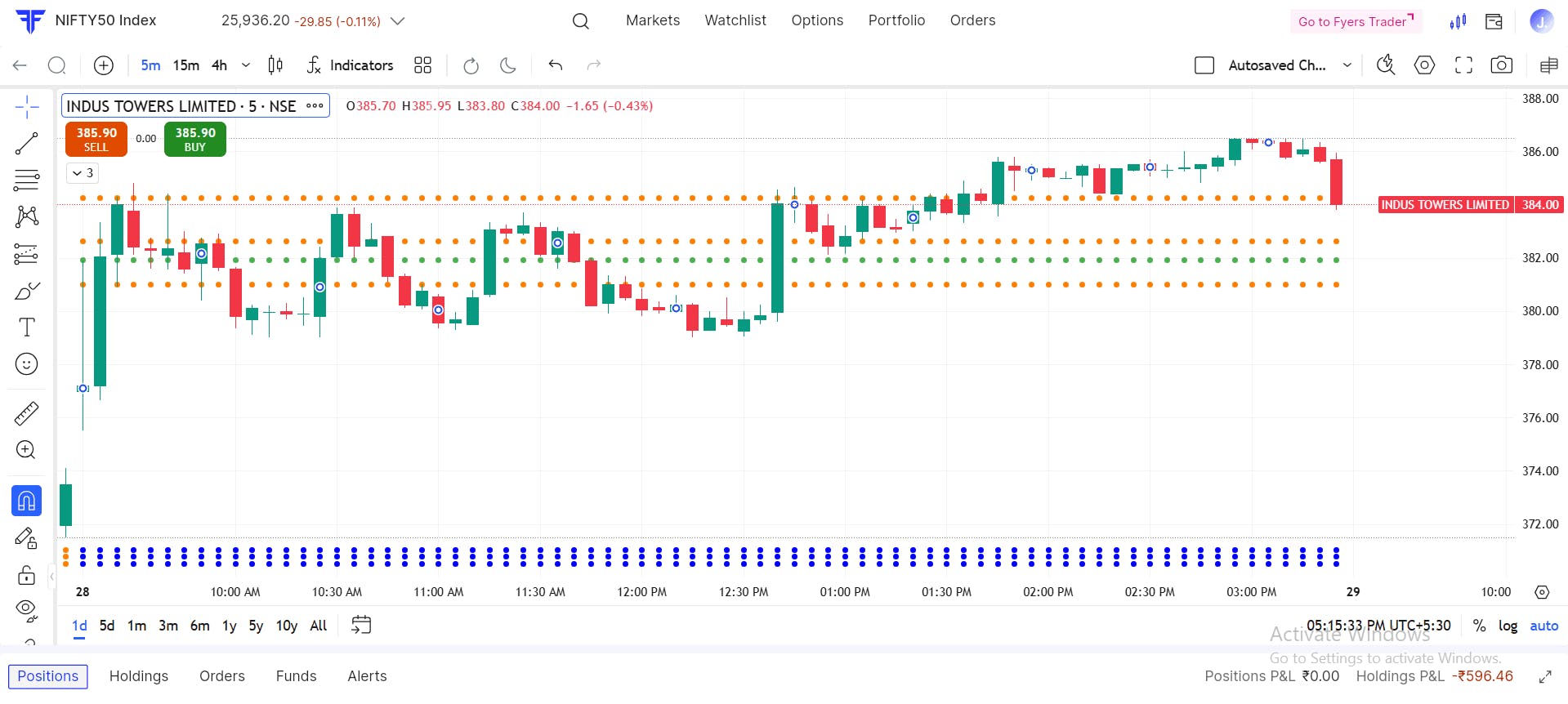
When the CPR band for that period is tight.
It often signals that a strong move may follow once the price breaks away from the range.
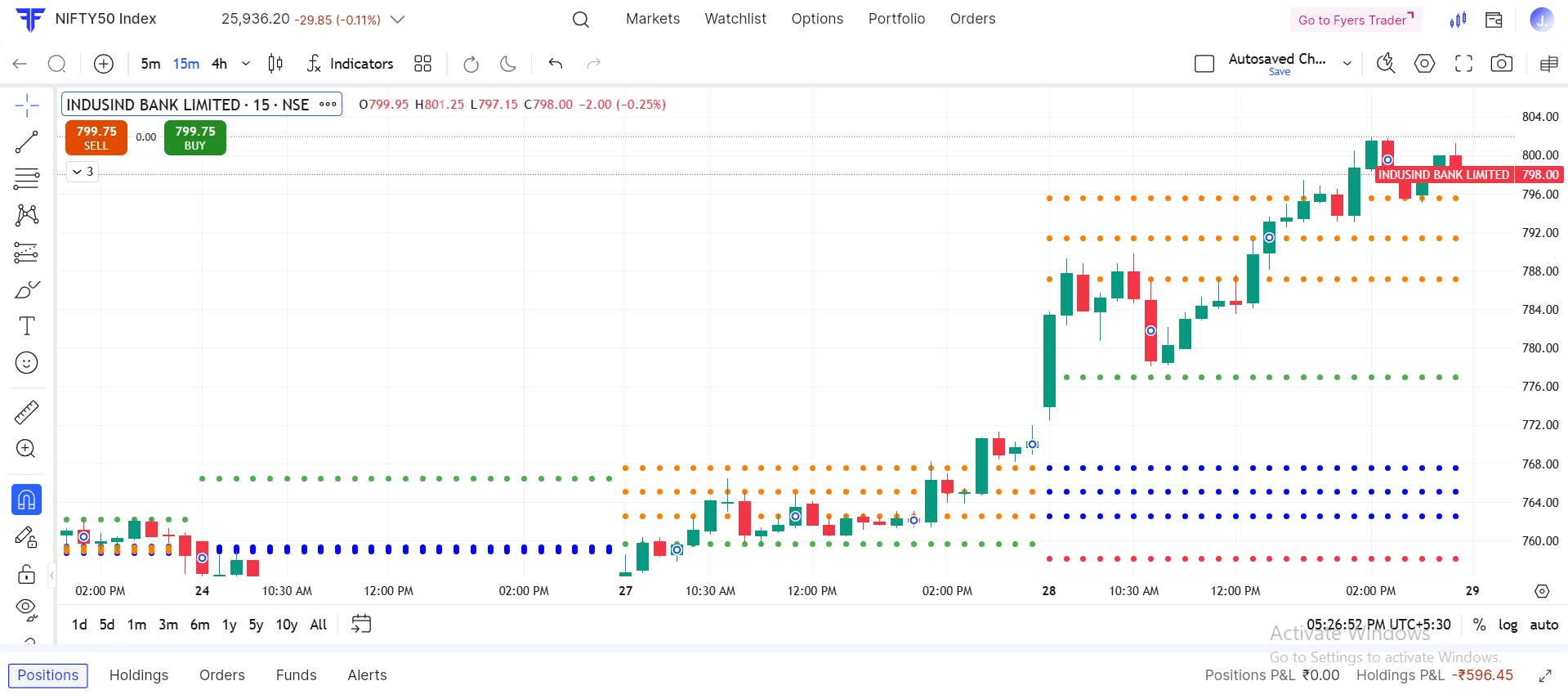
When the CPR band is broad.
It often signals a range-bound day, where price moves within defined levels instead of trending strongly.
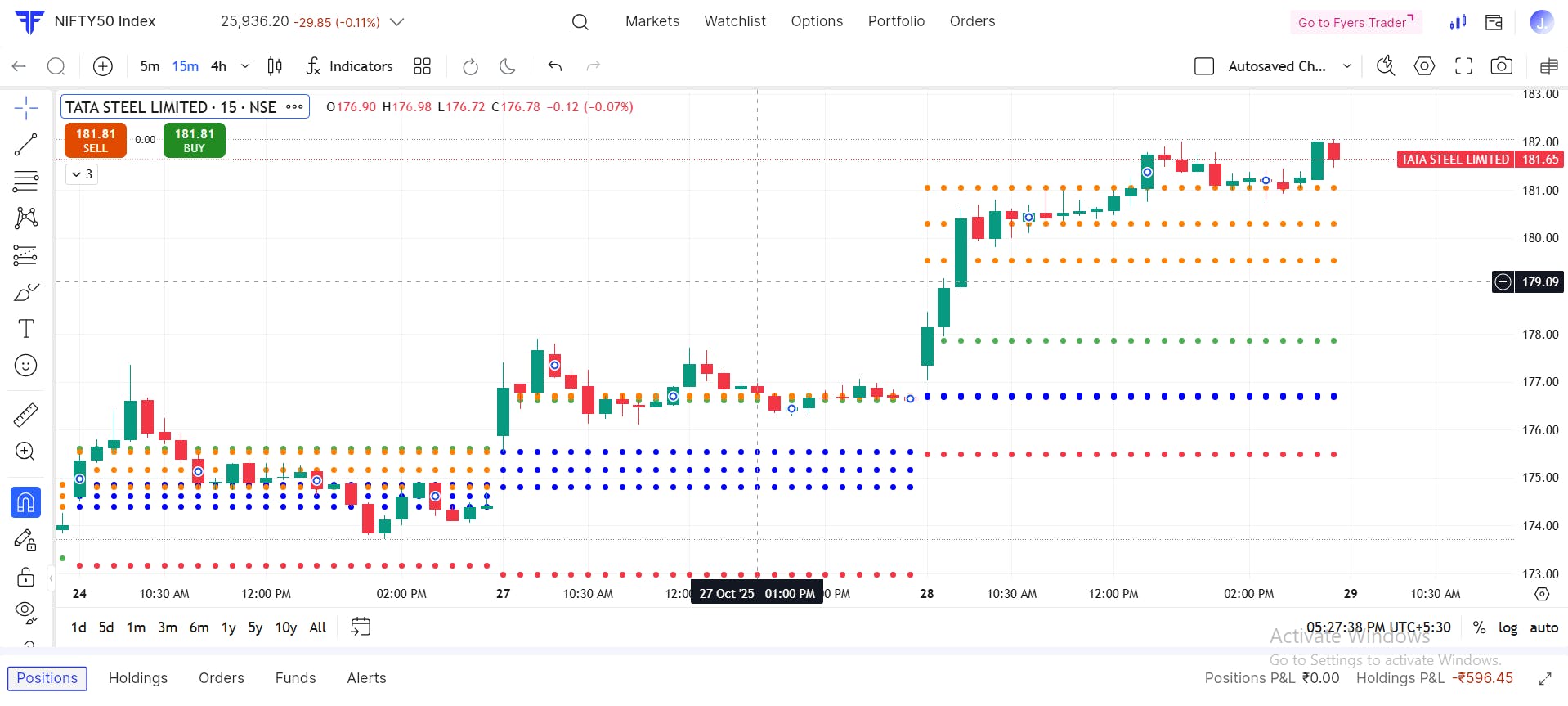
When the market later comes to that untested CPR for the first time, many traders treat it like support or resistance.
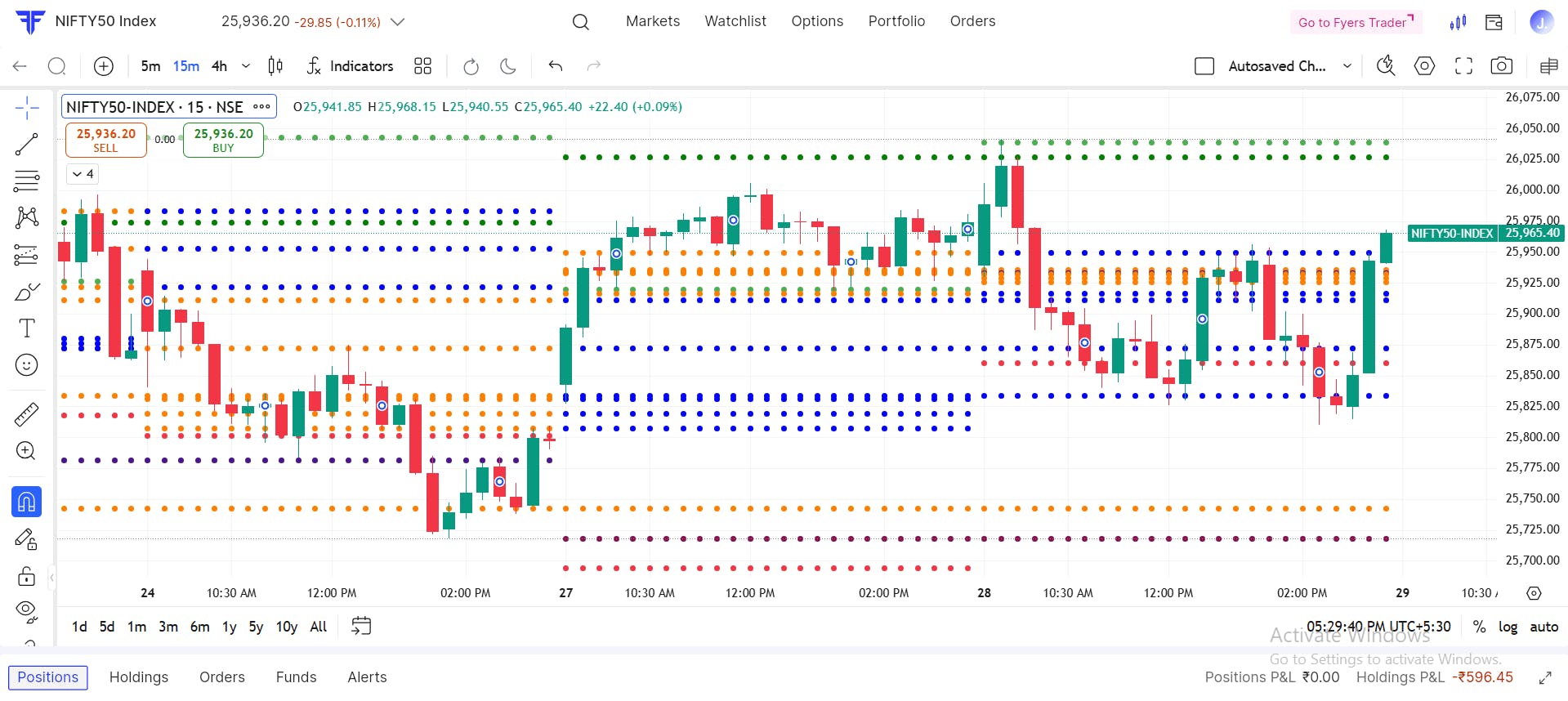
You can load any combination of Daily, Weekly, and Monthly CPR on the same chart.
Typical stack:
Daily CPR → intraday reference
Weekly CPR → short-term zones from last week
Monthly CPR → broader structure
When levels from different CPR timeframes line up in the same price area, that overlap is often marked as a high-interest zone. Traders call this a confluence.
Open any chart on FYERS App / Web / Trader
Open Indicators
Search “CPR”
Add:
CPR with Pivot Levels (Daily)
CPR with Pivot Levels (Weekly)
CPR with Pivot Levels (Monthly)
With these CPR tools, you can:
See Next Day / Next Week / Next Month CPR in advance
Mark possible breakout vs range days using Narrow vs Wide CPR
Track Virgin CPRs as possible first-touch reaction zones
View the Daily, Weekly, and Monthly structure together instead of guessing which level matters
This is designed to give you intraday, swing, and positional context — directly on FYERS.
