Not everyone trades the same way. Some traders swear by a 4-hour chart for swing setups. Others use a 7-minute or 12-minute chart because it fits their strategy. But until now, FYERS only had fixed timeframes. If your preferred interval was not on the list, you had to adjust.
We built Custom Timeframes to fix that. Now you can add any interval you want to your chart.
How to add a custom interval
Click the timeframe selector at the top of your chart. At the top of the list, you will see Add custom interval. Click it.
A small window opens. Choose the type from the dropdown: minutes, hours, days, weeks, or months. Enter the number you want and click Add. That is it. Your custom interval is now saved in the list.
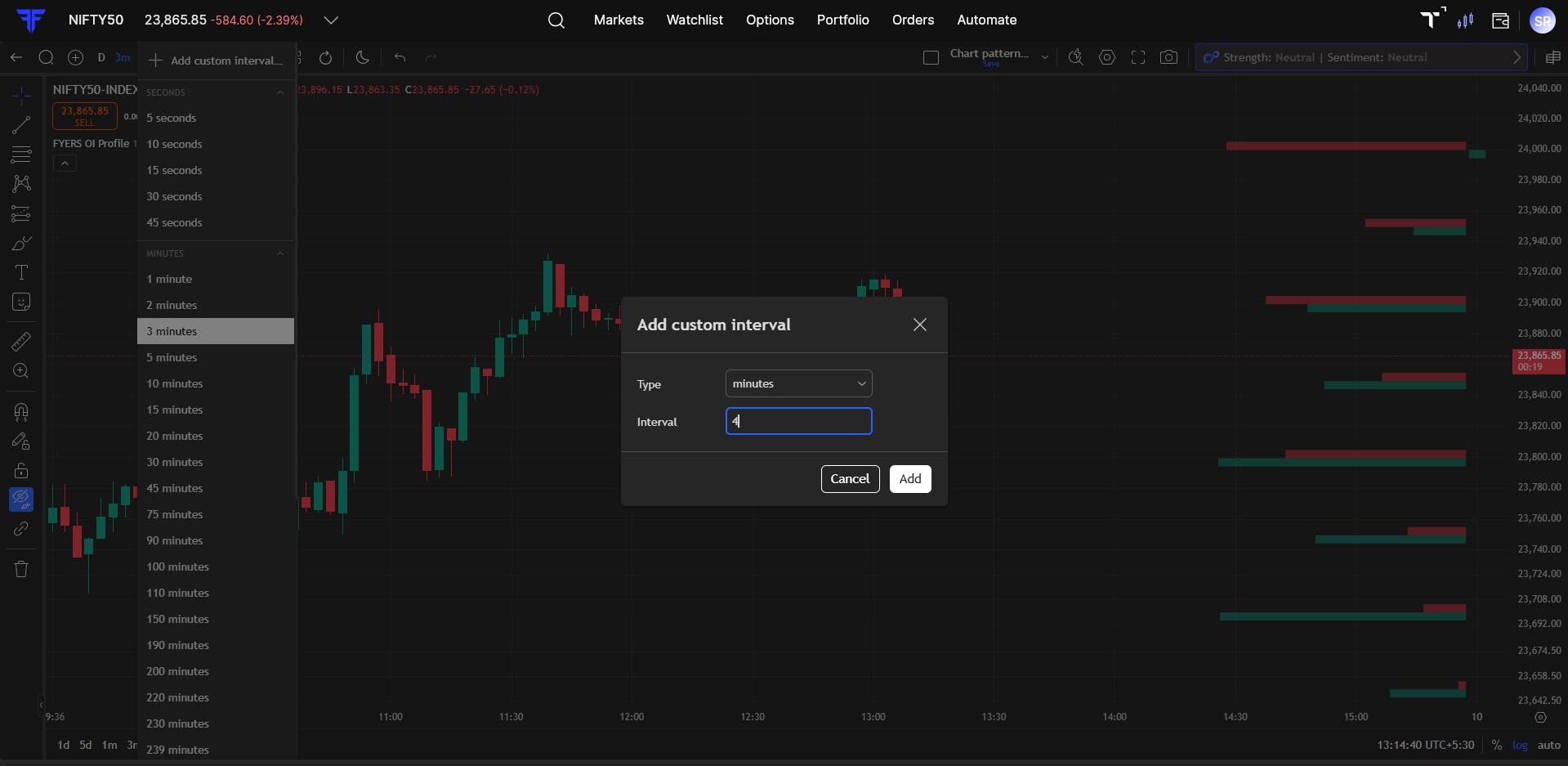
What you can set:
- Minutes: Any value - 4 minutes, 7 minutes, 11 minutes, 25 minutes, up to 360 minutes.
- Hours: Any duration that suits your style - 2 hours, 4 hours, 6 hours, and so on, up to 14 hours.
- **Higher timeframes: **Days up to 365, weeks up to 52, or months up to 12 for longer-term analysis.
Why timeframe matters more than most traders realise
The same price action reads differently depending on the timeframe you are on. A 5-minute chart and a 7-minute chart of the same stock in the same session will show different candle patterns, different support and resistance levels, and different momentum signals.
Many traders have built strategies around non-standard intervals over years of observation. Until now, they either had to compromise or use a separate tool. With custom intervals, your chart finally works the way you think.
Try it out
Open any chart on FYERS Web or App. Click the timeframe selector, add your interval, and see how it changes your view of the market. Once you add it, it stays in your list.
