Where can I see P/E ratio in chart…
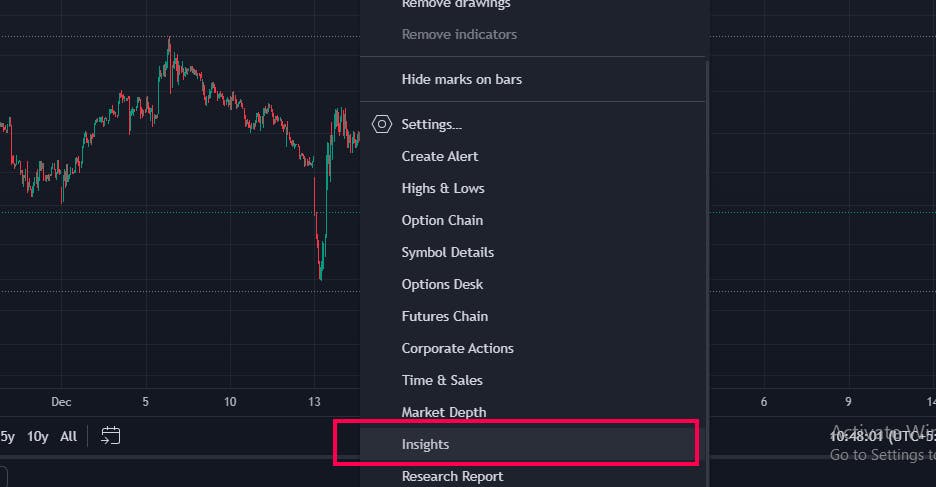
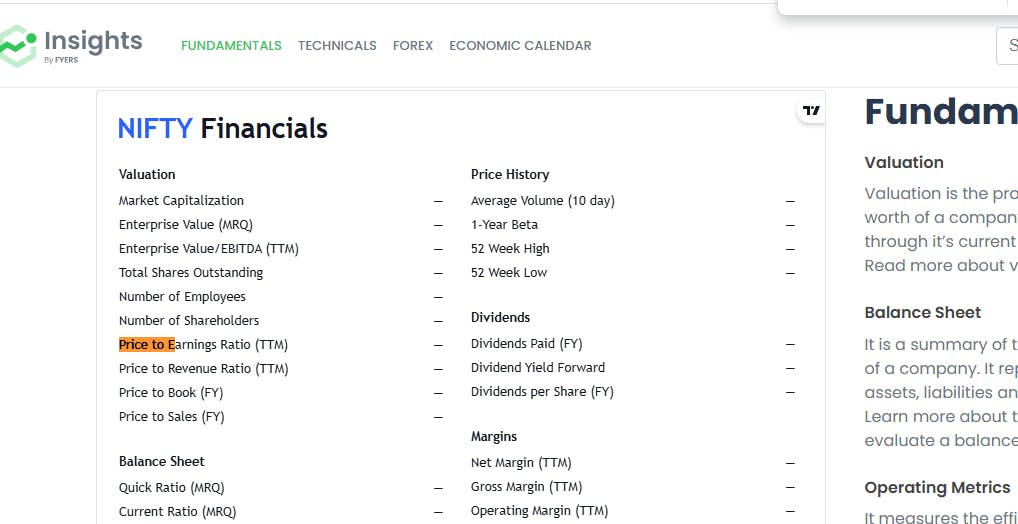
Hi @mohamedshahulrafeeq.r-t2m, you can check the P/E (Price to Earnings) Ratio under the Insights section on the charting platform. Here’s how you can access it:
- Right-click on the chart to open the context menu.
- From the list, select “Insights” (highlighted in your second image).
- Within the Insights window, navigate to the “Financials” section (as shown in the first image).
- Under the Valuation category, you will see the Price to Earnings Ratio (TTM).
I have attached the screenshot for your reference.