What is the Combined Premium Chart feature?
Shruthi ji, are there any tutorials or guides available for the above feature ?
Hi @preetesh_ghatke,
You can find more information on the topic in our blog. Additionally, we are hosting a webinar on the same subject tomorrow, and you can register for it by clicking here.
How can I create a combined premium chart of multiple option legs?
Hi Preetesh,
Creating a combined premium chart is very simple.
Go to “Strategy” and add the legs of the desired options with their expiry dates using the “Add Leg” button. Then you can see the “Combined Premium Chart” for all the legs you have added.
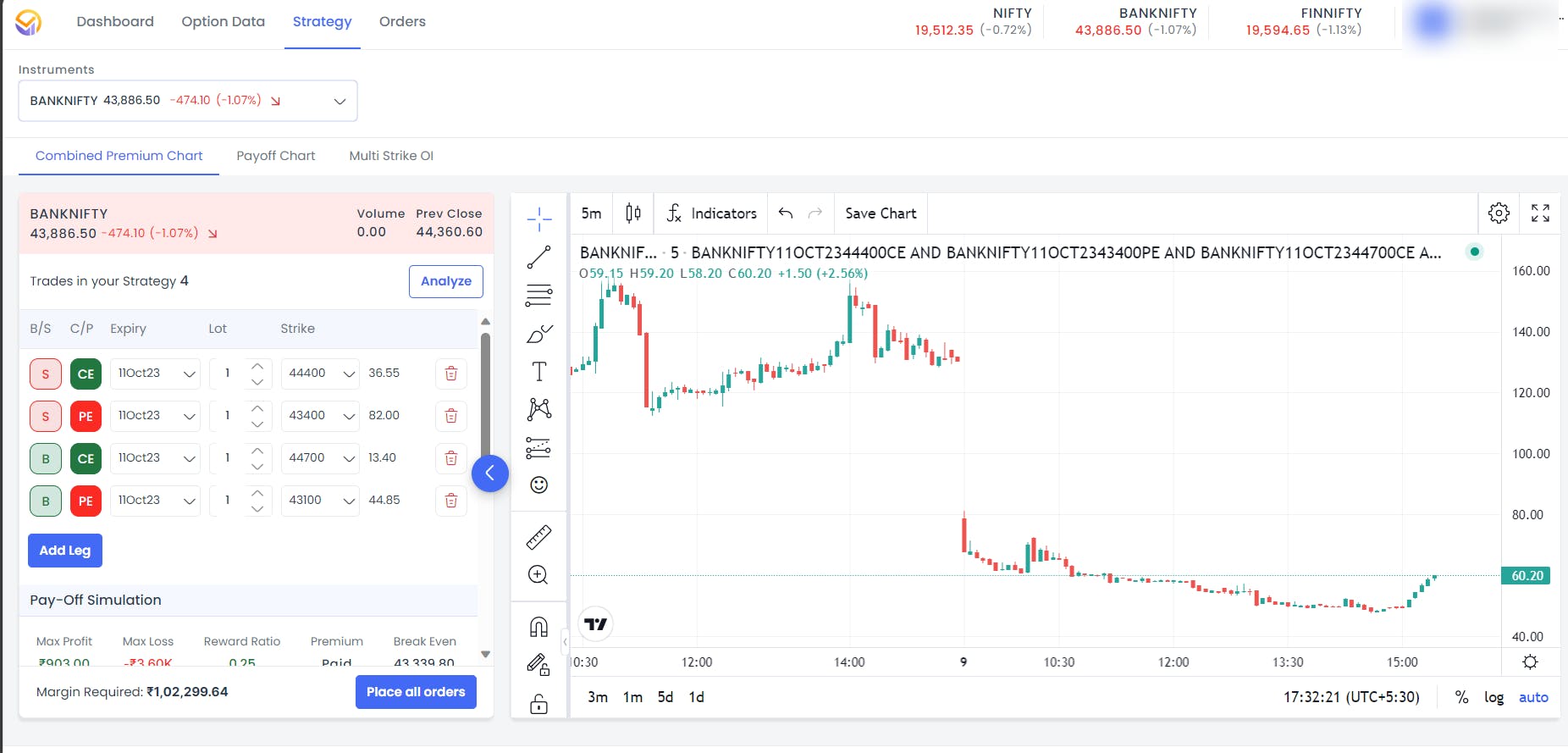
For a detailed product demo with all the features, please attend the introductory webinar scheduled on 10th Oct 23, at 4 PM.
You can register for it by clicking here.