Unable to generate access token using official postman collection, getting error “Please provide valid code verifier” even tried with different python examples, but still getting same error.
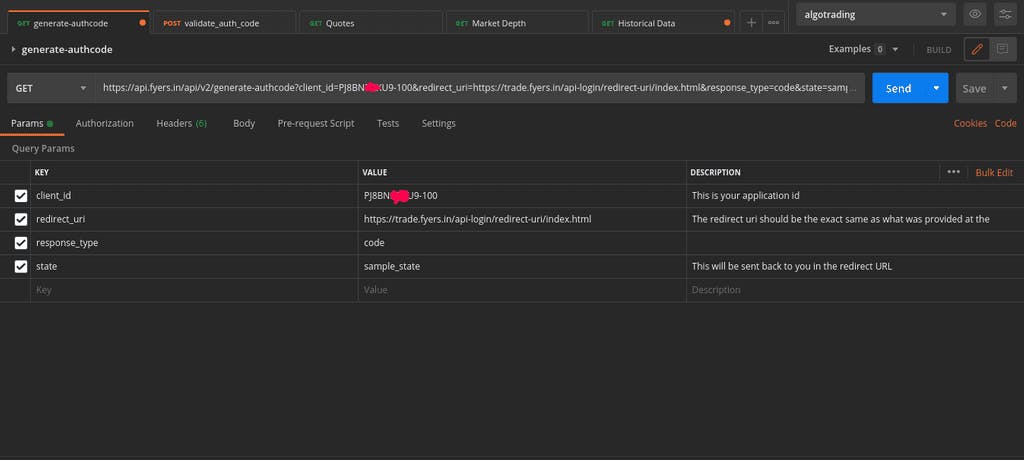

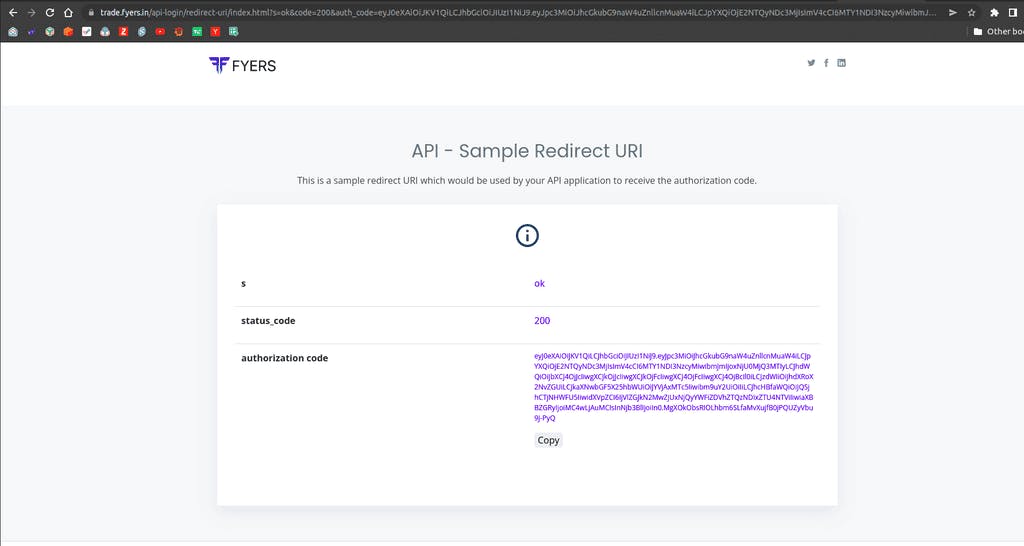
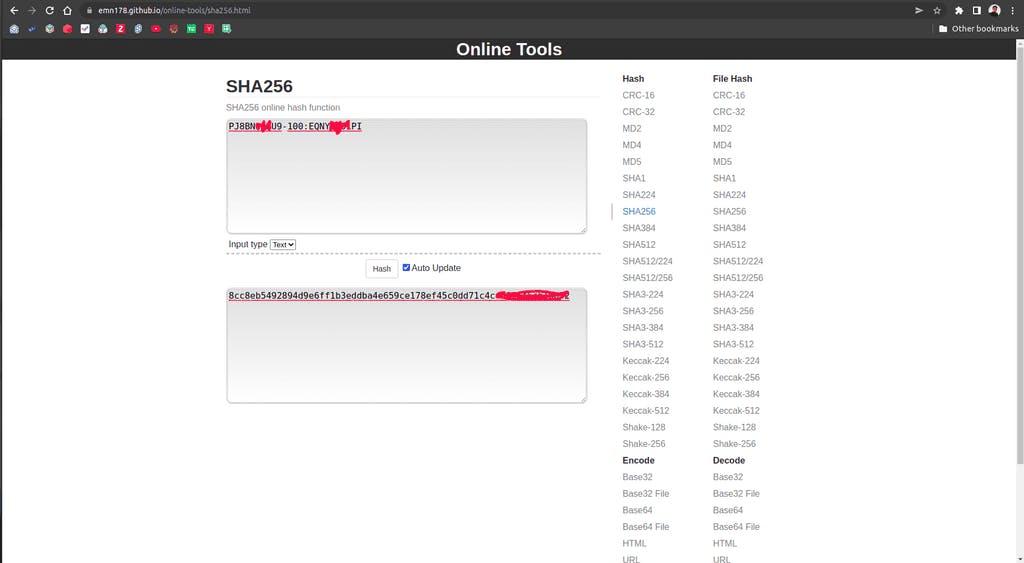
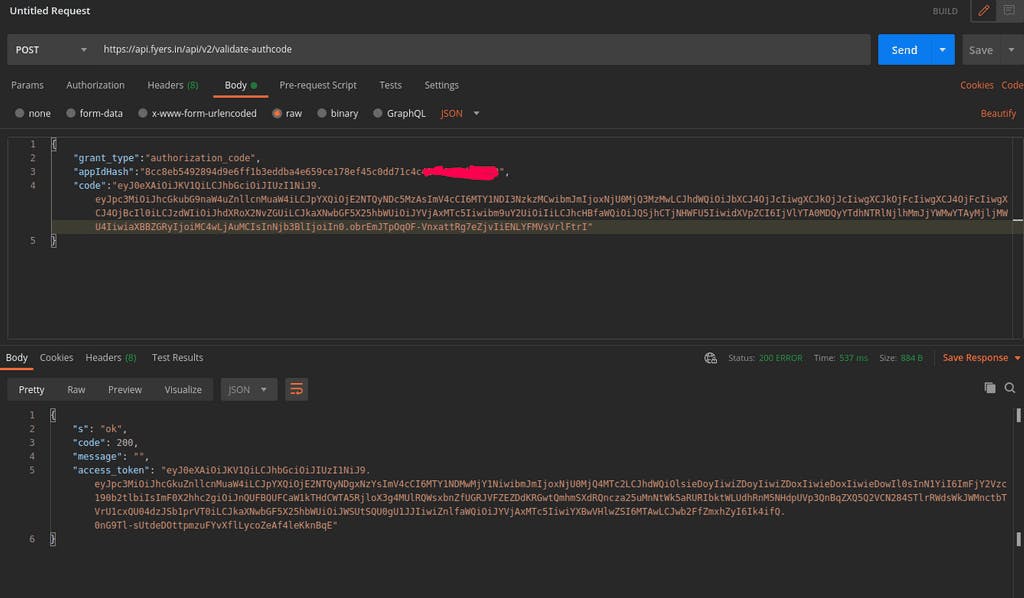
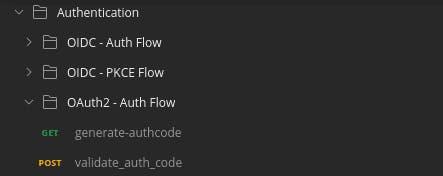
@vikram_sri Still getting same error using OAuth2 - Auth Flow. “Please provide valid code verifier”
@vikram_sri not able to upload the screenshot here, didnt find any option to upload the screenshot.
@DaKmHxg3w1 Okay,
- for generate-authcode, are you getting the auth code from browser and pasting into the “code” body of validate_auth_code?
- for appIdHash, are you generating SHA256 hash in the format App_Id:Secret_Id?
App_Id and Secret_Id are got from https://myapi.fyers.in/dashboard/
you can generate SHA256 hash from this website SHA256 - Online Tools
Try it for OAuth2 - Auth Flow
- for generate-authcode, are you getting the auth code from browser and pasting into the “code” body of validate_auth_code? YES
What ever the steps are given above i am trying same steps only, even App_ID:App_secret hash is generated using this url SHA256 - Online Tools and sending same hash in json body, but still getting same error for both Oauth and Oauth2 flow.
@DaKmHxg3w1 I’ll do the flow on my end, and attach screenshots in my answer.
@vikram_sri Is there any issues with my account ? Why i am not able to generate access token ? Please do share the screenshot, i will try again from my side.
@vikram_sri Here is the screenshot of OAuth2.
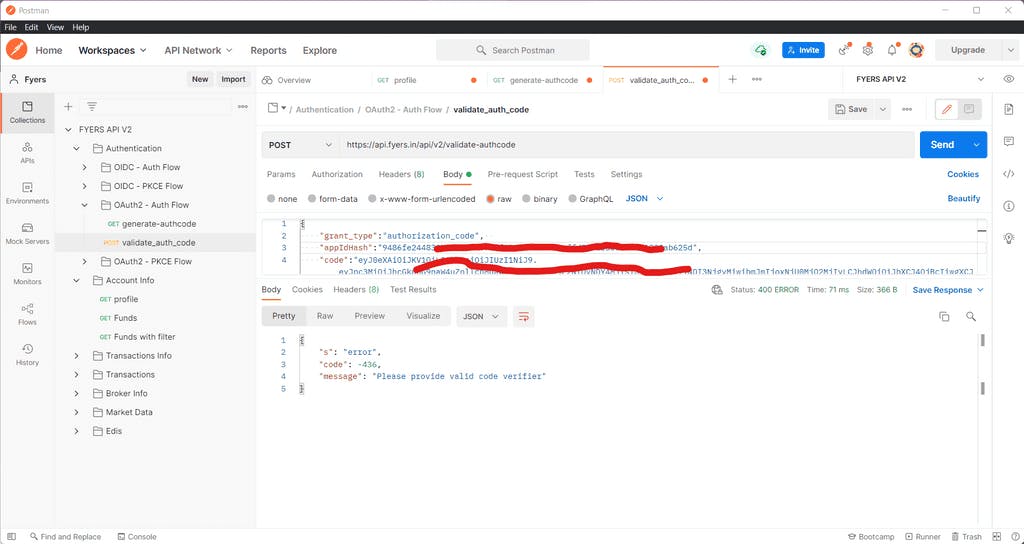
@DaKmHxg3w1 I have added the screenshots, please take a look.
@vikram_sri After deleting the old app and creating the new one, i am able to login into API and generate access token, don’t know what was wrong with old app.