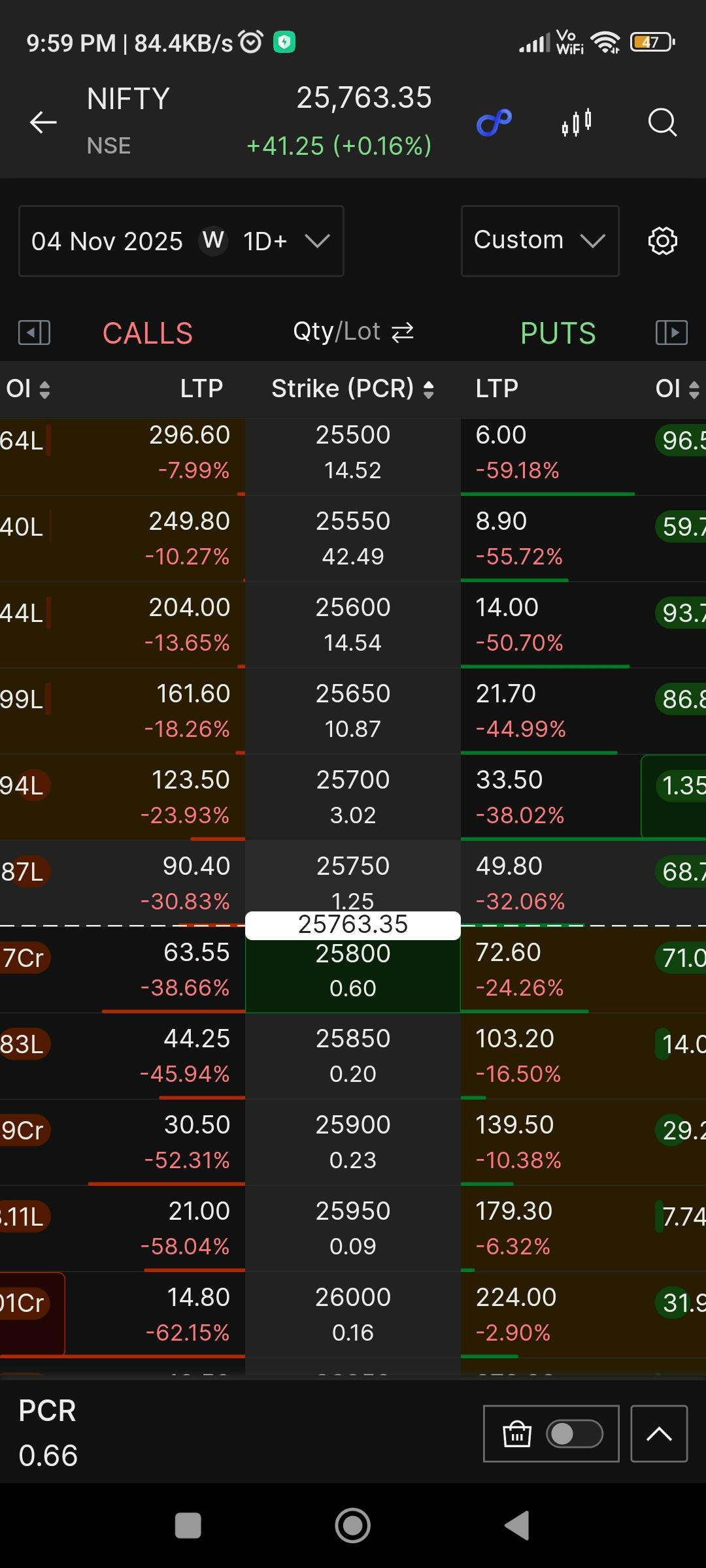
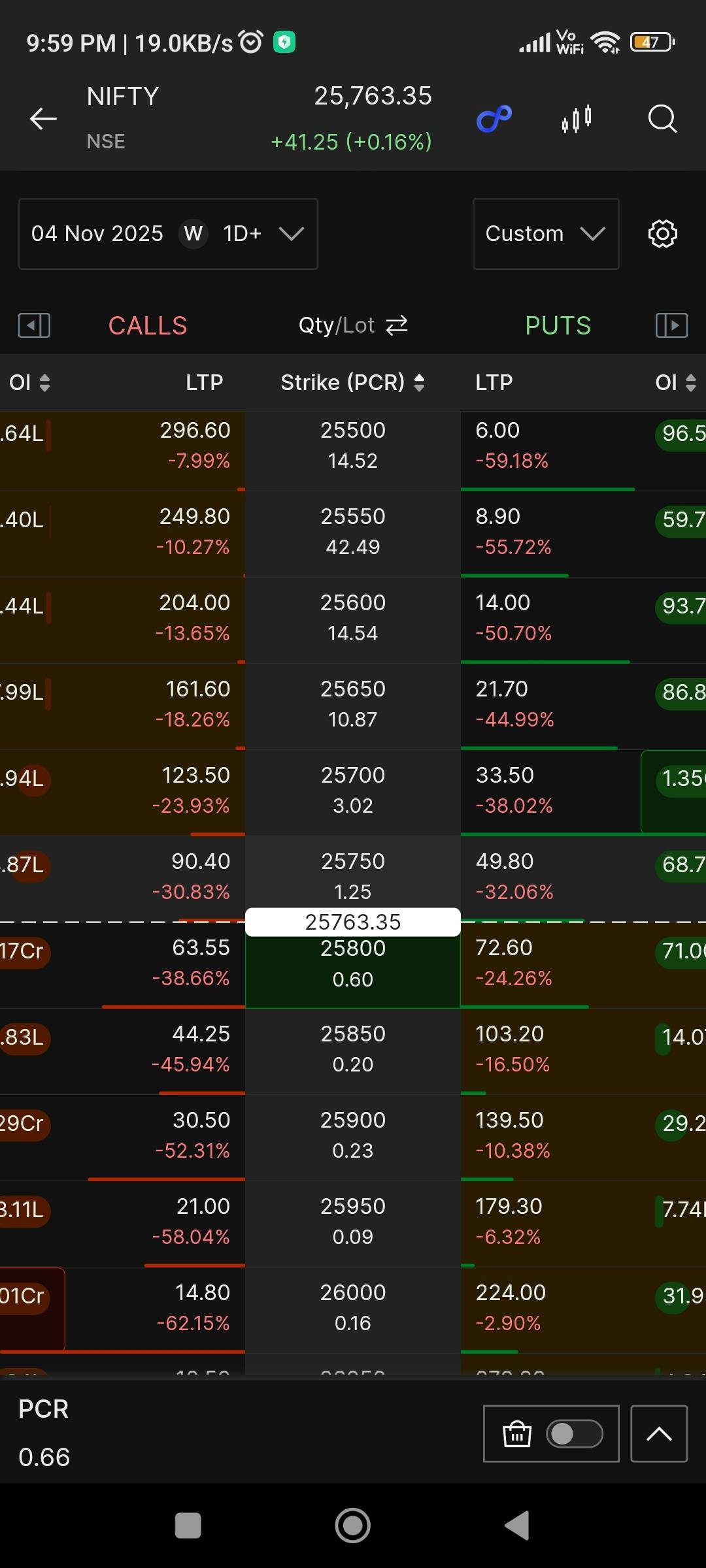
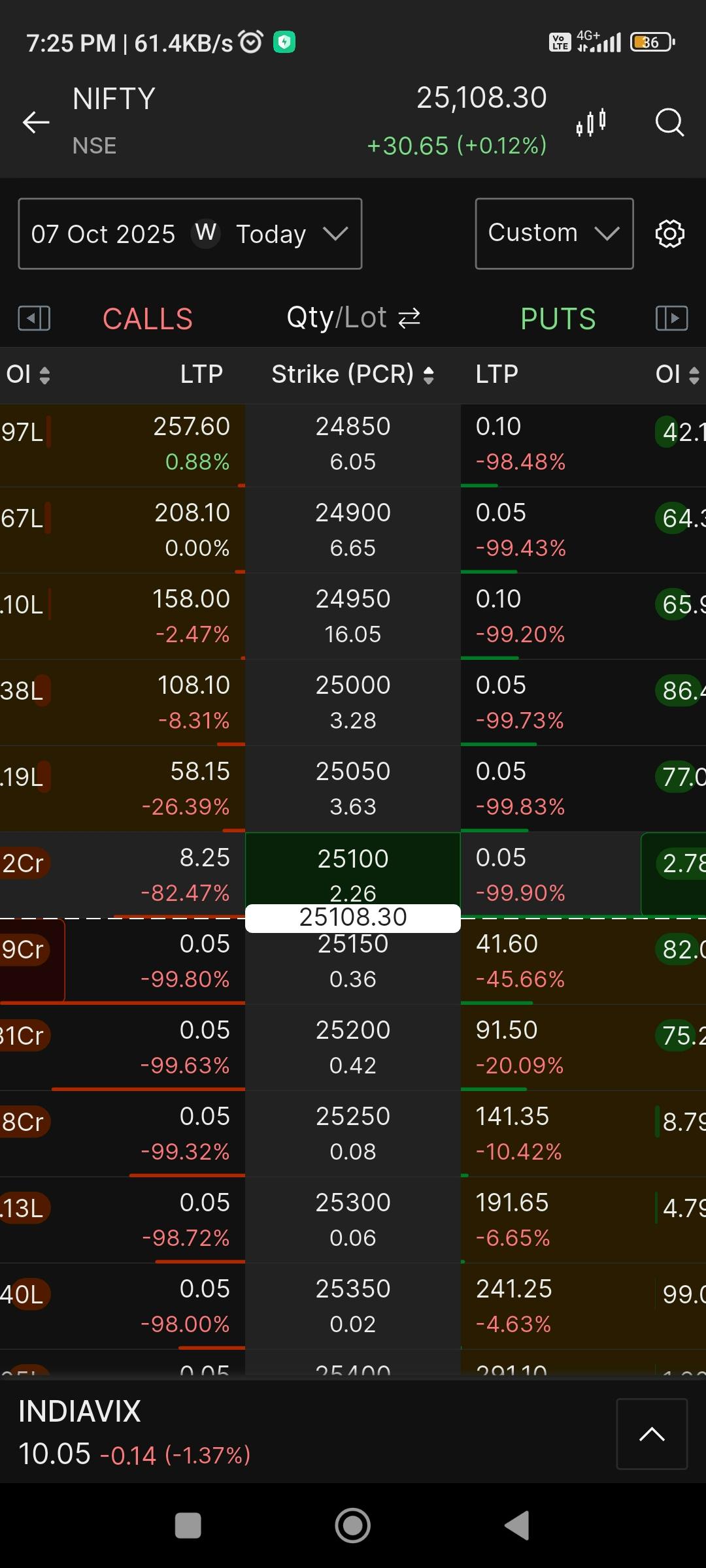
Font size is too big. We can’t see option chain properly in mobile due to big fonts. Reduce font size as previous. Or give options to adjust font size. User can set font size as per their requirement.
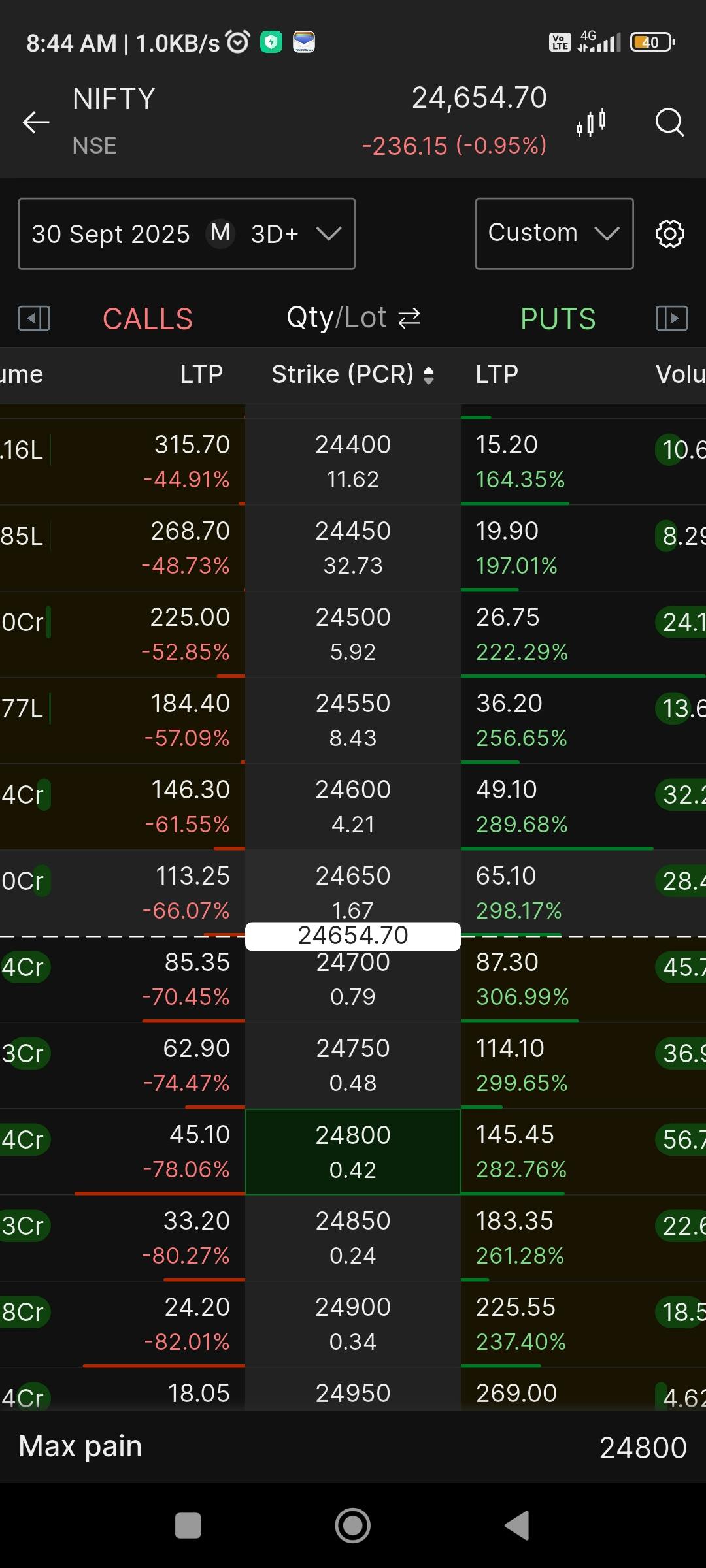
Hey @QMuON3oegb
Thanks for reaching out. Your feedback is duly noted. We’re already working on font size options, and soon you’ll be able to adjust them as per your preference.
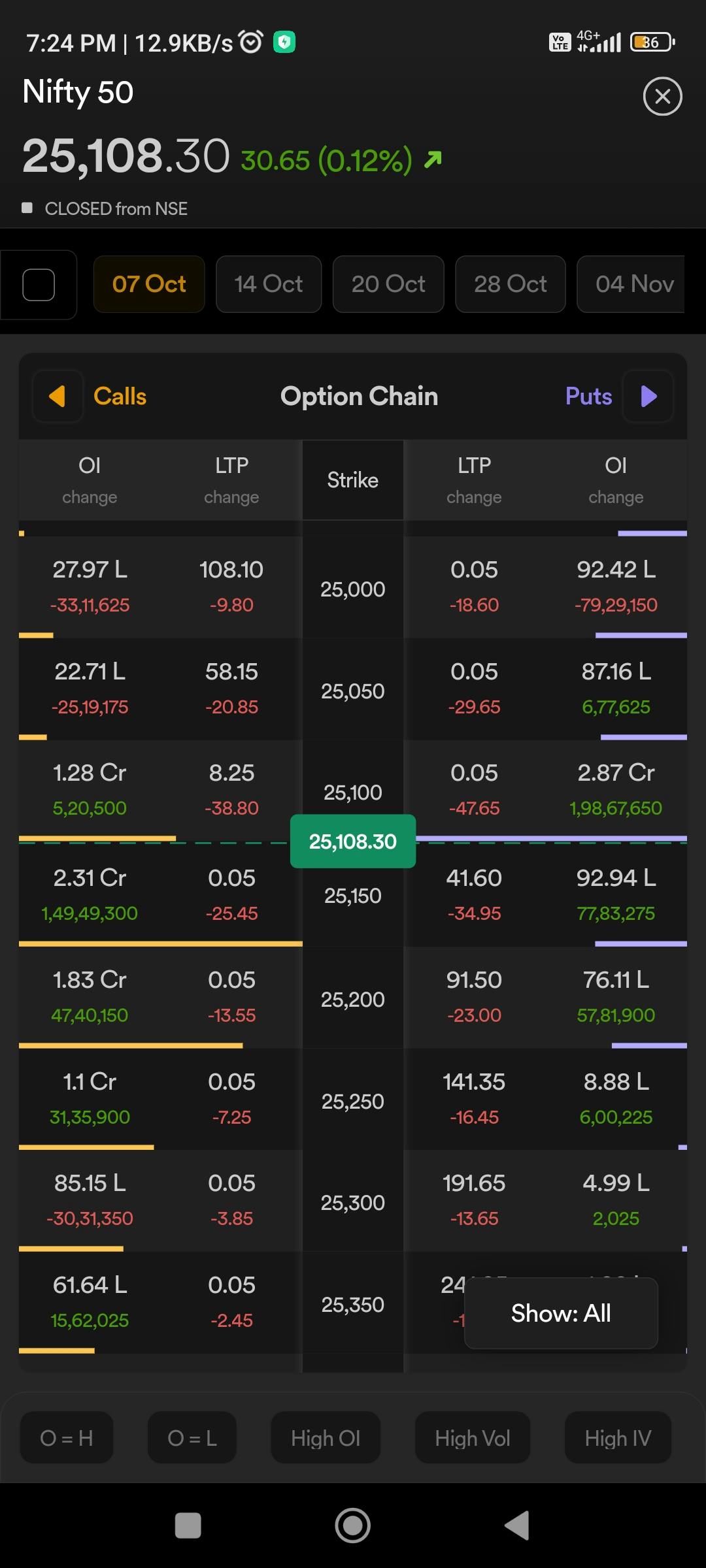
Any update regarding proper font size in app?
Any update on font size reduction in App?
Hey @QMuON3oegb
Font size reduction is already in the app. Please follow the steps below
Menu ( top left corner on the homepage)>>Setting >>General >>Font Size ( choose between small or standard)
Thanks for guidance. But even though i changed font size to small. App showing option chain same. Can’t see OI column values. Middle is strike , then CE & PE LTP and then Ce & PE OI.
Both the option chain given below for your reference.
Let me know how can i see OI coulmn values immediatly after open option chain. now i need to scroll the columns to see OI data.
option chain at Standard Font and small font both are same.
Only font size reduce. What about alignment ?