Not showing quick trade user settings in fyers pls help me to find where it place??
Hi @102357754269172508112, yes, we’ve made a few updates to the UI recently. The Quick Trade Settings option hasn’t been removed, it has just been moved under Tools → User Settings → Quick Trade.
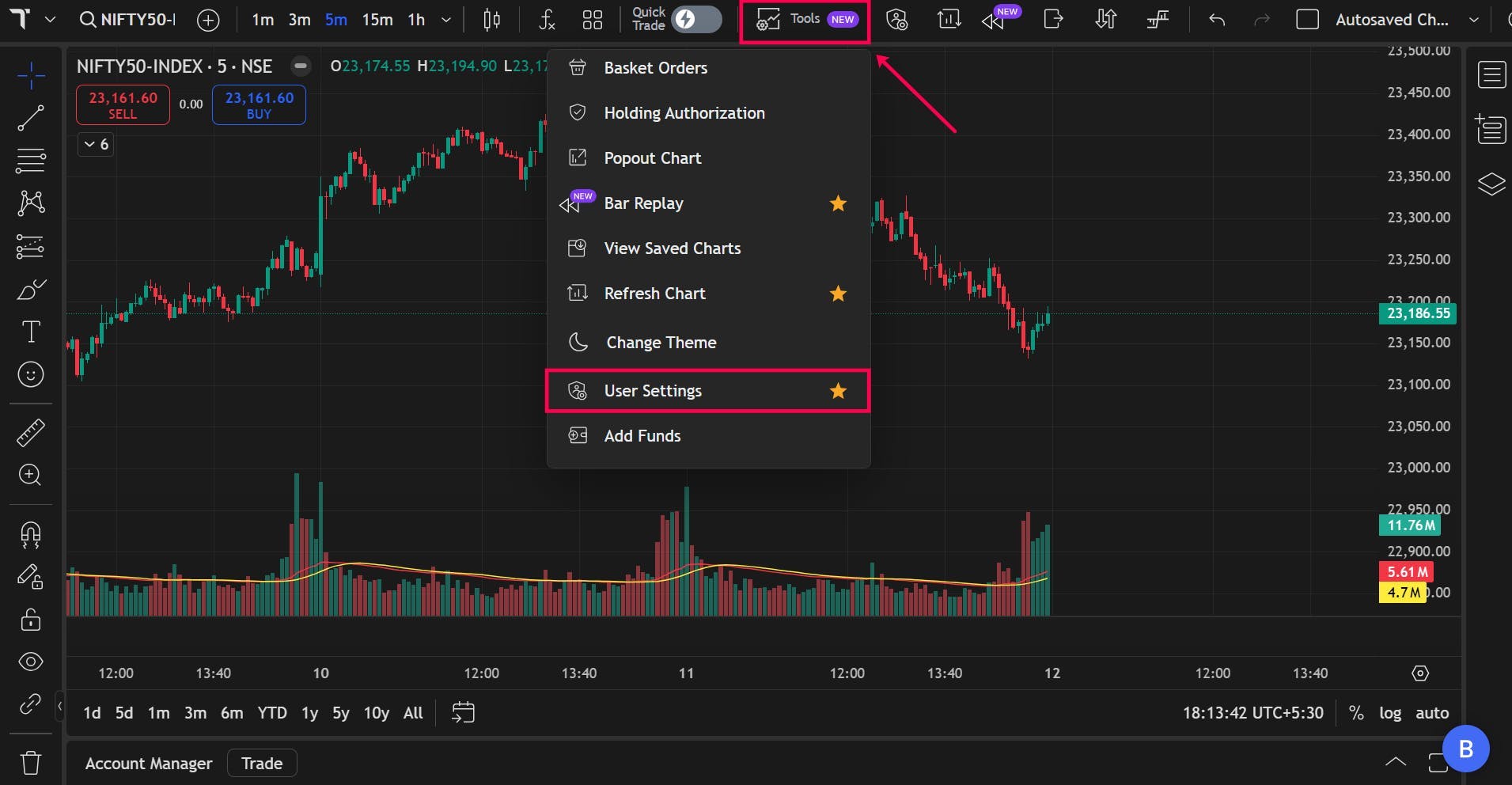
You can access it by following:
Tools → User Settings → Quick Trade
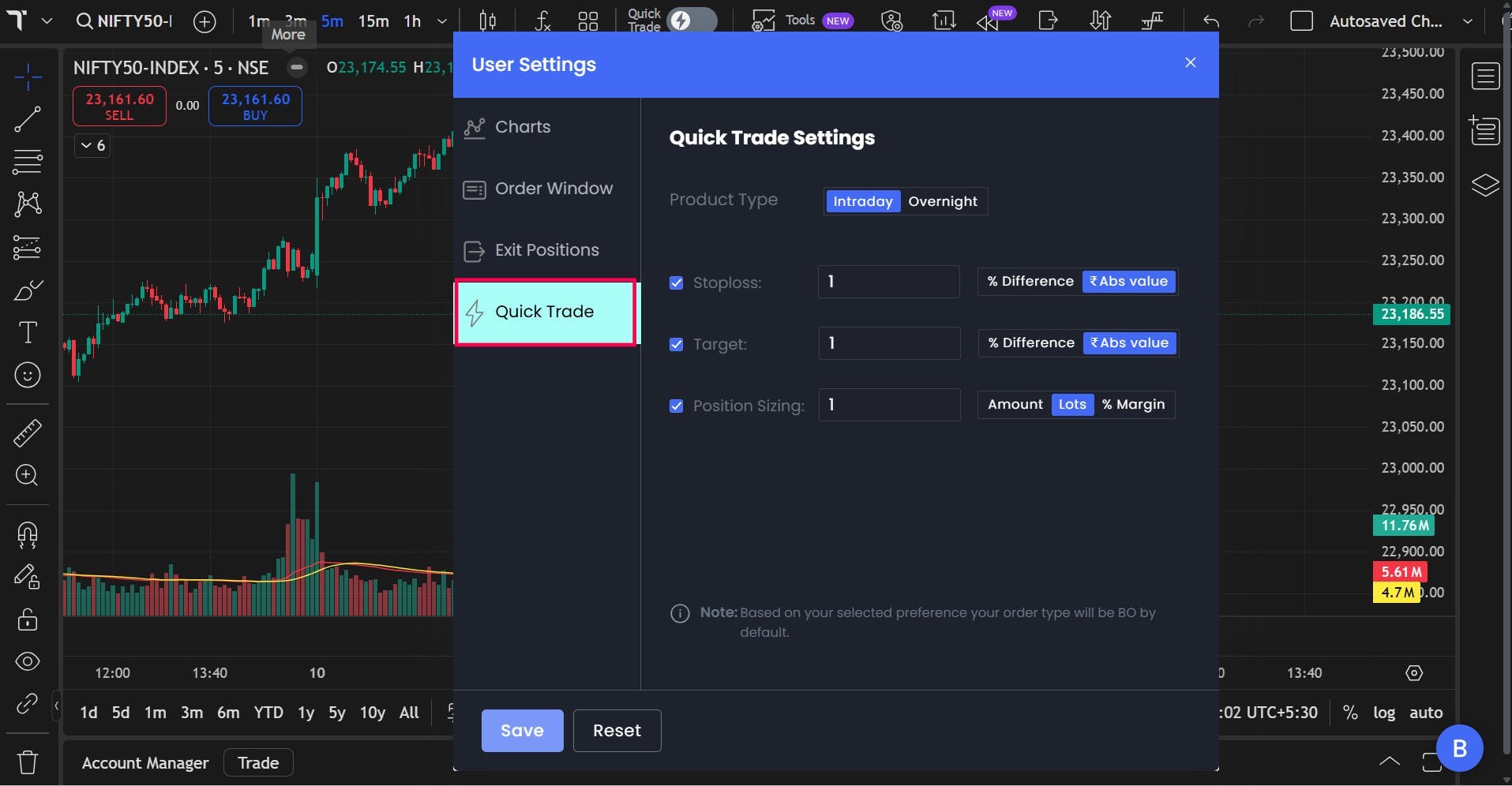
From there, you can configure your default SL, Target, Position Sizing, and Product Type settings.
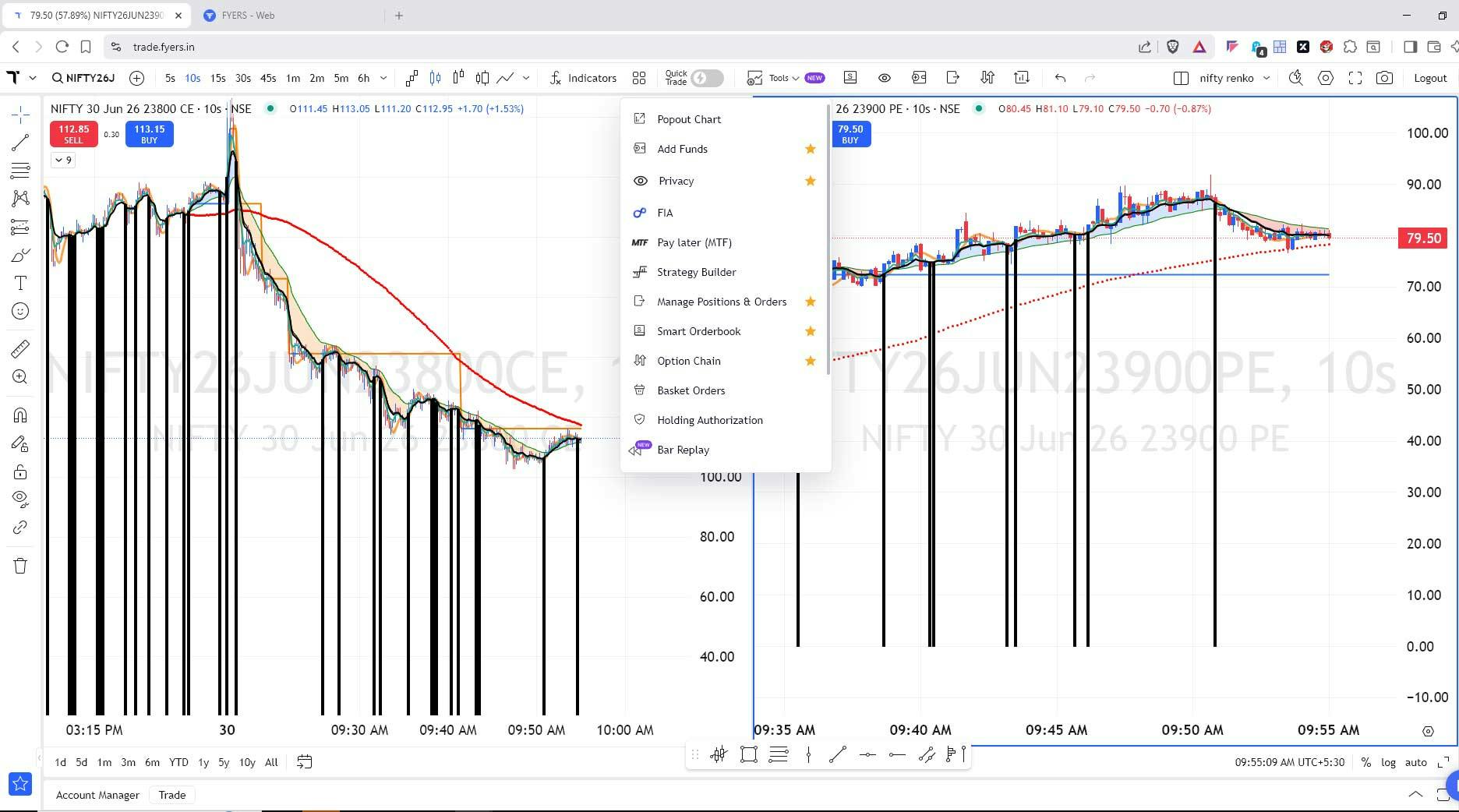
Hi @111185209587094441838, the Tools menu is scrollable. Please scroll down a little, and you should find the User Settings option there.
From Tools → User Settings → Quick Trade, you can configure your Quick Trade settings.
If you still don’t see it after scrolling, please let me know along with your browser details, and I’ll help you further.