On fyers web, how do I set the candle to color based on candle open and not based on previous close? I was searching for this setting and couldn’t find it. Do you know where this setting is? Thanks.
Hi George, by default, the color of a candle is based on the opening price and not the previous candle’s closing price.
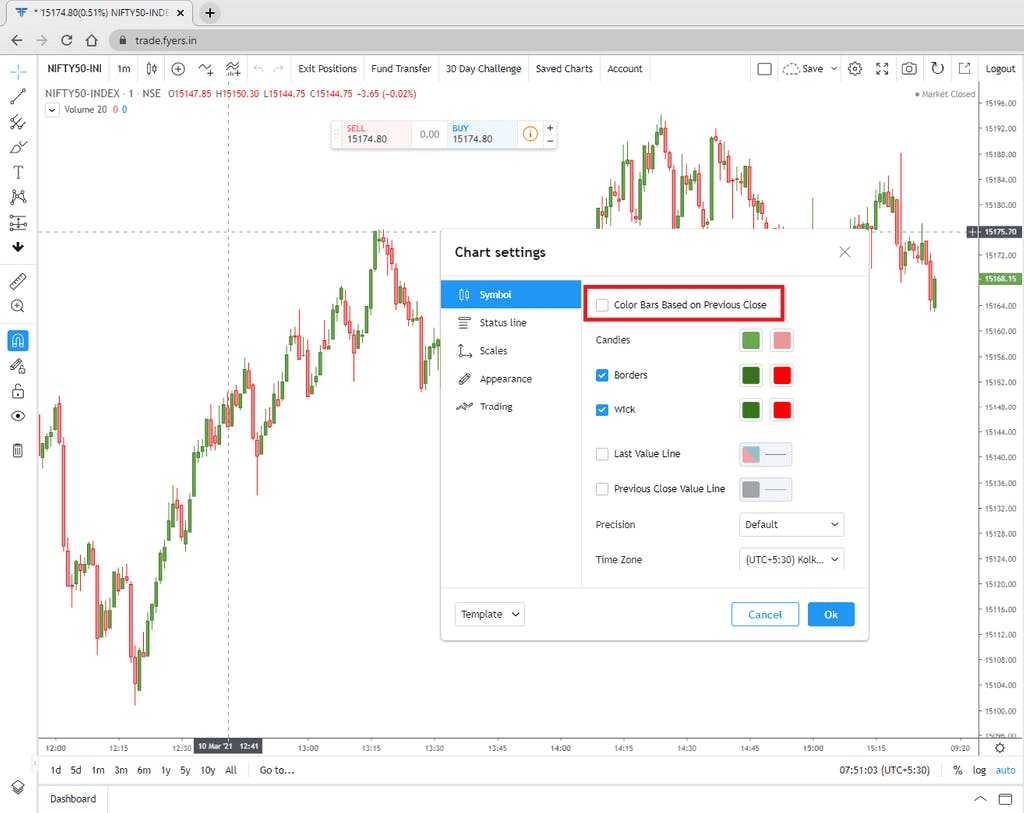
However, if on your FYERS Web terminal, the candle color is not appearing on the basis of opening price but is rather appearing on the basis of previous candle’s closing price, then do the following steps:
- Right click anywhere on the chart
- Click on settings
- Within the symbol tab, uncheck “color bars based on previous close”
That should solve your issue. Below is the screenshot of the same.
Appreciate the follow up, coloring based on candle open is useful when there is a gapup and you want to identify the first bearish candle.
The setting location you referred to, doesn’t seem to be there on the Fyers Web Chart library. I can see this setting on the Tradingview.com. Maybe you are referring to the setting which is present on the TradingView platform and not Fyers web..
I have inserted the screenshot of the same into the answer
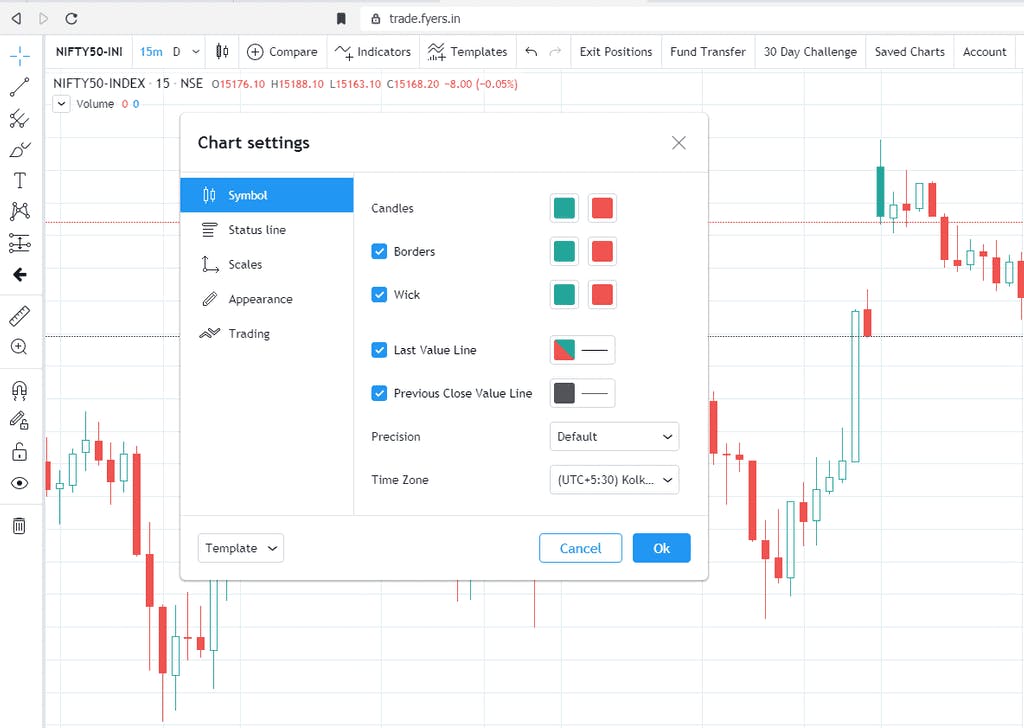
Later on, I managed to figure out what the issue was, the menu to set the candle color based on candle open, is not available when someone uses hollow candles. When I changed the candle to standard format, the feature became available. This information could be useful for someone who might stumble upon the same issue with their charts.
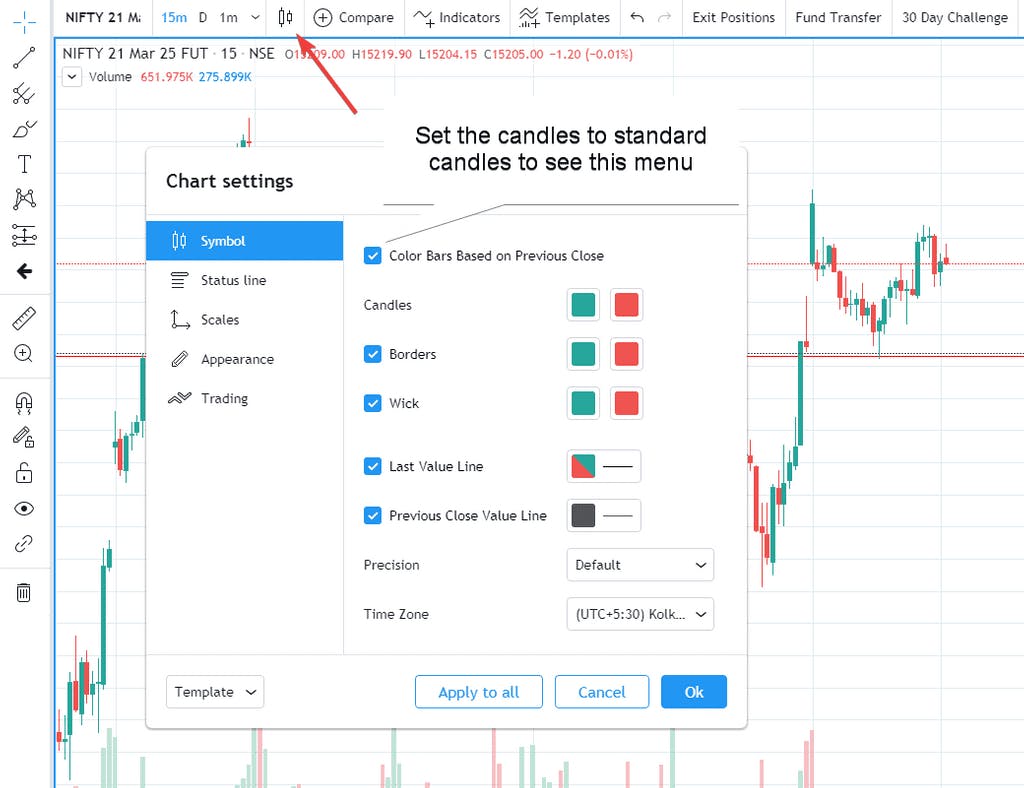
I managed to figure out what the issue was, the menu to set the candle color is not available when someone uses hollow candles. When I changed the candle to standard format, the feature became available. Thanks.
Great! Thank you for reverting @HqikyjkG9o