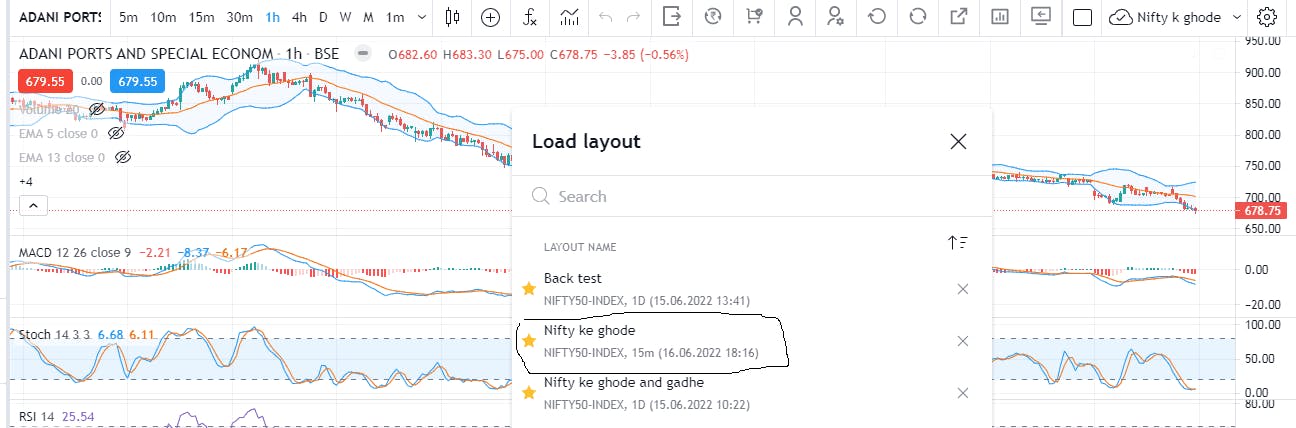
Since morning my all chart layout is not opening. When I called the support center, getting a stupid answer. First, they said login in windows 10 not in 07. I did the same. After they said the layout is 1 year before that is why is not opening. What logic are you people applying? Till today morning it opening daily. Suddenly what happened to the layout to not open?
I told him that all other layouts are 1 year before. They are opening then how can you say this particular layout will not open because it’s been one year. Then he said give me some time.
The third time he talked with his team and said, it’s like the android system fyers is updating this is the reason your layout not opening. What the hell. You don’t have a resolution so you will say whatever you want.
i have done the CTRL + SHIFT + R. In the morning out of 5, 1 layout was not opening. In the afternoon now 2 layouts is not opening. What happening. Should use flyers or not??? I am facing this after 11 am. Before that everything working fine. Suddenly my default layout got switched with another & when I am trying to use my default layout it is not selecting. I clicked n no of times but nothing happened. your calling the team giving stupid answers & ignoring them. Please help.
We would like to get this checked for you. Kindly raise a ticket at [email protected] with appropriate screenshots. Our team will look into it and get back to you shortly! We regret the inconvenience caused.
Yesterday my 2 layouts were not opening. So I created a new layout yesterday evening and right now yesterday’s created layout also not opening from now. What happening. Should I quit with fyers???
1 & 3 were created earlier they are not opening since yesterday morning. And the middle one with circle create yesterday evening & now from today evening this is also not opening. Frustrated.
What was the symbol open in that layout?
Is that a future or option which expired?
If so, that data won’t be available anymore after expiry. So it might be causing an issue.
Is that a single chart layout or multiple charts layout?
All charts are equity. No future & option charts. By the way, after the expiry chart got visible automatically. The concern is my created layout is not opening. Whatever study I have done my portfolio chart study are is saved under those layouts. It’s very important for mi. And those layouts are not opening while selecting. It’s a humble request to fyers team pls help me. Rectify the error & resolve this.
To be on safe side, next time onwards. Save all the indicators you used in a study as template. So that you can use it or open it next time with a single click on any layout.