Is there any way to stop auto save chart layout?
When opened saved chart layout in window1 and opened another window2 with another stock then second one will get automatically saved. How to avoid this?
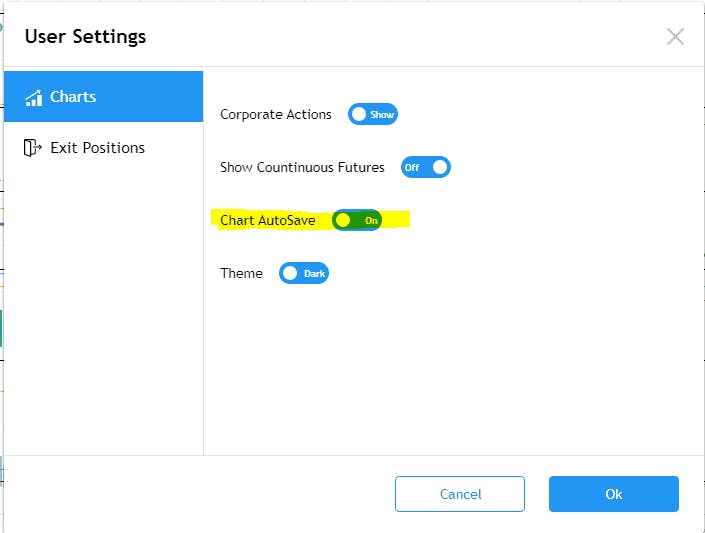
I did not find anything in Fyers Web to stop this. Fortunately, I found the option to stop Chart Auto Save in Fyers mobile app. Go to Account > Settings > Scroll Down > Switch off Chart Auto Save. It reflects in Fyers Web too.
Hi Pankaj,
You can disable the auto save in fyers charts by going into the user settings on fyers web page.
Thanks,
Akshay
Cheers Akshay !!