When we launched Automate, the goal was to make systematic trading easier without requiring traders to write code, maintain servers, or build their own execution infrastructure.
Automate already lets traders turn their rules into workflows using conditions, actions, technical indicators, risk controls, and execution logic. If you are new to Automate, you can explore FYERS Automate directly or start with our earlier introduction to FYERS Automate to understand how the platform works.
The broader environment for retail algo trading has evolved too. SEBI’s framework for retail algos introduced clearer requirements around API-based automation and third-party platforms, including broker-side controls and infrastructure. For us, this reinforced an important principle: automation should sit close to execution, remain transparent, and keep the trader in control. You can read more in our earlier article on SEBI’s retail algo trading framework.
But there was still one layer of complexity left. A trader may know exactly how they want to trade, yet still need to translate that idea into a structured automation. Automate with FIA removes that step.
The process is simple: Describe. Backtest. Deploy.
Describe your strategy in plain English, backtest the automation FIA creates, and deploy it only when you are ready
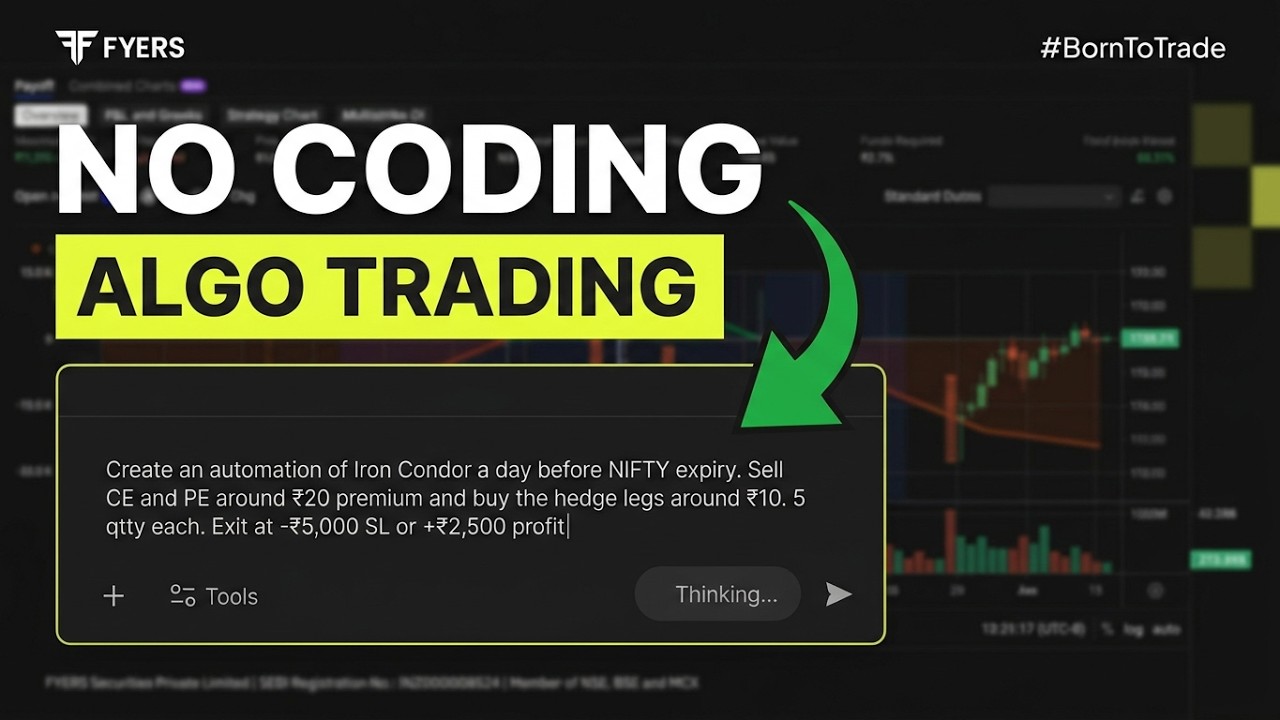
Just describe the strategy
With FIA inside Automate, you can start with plain English. Instead of first deciding which trigger, condition, action, or calculation to add, you can simply describe what you want the strategy to do. FIA interprets those rules and builds the corresponding automation on the canvas using supported Automate capabilities.
That means the starting point can be as simple as:
-
what you want to trade,
-
when you want to enter,
-
what conditions should be checked,
-
how risk should be managed,
-
and when the trade should exit.
FIA doesn’t fill in critical gaps by making assumptions. If something required to build the automation is missing or unclear, it asks you a follow-up question so you can clarify the rule. Once FIA builds the workflow, it remains fully visible on the canvas, so you can review the logic, understand how the pieces fit together, and make changes when needed.
In other words, you think in trading rules; FIA translates those rules into automation.
Backtest before you go live
Once the automation is ready, test the strategy on historical data and review how the rules would have behaved. If the results highlight something you want to change, refine the strategy and run the backtest again.
You can read more about Backtest in this blog.
But remember, historical performance does not guarantee future results.
Deploy when you are ready
Once you are satisfied with the strategy and its backtest, you can review the final workflow and choose when to deploy it.
FIA builds the automation from your instructions, but you remain in control of deployment and the trading decisions behind it.
What does a prompt look like?
There’s no fixed prompt structure. Describe the strategy the way you would explain it to another trader.
Sample prompt 1
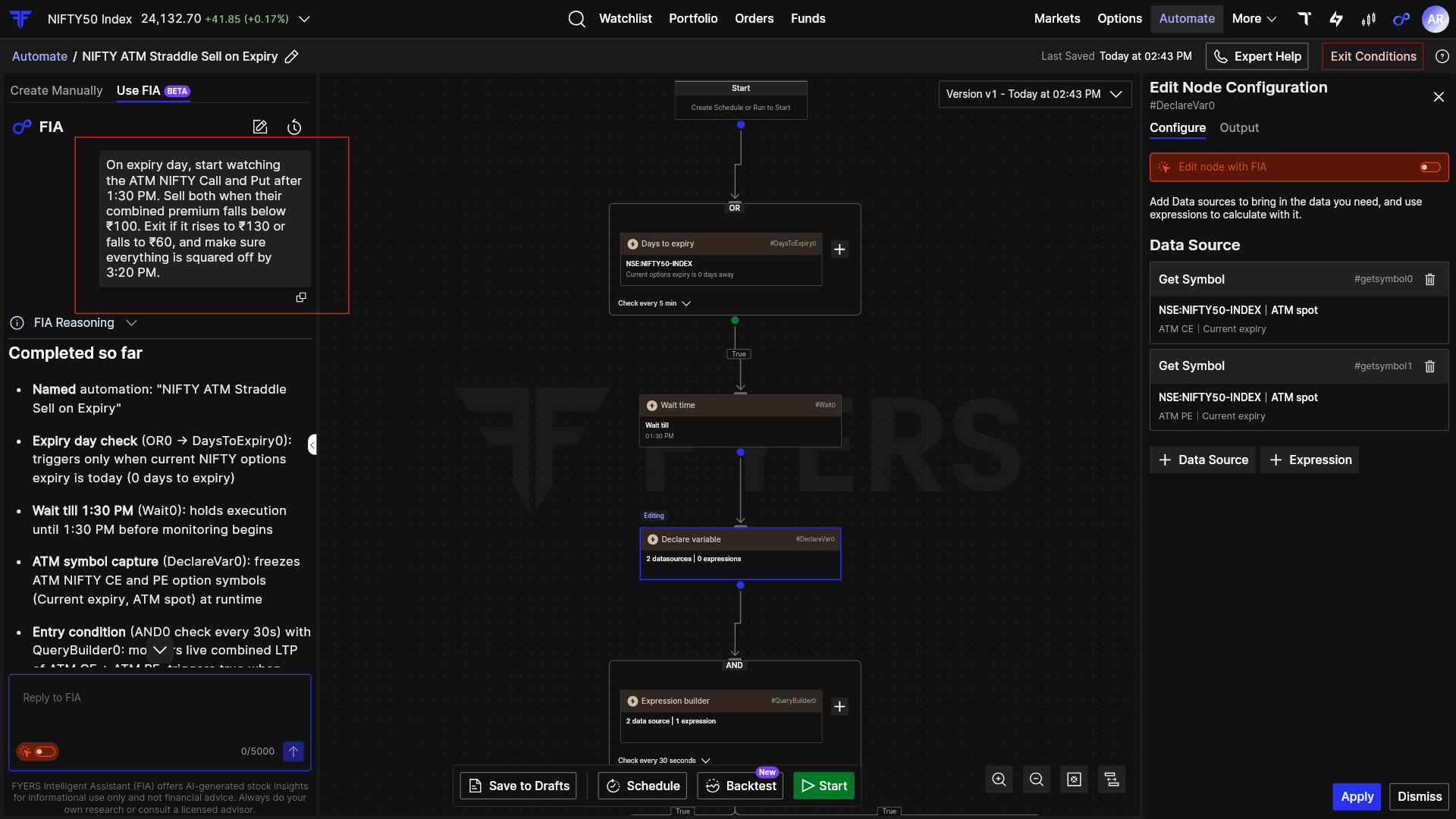
On expiry day, start watching the ATM NIFTY Call and Put after 1:30 PM. Sell both when their combined premium falls below ₹100. Exit if it rises to ₹130 or falls to ₹60, and make sure everything is squared off by 3:20 PM.
Sample prompt 2
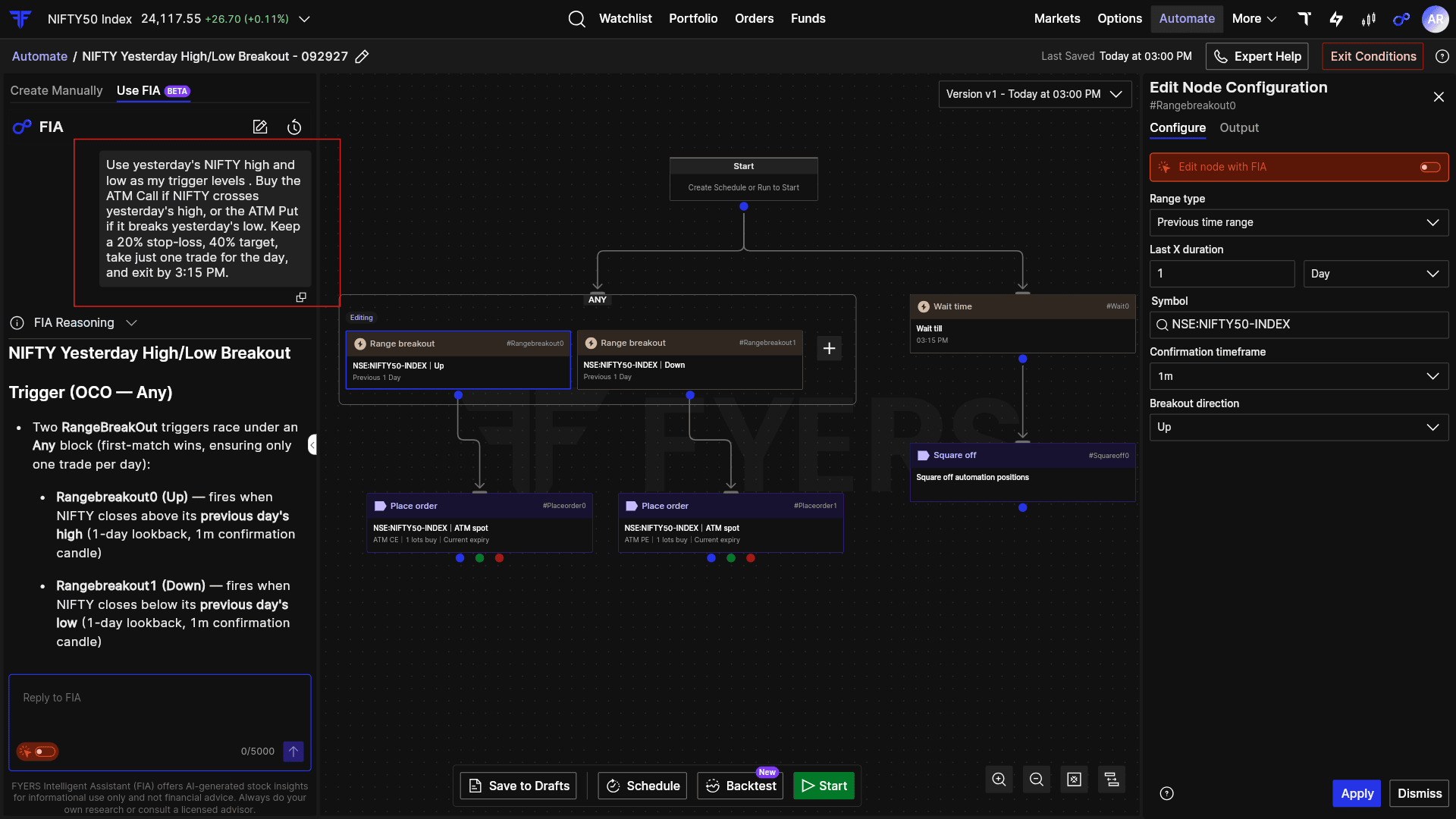
Use yesterday’s NIFTY high and low as my trigger levels. Buy the ATM Call if NIFTY crosses yesterday’s high, or the ATM Put if it breaks yesterday’s low. Keep a 20% stop-loss, 40% target, take just one trade for the day, and exit by 3:15 PM.
The point is not the wording of these prompts. It is that fairly detailed trading logic can begin as a normal description.
Automate can handle the complexity underneath. For example, Expression Builder can work with calculations that need to remain live, while Declare Variable can capture a value that needs to be remembered later in the workflow.
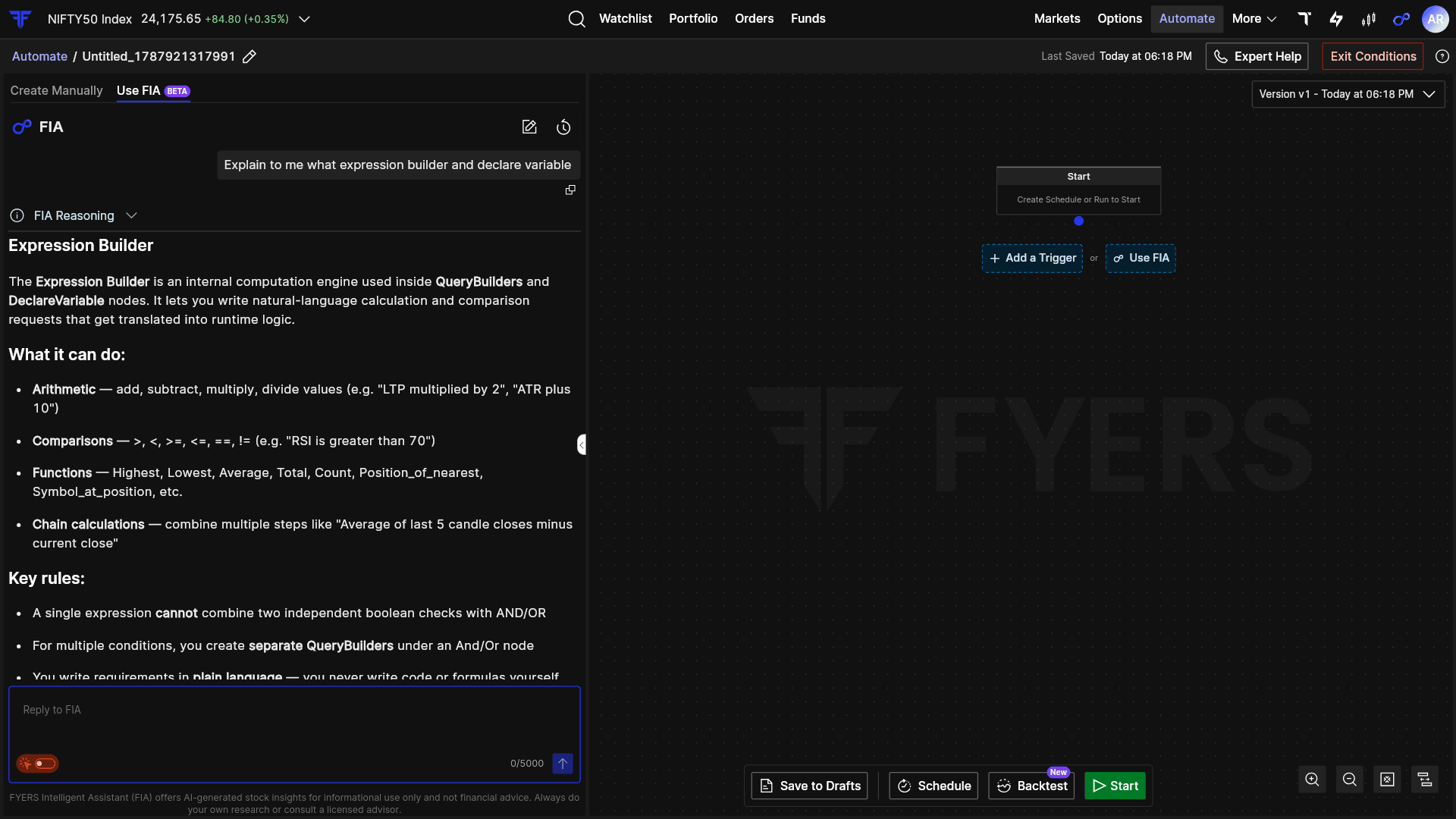
Also, you do not have to figure out unfamiliar parts of the workflow on your own. You can ask FIA to explain a node, what it does, or even walk you through the automation that has been created. So even when the underlying logic gets more sophisticated, you can ask questions about it in the same plain language you used to build it.
You can keep refining it through conversation
FIA is not limited to creating the first version of the automation.
You can continue with simple instructions such as:
“Add another condition.”
“Change the entry time.”
“Add a portfolio risk check.”
“Change the exit rule.”
You can also ask FIA to explain what has already been created.
For example:
“What starts this automation?”
“What happens if this condition is false?”
“Explain this workflow.”
The automation remains visible on the canvas, and changes are tracked through versions, so you can review earlier states and restore them when required.
To understand the feature in more detail, you can explore our Automate with FIA support articles.
FIA simplifies, Automate builds.
FIA makes Automate easier to use without reducing what you can build. The workflows it creates can combine technical indicators, market conditions, options logic, timing rules, order actions, portfolio checks, and risk controls.
What changes is where you begin.
Instead of first learning how to build the automation, you can start with the trading logic you have in mind. FIA translates it into a workflow that you can inspect, refine, backtest, and deploy on your terms.
For traders who have stayed away from algo trading because coding or workflow-building felt like the barrier, that barrier is now significantly lower. Algo trading no longer has to begin with code. It can begin with a sentence

