Chart Autosave option is not working.
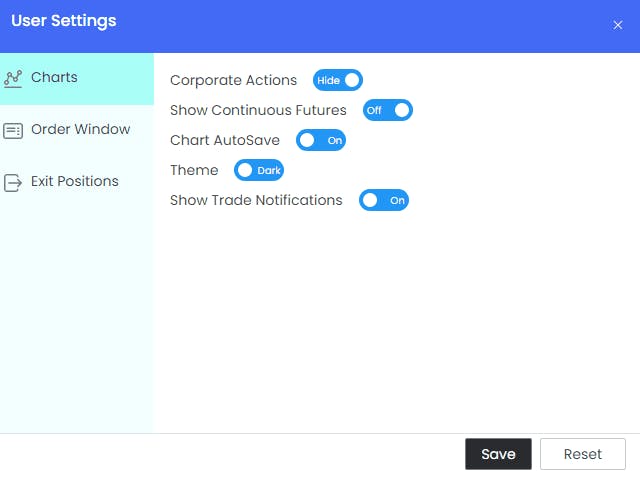
I turn on the third option and save it. However, it automatically turns off and not getting saved. Can anybody help, please?
I am also facing this issue.
In addition to “Chart Autosave” option, I am also facing this issue for “Show Trade Notification” option.
If we try to change them and then try to save them, still everything goes back to their default setting. Nothing works.
Hi @goD7PzYSiv,
We have reported this issue to the team and getting it checked on a priority!
Any update?
I have found one lead for the bug. What is happening is that if I turn the setting ON through Fyers App, it is getting turned on and getting saved.
So, if I turn it off while using App then I can’t turn it on through Fyers Web. I have to go to mobile app and then toggle that setting and then come to Fyers Web.
This behaviour wasn’t there earlier. It seems a recent phenomenon.
Hope this helps in tracking the bug!
Chart autosave not working
Hi Bharat,
We request you to raise the ticket at [email protected] with your registered email id so that we can check in detail and get back to you with the update accordingly.
your domain couldn’t be found in Gmail
Kindly recheck and confirm us.