If nifty weekly expiry falls on tuesday, and there is a holiday on that day, ideally expiry will be on previous working day. how to give such condition in while using fyers Automate building bolcks.?
Hi @113407660865567751225 currently the automation will run as per schedule. We will add a feature in future updates to check DTE.
My idea was to square off the position for this automation on Tuesday and then take a fresh entry on the same day for the next week’s expiry.
Please also ensure the continuation logic of the automation. For example, if there is a holiday and the position gets squared off on Monday as per the rules (or if this is automated in the future), then **the system should check and place a new position **for the next expiry accordingly.
Thanks.!!
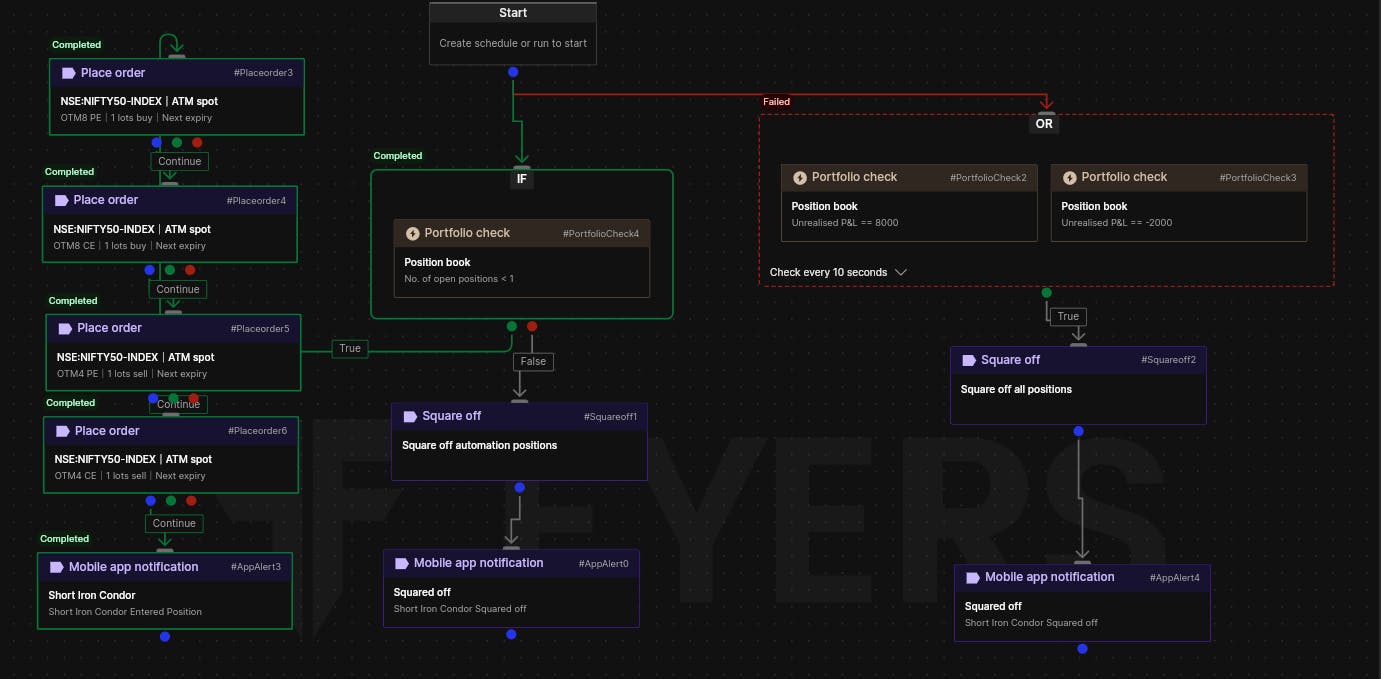
Hi @113407660865567751225 , you have created conditions with ‘==’. There are chances the PnL doesn’t reach exact value. You cann configure >= or <= for your usecase.